Selling Course Templates as Add-ons: 5 Steps to Boost Your Sales
Selling course templates as add-ons is one of those “small change, noticeable payoff” ideas. I’ve seen it work especially well when your main course is already selling, but you want to make the offer feel more complete without rebuilding everything from scratch.
Think of templates as the stuff students use immediately. Not theory. Not “inspiration.” Actual ready-to-go resources—lesson plan outlines, quiz builders, slide frameworks, worksheet templates, email sequences, whatever fits your niche. When students can open a file and start using it today, the perceived value jumps fast.
Here’s the part that surprised me the first time I tested it: bundling changes everything. Selling five templates for $49 often looks like a better deal than selling the same templates individually for $15 each—even if the math is similar. People want momentum. Bundles feel like momentum.
You can also attach templates to your main course as bonuses (“included with purchase”) or sell them as separate add-ons on the checkout page. The bonus approach builds trust, and the add-on approach builds revenue. Why pick just one?
And if you work in B2B at all, don’t ignore businesses. Companies buy training templates for onboarding, internal workshops, and team enablement. In that world, even a simple “team kit” bundle can sell well.
One more thing I recommend: start with a few templates you’re willing to give away. A free sample (or a limited free pack) reduces hesitation. After someone sees the quality, upselling becomes way easier because you’re not asking them to “take your word for it.” They already used it.
Finally, if you have the bandwidth, offer customizable templates. Even light customization—like swapping examples, adjusting the tone, or tailoring a template to a specific audience—can justify a higher price without you reinventing the wheel.
Key Takeaways
- Use templates to increase perceived value fast. Bundle them (and add a few freebies) so upsells feel like a deal, not a sales pitch.
- Pick a platform that matches how you’ll sell: course marketplaces (easier checkout) or direct storefront (more control + better analytics).
- Promote with demos that show the “before and after.” Short videos + real screenshots usually outperform generic posts.
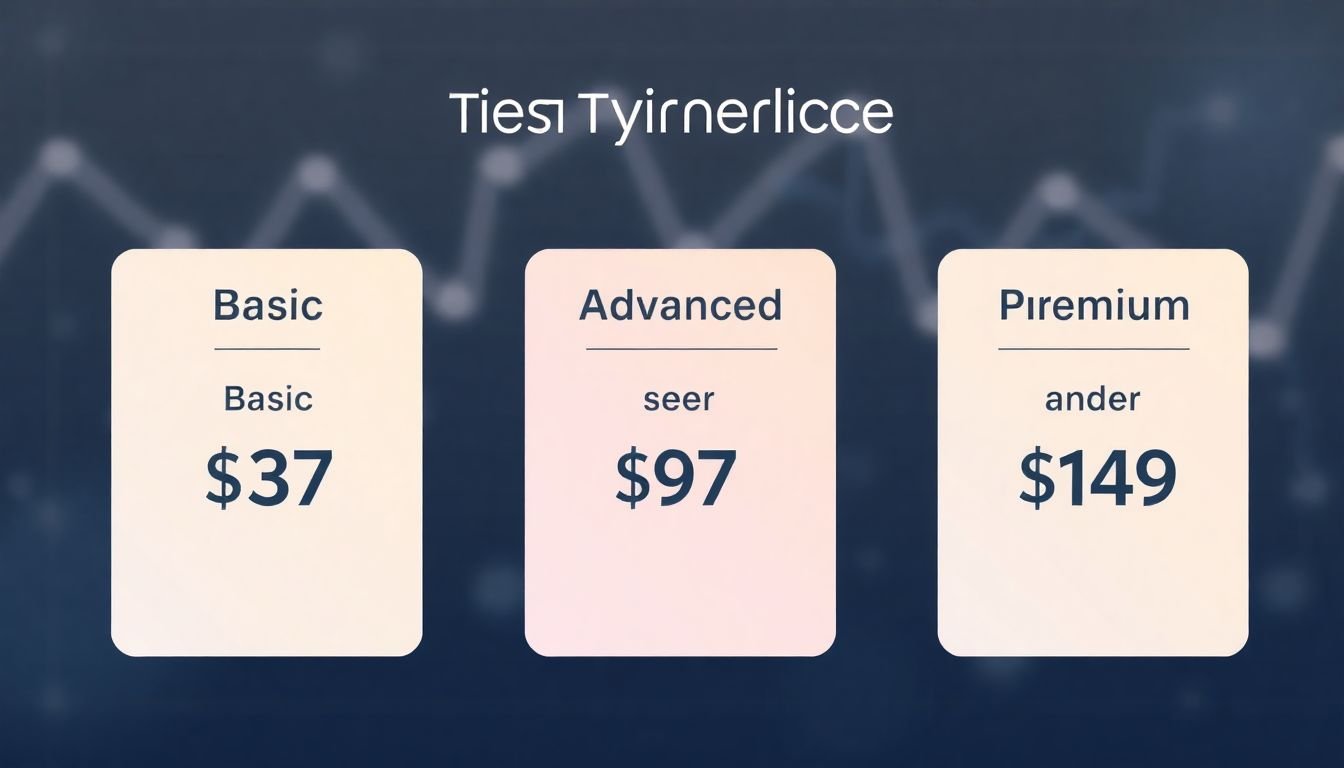
- Price with tiers and bundles. Example: a $37 entry template, then $97 and $149 packages for buyers who want more guidance.
- Track actual metrics (views → clicks → add-to-cart → purchases). If conversion stalls, adjust packaging and the offer—not just the price.
- Use checkout upsells that match intent. Suggest a “next step” template bundle right after they decide to buy.
- Affiliates work best when you give partners ready-to-share assets (demo clips, email copy, and example posts).
- Keep testing: different bundle sizes, promo windows, and price points. Small changes often move revenue more than big overhauls.
Sell Course Templates as Add-ons to Enhance Your Offerings
If you already have a course, templates are an easy way to make your offer feel more “complete” without rebuilding your entire curriculum.
What I’ve noticed is that templates work best when they solve an immediate problem. Instead of selling “a guide,” sell “a usable system.” For example: a Lesson Plan Template that includes learning objectives, quiz questions, and a pacing schedule. Or a Quiz + Answer Key Template with question types you can reuse.
Here’s a simple packaging example I like because it’s clear and easy to compare: offer a bundle like 5 templates for $49. If you instead price each template at $15, the buyer has to do mental math and decide what’s worth it. Bundles remove friction.
And yes, people love deals. But the real win is this: bundles make your product look more valuable per purchase, which usually increases your revenue per sale (not just your conversion rate).
You can include templates in your main course package, or sell them as bonus add-ons. The “bonus” approach is great for trust. The “add-on” approach is great for profit. If you do both, you cover both kinds of buyers.
Also, don’t forget B2B. Training templates are useful for onboarding and internal workshops. If you have customers in HR, L&D, or team management, market a “team kit” bundle (even a small one) and make it easy to understand how a company can reuse it across employees.
One trick that consistently helps: offer a small free set. Maybe it’s 1 template, or a “starter pack” that includes the worksheet but not the advanced examples. Once they’ve used it, upsells don’t feel random—they feel like the obvious next step.
Finally, if you can do it without burning out, add a customization option. Even a limited scope (swap scenarios, adjust reading level, change industry examples) can justify a higher price and reduce refunds because buyers feel it’s tailored to them.
Choose the Right Platform for Selling Course Templates
Platform choice matters more than people think. I’ve watched great templates underperform just because the checkout experience was clunky or the files weren’t delivered instantly.
For most creators, platforms like Teachable and Thinkific are popular for a reason: they handle payments and digital delivery without you building everything from scratch.
When you’re picking a platform, ask yourself: will you sell templates as standalone products, or only as bonuses inside your course? If you want templates to be a standalone item, make sure the platform supports selling digital products—not just course enrollments.
I also look for features that reduce buyer hesitation: fast checkout, clear delivery, and the ability to run bundle discounts or installment payments. Installments can help if your higher-tier template bundles go above $100.
If you want more control, selling directly through your site with tools like WooCommerce or Shopify can be a good fit. The tradeoff is more setup time—but you usually gain better control over your storefront, upsell placement, and analytics.
For traffic sources, match your selling to where people already are. If your audience hangs out on social media, marketplaces and tools that make link-sharing easy (like Gumroad or Sellfy) can be helpful.
One thing I always check: analytics. You don’t need fancy dashboards—you need to know what sells, what doesn’t, and where people drop off (product page, checkout, or download page). The platform should make that information accessible.
Set Up Marketing and Promotion Strategies
Here’s the truth: templates won’t sell if nobody sees them. But you don’t need “viral” content. You need content that proves the template is usable.
Start with social media demos. Not just talking about the template—show it. I mean quick screen recordings where you highlight what’s included, how it’s organized, and what a buyer gets in under 30 seconds.
For example, I’d post one short demo video (15–30 seconds) showing the template structure, then a second post with a “before/after” result (even a simple before/after like “here’s the messy lesson outline → here’s the organized template output”). That’s the kind of proof that reduces doubt.
Cadence matters too. If you’re brand new, try a simple two-week test: 3 posts/week plus 1 email. Then compare performance. Don’t guess—measure.
Paid ads can work well if your targeting matches “intent.” On Google, search terms like “course template,” “lesson plan template,” “online course curriculum template,” or “quiz template for online course” are examples of keywords that can bring buyers who are actively looking for resources.
On Facebook/Instagram, I’d test audiences like:
- Interests: online education, course creation, e-learning, instructional design
- Behaviors: engaged shoppers, small business owners
- Retargeting: people who visited your template landing page or watched your demo video
And don’t run one ad and call it a day. I’d run at least 3 creatives in parallel—one demo-style, one screenshot-heavy, and one “bundle value” angle. Track which one drives the best cost per add-to-cart or cost per purchase.
Landing pages are where a lot of people lose money. You want a page that quickly answers: what’s inside, who it’s for, how it helps, and what the buyer gets immediately after purchase. If your landing page is vague, ads won’t save you.
Communities and forums can be great for warm leads. Just don’t spam. Share a specific template outcome (“I built a 20-minute lesson plan using this pacing worksheet”) and link to a page where people can see exactly what they’ll get.
Email is underrated for this product type. Send a short email with a screenshot + a one-sentence explanation of the template use case. If you want a promo, keep it simple: “24-hour bundle discount” or “free sample included this week.”
Finally, build a demo video or mini case study. Even if it’s your own process: show how you used the template to create a course module faster. Honest demos build trust faster than polished marketing.
Last step in marketing: test offers. If one angle works (bundle vs single templates, free sample vs no free sample), lean into it. If something doesn’t convert after a reasonable test window, change the offer—not the entire strategy.
Implement Tiered Pricing and Discount Tactics
Tiered pricing is one of the easiest ways to increase revenue without changing your template quality. People don’t all want the same thing. Some just need a single resource. Others want the full system.
Here’s a pricing structure I’ve used and seen work well:
- Starter: 1 template for $37 (simple, quick win)
- Pro Bundle: 5 templates for $97
- Ultimate Pack: 10–12 templates for $149
Now add discounts strategically. Early-bird deals are effective when the offer is time-bound and clear. Bulk discounts work when buyers actually want multiple templates (or if you’re selling to teams).
One concrete promo example: run a “Bundle Week” where the Pro Bundle ($97) drops to $79 for 72 hours. Don’t discount everything forever—just enough to create a decision window.
Another option: offer a “buy 1, get 2” style bundle. For instance, if someone buys the Starter template at full price, give them 2 additional templates at 50% off during checkout. That keeps the upsell feeling fair.
Also, show comparison pricing when it makes sense. If your Ultimate Pack includes templates that would cost $15 each individually, display that “value” so the buyer can see why the bundle is a smart choice.
Then repeat what works. Test your pricing tiers and promo windows monthly (or every time you add a new template pack). Your goal isn’t to find the perfect price once—it’s to find the price that creates consistent conversions.
Leverage Data and Customer Feedback for Pricing and Packaging
Data makes this a lot less guessy. When I’m evaluating templates, I look at the funnel, not just the final sales number.
For example: if a basic template priced at $37 gets lots of clicks but doesn’t convert, that usually means the buyer isn’t convinced it’s worth the purchase yet. They might want more included, clearer examples, or a better “starter path” into the full bundle.
On the other hand, if a higher-tier package converts well, it might be because the buyer sees the templates as a complete solution. That’s packaging—so lean into it.
Customer feedback is also huge. Reviews are obvious, but surveys and quick feedback forms are what reveal the “why.” I like asking one simple question after purchase: “What part of the template helped you most?” Then follow with: “What would you add or improve?”
When you get patterns, adjust accordingly. If multiple buyers say, “I wanted more examples,” add example sheets. If they say, “I need it to be easier to customize,” offer an editable version or a customization add-on.
For B2B, packaging can be different. If teams are buying for onboarding, create a “team training kit” bundle with templates formatted for managers (agenda templates, tracking sheets, and assessment templates). You can also offer pricing tiers based on number of seats (even if it’s just 1–10 vs 11–50 seats).
Don’t ignore competitor pricing either. You don’t have to undercut everyone, but you should know where your price sits relative to similar template packs. If you’re priced higher, you should be able to explain exactly what’s better (more templates, better formatting, more examples, better structure).
Utilize Upselling and Cross-selling Techniques during Checkout
Checkout upsells work when they’re relevant. If your upsell feels random, people will bounce or feel annoyed. But if it’s the next logical step, it feels helpful.
What I like to do is suggest add-ons that match the buyer’s intent. If someone buys a lesson plan template, the next suggestion could be a quiz template, rubric template, or student worksheet pack.
A simple cross-sell example: if someone buys the Starter template at full price, offer a “5-template bundle” discount. You can phrase it as: “Add the Pro Bundle for $X (save Y%)” on the checkout page.
Timing matters. Use checkout pages to highlight time savings and quality improvements. A line like “Includes ready-to-edit examples” or “Includes answer keys and grading rubric” usually converts better than generic “premium templates” language.
Want urgency? Use limited-time offers, but keep them honest. If the discount expires in 24 hours, show that clearly. People act faster when they know the rules.
And yes, consider personalized recommendations based on browsing behavior. If your analytics show they viewed “quiz templates” before the purchase, show them a quiz-related bundle upsell. It’s not magic—it’s relevance.
Above all, don’t be pushy. The goal is to help them get more value from their purchase, not to trick them into something they didn’t want.
Build an Affiliate Program to Boost Reach and Sales
An affiliate program can turn your templates into a scalable product—because other people promote them to their audience for you.
Who should you recruit? Course creators, instructional designers, education bloggers, and niche influencers in your topic area. The closer they are to your buyer, the better.
Here’s what I’d offer to affiliates: clear commission structure plus assets that make sharing easy. Don’t make them guess what to say.
Commission-wise, 20–30% is a common range because it’s motivating enough for partners while still keeping your margins healthy. If your template bundles are priced high and you have low refund rates, you can sometimes go toward the upper end.
Consider tiers too:
- Base commission: 20% for new affiliates
- Performance boost: 25% after 20 sales in a month
- Top partner: 30% after 50 sales in a month
Then prepare a small “affiliate kit” so they don’t have to create everything from scratch. Include:
- 2–3 social post examples (with hooks)
- 1 short demo video or recorded walkthrough
- One email template they can copy/paste
- Suggested landing page link + tracking instructions
If you’re partnering with influencers on platforms like YouTube, give them a clear angle. For example: “Show how you used the template to create a course module in under an hour.” That’s content they already know how to make.
Track affiliate performance regularly. If one partner drives clicks but not purchases, update their landing page suggestion or improve the offer messaging they’re using.
Test and Optimize Your Pricing and Offers Continuously
Pricing isn’t something you set once and forget. I learned that the hard way—templates change, your audience changes, and your competitors change. So your offers should too.
Run small experiments instead of big bets. Here are a few tests that are easy to run:
- Test two landing page versions: one with lots of screenshots, one with a short video demo
- Test two bundle sizes: 5 templates vs 7 templates at the same price point
- Test two promo durations: 48-hour discount vs 72-hour discount
- Test two price points: $97 vs $99 (yes, small differences can matter)
Use your website analytics to find drop-off points. If people click but don’t add to cart, the page might not be clear enough. If they add to cart but don’t purchase, checkout friction or trust issues could be the problem.
If a bundle priced at $149 isn’t converting, don’t automatically slash the price. Try splitting it into smaller packages first, or add a “bonus template” that increases perceived value without lowering your base price.
Also ask customers directly. A simple post-purchase survey can reveal what they care about most—customization, examples, formatting, speed, or completeness.
Bottom line: treat monetization like tuning. You’re not trying to find a one-time magic fix—you’re trying to build a consistent offer that matches what buyers already want.
FAQs
Pick a platform that makes digital delivery painless and your storefront easy to manage. Popular options include Shopify, WooCommerce, and course platforms like Teachable/Thinkific—especially if they support selling templates as standalone digital products and provide solid payment + download handling.
I price based on template complexity and how complete the solution feels. Then I sanity-check demand: if you get clicks but few purchases, your packaging may need more value (more templates, better examples, or a clearer bundle). Tiered pricing also helps because buyers can choose the level of support they want.
Promote with demos (screen recordings, screenshots, or short walkthrough videos), then support it with social proof like testimonials or review snippets. Email promos and partnerships with course creators can also work well—especially when affiliates share assets you provide (so their content matches your offer).
Yes. Customizations can be a great add-on—think “swap examples,” “tailor to your niche,” or “format for your course style.” Even limited customization (instead of full custom work) can boost revenue while keeping your time under control.