How To Document Your Course Creation SOPs in 8 Simple Steps
If you’ve ever tried to build a course and ended up with lesson notes scattered across five docs, you’re not alone. I’ve been there. The “we’ll remember later” approach doesn’t work—especially once you have multiple people touching the project. So in this post, I’m sharing the exact way I document course creation SOPs so the process stays clear, repeatable, and actually usable.
What I like about this method is it’s not just theory. It’s built around the real handoffs that cause delays: who gathers what, what gets approved, what files get produced, and what “done” means. By the end, you’ll have an SOP structure you can copy, plus a checklist and a sample section you can drop straight into your own workflow.
Key Takeaways
Key Takeaways
- Define the course goals and scope in plain language (and write down what’s explicitly out of scope).
- Collect inputs in one place early: source materials, SME notes, branding, platform requirements, and tool access.
- Choose an SOP format that matches your team (checklists for execution, flowcharts for decisions, docs for approvals).
- Build an outline that includes dependencies and parallel work (so people know what can start immediately).
- Draft instructions using active voice and “what to do next” steps, not vague reminders.
- Add visuals where they prevent mistakes—decision trees, screenshots, and content-flow diagrams.
- Test your SOP by having someone follow it end-to-end and log where they get stuck.
- Keep it alive with version control, a review schedule, and automation notes for repeatable steps.
Step 1: Define the Purpose and Scope (So You Don’t Chase Your Tail)
Before I write a single SOP step, I force myself to answer two questions: what should learners be able to do at the end, and what am I not covering?
Here’s what I include in my scope doc:
- Course goal (1–2 sentences): “Enable learners to build and publish a landing page using X tool.”
- Target audience: experience level, role, and typical starting point.
- Learning outcomes: 5–10 measurable outcomes (not vibes).
- In-scope deliverables: lesson videos, slides, quizzes, workbook, templates, etc.
- Out-of-scope items: “No advanced integrations,” “No custom code,” “No instructor-led cohorts,” etc.
- Constraints: time to launch, budget, platform limits, language requirements.
In one project I worked on, we kept saying “it’s a beginner course,” but we never wrote down what “beginner” meant. Result? The team spent an extra week adding advanced examples. After we defined scope properly (including an explicit out-of-scope list), rework dropped a lot because approvals became clearer.
Step 2: Gather Inputs (The Stuff That Usually Gets Missed)
This is the step where I’m most strict. If you don’t gather inputs up front, the SOP becomes a “guess and hope” document. What I collect depends on the course, but the categories stay consistent.
My input checklist looks like this:
- Subject matter inputs: SME notes, interview recordings, reference articles, prior internal docs.
- Audience research: common questions, objections, skill gaps, and “what they think they know.”
- Brand + style: logo files, typography rules, color palette, voice/tone examples.
- Platform requirements: video specs (resolution, length limits), quiz rules, formatting guidelines.
- Existing assets: old slides, recordings, templates, scripts, worksheets.
- Legal/permissions: image licenses, music permissions, attribution notes.
- Tools and access: accounts for editing software, LMS upload access, folder permissions.
When I’m stuck figuring out what “good” looks like, I scan comparable courses for gaps. If you want a place to start, sites like createaicourse.com can help you see what’s out there and what learners already expect.
Then I store everything in one folder and make sure the SOP points to it. Not “somewhere in Drive.” A real location.
Step 3: Choose the Right SOP Format (Match It to How Your Team Works)
I don’t believe there’s one magic SOP format. The “best” format is the one your team will actually use. Here’s how I decide:
- If tasks are repeatable: use checklists (great for production and QA).
- If you need decisions: use flowcharts (great for “record vs outsource,” “include vs skip,” etc.).
- If you need approvals and context: use a doc with sections (goal, scope, responsibilities, acceptance criteria).
- If multiple people collaborate: use a shared workspace (so updates don’t live in email threads).
In practice, I usually end up with one main doc + a few task checklists. For the doc, I’ll use Google Docs or Notion so it’s easy to edit and keep accessible. For visuals, I’ll add them as separate pages or images linked from the doc.
Quick example of a checklist format I’ve used:
- Lesson Script Checklist
- Learning objective stated in first 60 seconds
- Key terms defined before first use
- Includes at least 1 knowledge check question
- Script length matches target video duration (e.g., 6–8 minutes)
Step 4: Build a Course-Specific SOP Outline (With Dependencies)
Once inputs and format are set, I map the entire course creation workflow into an outline. The missing piece in most SOPs? Dependencies—what can be done in parallel vs what must wait.
Here’s a course-creation outline structure that works well for teams I’ve supported:
- 0. Project Setup
- Responsibilities (Owner, Reviewer, Approver)
- Folder structure + naming rules
- Versioning rules
- Timeline + milestone dates
- 1. Curriculum Design
- Outcome mapping (outcome → module → lesson)
- Assessment plan (quizzes, assignments)
- Curriculum approval checkpoint
- 2. Lesson Production
- Scriptwriting
- Slide creation
- Recording/editing
- Asset QA
- 3. LMS Build
- Upload structure
- Quiz configuration
- Navigation + completion rules
- LMS QA checkpoint
- 4. Launch Readiness
- Final compliance checks
- Beta review
- Release notes
- Post-launch monitoring plan
To make this feel real, I also add a short “acceptance criteria” line under each checkpoint. Example: Curriculum design approval isn’t “looks good.” It’s:
- All learning outcomes mapped to at least one module
- Each lesson includes a knowledge check or activity
- Assessment types match the outcomes (no random quizzes)
- Estimated lesson durations added (so production planning is realistic)
Step 5: Draft the SOP With Clear, Active Instructions (And Real Artifacts)
This is where most SOPs go wrong. They read like a memo. I write mine like a set of instructions someone can follow without guessing.
My rules:
- Use active voice: “Upload the lesson assets to the LMS course folder.”
- One step = one action: don’t cram 6 tasks into one sentence.
- Include the artifact names: what file gets created or updated.
- State acceptance criteria: what “done” means for that step.
- Call out owners: who does it and who reviews it.
Here’s a snippet of a SOP section I’ve used (adapted for course teams):
Sample SOP Section: Curriculum Design Approval
Owner: Curriculum Designer
Reviewer: SME Lead
Approver: Course Producer
Inputs needed: audience profile, SME notes, brand/style guidelines, platform limits (video length, quiz types).
Process:
- Create a module list (Module 1–Module N) with short descriptions.
- Map each learning outcome to at least one lesson (Outcome → Lesson → Evidence).
- Define knowledge checks per lesson (question type + where it appears).
- Draft assessment plan (quiz + assignment + rubric/criteria if applicable).
- Submit the curriculum doc for review using the template link below.
Deliverables (artifacts):
- File: 01_Curriculum_v{version}_YYYY-MM-DD.docx
- Sheet: Outcome_Mapping_v{version}_YYYY-MM-DD.xlsx
- Assessment plan: Assessment_Plan_v{version}_YYYY-MM-DD.pdf
Acceptance criteria:
- Every learning outcome appears in the outcome mapping sheet.
- At least 1 knowledge check per lesson (or justification if not applicable).
- Assessment plan matches the outcomes (no misalignment).
- Estimated lesson durations added and consistent with platform constraints.
Template: Link to your internal template doc (keep it in the SOP so the team doesn’t hunt).
Step 6: Add Visuals (Only Where They Prevent Mistakes)
I’m not a fan of “add a screenshot because it looks nice.” Visuals should reduce confusion. When I add visuals, it’s usually for:
- Decision points: “Do we record in-house or outsource?”
- Navigation: how lessons appear in the LMS (module → lesson → quiz).
- Template usage: where to find and how to fill out the correct form.
- Quality checks: what a correctly formatted quiz looks like.
For visuals, tools like Lucidchart or Canva make it easy to create flowcharts and diagrams, even if you’re not a designer.
What I noticed after adding one simple flowchart for “recording workflow” is that new team members made fewer mistakes about which assets needed editing vs which were ready to upload. That saved a surprising amount of rework.
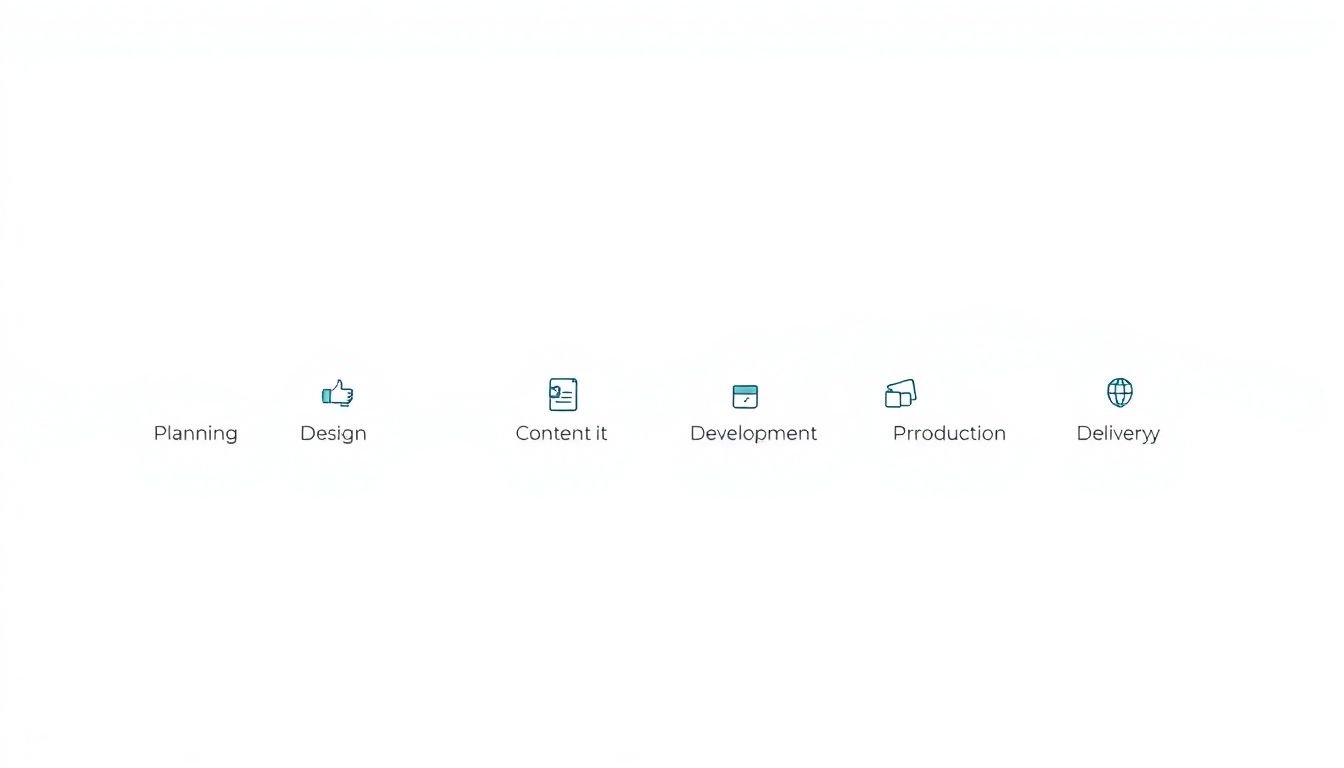
Step 7: Review, Test, and Revise (Don’t Skip the “Follow It Like a New Hire” Part)
Here’s my favorite test: I pick one complete workflow—like “build one lesson end-to-end”—and I ask someone who isn’t in the project to follow the SOP exactly.
During the test, I ask them to do two things:
- Highlight where they hesitate (even if they guess correctly).
- Note what’s missing (links, file names, approval steps, tool access, etc.).
Then I revise based on real friction, not “we think it’s fine.” After we do this on one course, our SOP becomes way more accurate for the next one.
For timing, I set a review cadence of every 3–6 months, and also after any major tool change (like switching video editors, LMS updates, or changing quiz formats).
Step 8: Additional Tips (Versioning, QA, and Practical Automation)
These are the “small” details that make your SOP feel professional and prevent chaos later.
- Keep it accessible: Put the SOP in a shared place like Google Drive or Notion, and make sure the link is in the project kickoff message. If people can’t find it fast, it doesn’t matter.
- Use version control (with a purpose): Don’t just save “final_v3.” Use dates or version numbers and note what changed. Example: v1.2 (2026-04-10) — updated LMS quiz settings + file naming rules.
- Be specific about QA checks: Add concrete QA steps, like:
- Video audio levels checked (no clipping, consistent volume)
- Slides match script (no missing references)
- Quiz questions display correctly on mobile
- Navigation works (module → lesson → completion)
- Include a “common failure points” list: This is gold. Example: “People forget to update the lesson completion criteria,” “SME feedback comes in as comments without a resolved status,” etc.
- Encourage feedback with a simple mechanism: Add a “SOP Issues” section where team members can drop notes like “Step 5 unclear” with a screenshot.
- Automate the repeatable parts (don’t automate the judgment): If you use AI or automation, document exactly what you’re doing. For example:
- Create a template prompt for lesson objectives and learning outcomes.
- Use AI to draft first-pass scripts, then require SME review for accuracy.
- Automate file naming fields: lesson title, module number, version, date.
- Use a checklist generator to make QA lists per lesson type (video vs text-only).
If you want a practical place to start with AI-assisted course building, you can point your team to createaicourse.com for inspiration, and if your workflow includes an AI course builder, keep the SOP section tied to the exact feature you’re using (like versioning, SOP templates, or checklist generation) instead of vague “use AI.”
That’s the difference between “we tried something” and a system your team can repeat next week.
FAQs
Define the purpose and scope first. I mean the exact goals, target audience, in-scope deliverables, and what you’re explicitly not covering. That becomes the reference point for every later decision.
Pick a format that matches the work. Checklists are best for execution and QA, flowcharts are best for decisions, and a structured doc is best for approvals, roles, and acceptance criteria.
Visuals cut down mistakes. A simple flowchart or screenshot can show exactly what to click, what the “correct” output looks like, or which path to take when there’s a decision.
I review mine every 3–6 months, and anytime there’s a major change (tools, LMS settings, or course format). If you don’t, the SOP slowly turns into outdated advice.