How to Handle Copyright Licensing for Third-Party Content in 6 Steps
If you’ve ever grabbed an image, a clip, a bit of music, or a quote from the internet and thought, “This looks fine… right?”—you’re not alone. I’ve been there. The uncomfortable part is that “it’s on the web” doesn’t automatically mean “free to use.”
In my experience, the safest approach is to treat every third-party item like it has strings attached until you verify the rights. That’s how you avoid the stuff nobody wants: takedown emails, demonetization, or having to scramble for replacement assets right before you publish.
This is written for people who are building real projects—like course creators embedding media in paid modules, marketers adding visuals to landing pages, and anyone publishing on YouTube, podcasts, or a website. I’ll walk you through a permission workflow you can actually follow, plus copy/paste templates for permission requests, attribution, and recordkeeping.
Let’s make copyright licensing for third-party content less mysterious and more practical.
Key Takeaways
- Don’t assume something is reusable just because it’s online. Check whether it’s copyrighted, public domain, or explicitly licensed—and read the license terms for your exact use.
- Permission beats guessing. When you need rights, ask the rights holder directly (email or a formal request) and keep proof of approval.
- Match the license to your use case. CC BY, CC BY-NC, CC BY-SA, and public domain each have different requirements around attribution, commercial use, and derivatives.
- Attribution has rules. “Credit the author” isn’t always enough—you may need a specific wording, link, and/or license notice.
- Keep records like you’ll be audited. Save emails, signed agreements, and license metadata. A license tag isn’t proof of permission for every situation.
- Technology is changing enforcement. AI and automated monitoring can flag unauthorized use faster than you can react, so your documentation matters even more.
1. Know What Third-Party Content Is and Its Copyright Requirements
Third-party content is anything created by someone outside your team—images, music, videos, screenshots, fonts, quotes, charts, even “free” web content that was shared publicly. If it didn’t come from you (or your direct contractor under a work-for-hire/assignment), treat it as third-party.
Here’s the rule I use: assume it’s copyrighted until you can point to a license or status that says otherwise. That single habit has saved me from a lot of avoidable risk.
Copyright law typically gives creators exclusive rights to reproduce, distribute, publicly perform/display, and create derivatives. So if you use their work outside the permission you have, you can run into takedowns or claims.
Example I’ve seen: using a popular song in your YouTube video without the right license. Even if you’re not selling the video, platforms and rights management systems can still flag it and restrict monetization—or remove the content entirely.
So what should you check before you touch the asset?
- Is there a clear license? Look for a license page, a “terms of use,” a Creative Commons badge, or a stated permission.
- What does the license allow? Attribution? Commercial use? Derivatives/modifications? Duration? Territory?
- Is it truly public domain? Public domain status usually needs a credible source—not just “I found it online.”
- Does your use match the license? A license that’s fine for a personal blog might not be fine for a paid course or a monetized YouTube channel.
One more thing: “free to download” isn’t the same as “free to use.” If the creator requires attribution or limits use, you still have to follow those conditions.
2. Steps to Secure Permission for Third-Party Materials
When something isn’t clearly licensed for your exact use, you need permission. And yes—this part can be slow. But it’s usually faster than dealing with takedowns later.
Here’s a workflow that works well for course creators, agencies, and content teams:
- Step 1: Identify the rights holder. Sometimes it’s the creator. Other times it’s a stock agency, label/publisher, or a licensing collective. If you’re not sure, follow links from the original post (not re-uploads).
- Step 2: Collect usage details. Write down where the content will appear (LMS module, landing page, YouTube description, etc.), how long you’ll use it, and whether your project is commercial (paid course, paid ads, monetized video).
- Step 3: Request permission in writing. Email is fine. For bigger uses, you might need a formal license agreement.
- Step 4: Ask for the scope you actually need. Don’t just ask “Can I use this?” Specify distribution (worldwide vs. specific regions), term (e.g., 2 years), and whether you’ll modify the asset.
- Step 5: Keep proof. Save the email thread, agreement, invoice, and any license certificate.
What I noticed the hard way: I once requested permission for “a blog post” and later used the same image in a paid webinar slide deck. The original approval didn’t clearly cover that format. We had to redo the request. Since then, I always spell out every channel—because “web” and “course materials” are different in many rights holders’ minds.
Permission request email template (copy/paste):
Subject: Permission request to use [Asset] in [Project] (paid/course use)
Hi [Name/Team],
I’m creating [Project name] for [audience]. I’d like permission to use the following third-party content:
• Asset: [title/description + link or file name]
• Creator/Rightsholder: [name]
• Intended use: [e.g., embedded in a paid LMS module + downloadable PDF worksheet]
• Format: [video/image/text] and whether I will edit/crop/translate
• Distribution: [public website, worldwide, behind login for students, etc.]
• Term: [e.g., 12 months / 2 years / perpetual if allowed]
• Commercial context: [yes/no + how it’s monetized]
• Attribution: I will credit you as required (name, link, license/credit line).
Could you confirm whether you grant permission for the scope above? If there’s a license fee or agreement, please share the next steps.
Thanks!
[Your name]
[Company/Brand]
[Website/LMS link]
[Phone (optional)]
Quick permission timing reality: smaller creators might reply in a day or two. Agencies and publishers can take a week or more, especially if they need to route the request internally. If you’re publishing on a fixed date, start early.
And if you can’t track down the owner?
- First, try to find the original source (not mirrors or random re-uploads).
- If the asset is available under a license (like Creative Commons) that matches your use, you can rely on that license instead of direct permission.
- If you still can’t verify rights, don’t use it for commercial distribution. Replace it with something you can license confidently.
Important note: I’m not a lawyer, and this isn’t legal advice. If you’re using copyrighted content at scale (ads, big campaigns, large music libraries, or high-stakes media), it’s worth checking with counsel.
3. Types of Licenses to Consider for Third-Party Content
Licenses are basically “permission with conditions.” The same image can be perfectly legal in one project and not legal in another, depending on how you plan to use it.
Here’s how I break down common options:
- Public Domain: Generally free to use without copyright restrictions. Still, double-check the source and whether any trademark/branding issues exist.
- Creative Commons (CC): Open licenses with different conditions.
- Traditional “All Rights Reserved” licenses: You’re usually paying for a specific scope (term, territory, format).
Creative Commons license types you’ll see most often:
- CC BY: You can use it commercially and even modify it, as long as you provide attribution.
- CC BY-SA: You can use it commercially and modify it, but derivatives must be shared under the same license.
- CC BY-NC: You can use it, but only for non-commercial purposes. A paid course can be considered commercial, depending on how it’s structured and interpreted.
- CC BY-ND (sometimes): You must use it unchanged (no derivatives), with attribution.
License decision tree (practical):
- Step A: Is the asset public domain or under a license that explicitly covers your use?
- If yes, follow the license conditions exactly (attribution, share-alike, no-derivatives, etc.).
- If no, go to Step B.
- Step B: Is your project commercial (paid course, monetized video, ads, lead-gen)?
- If yes, be extra careful with CC BY-NC. You may need direct permission.
- If no, CC BY-NC might work—still verify the exact conditions.
- Step C: Will you modify the asset (crop, translate, remix, overlay text)?
- If yes, make sure the license allows derivatives (e.g., CC BY allows it; CC BY-ND doesn’t).
- Step D: Are you embedding/redistributing?
- Embedding (like linking or using an allowed embed) can be different from downloading and re-uploading. Check the license and the platform’s terms.
More specific examples (so you can map this to your work):
- Embedded stock photo in a paid course landing page: If the image is under CC BY, you can use it commercially with attribution. If it’s CC BY-NC, you’ll likely be in trouble because your course is paid (commercial). For CC BY-ND, you can’t edit the image (no cropping/alterations) unless the license says you can.
- Short music clip in a YouTube video: If you don’t have a synchronization license or a clear platform-licensed track, you can get copyright claims even if you “credit the artist.” Credits don’t replace the right to use.
If you’re unsure about which CC works match your needs, tools like Creative Commons and license choosers/search can help you find properly licensed content—but still verify the specific license terms on the item page.
One more nuance I wish more people talked about: some licenses allow you to use the work but not the rights you think you have. For big projects, rights holders sometimes require additional permission even when the content looks “open.”
4. How to Properly Label and Attribute Third-Party Materials
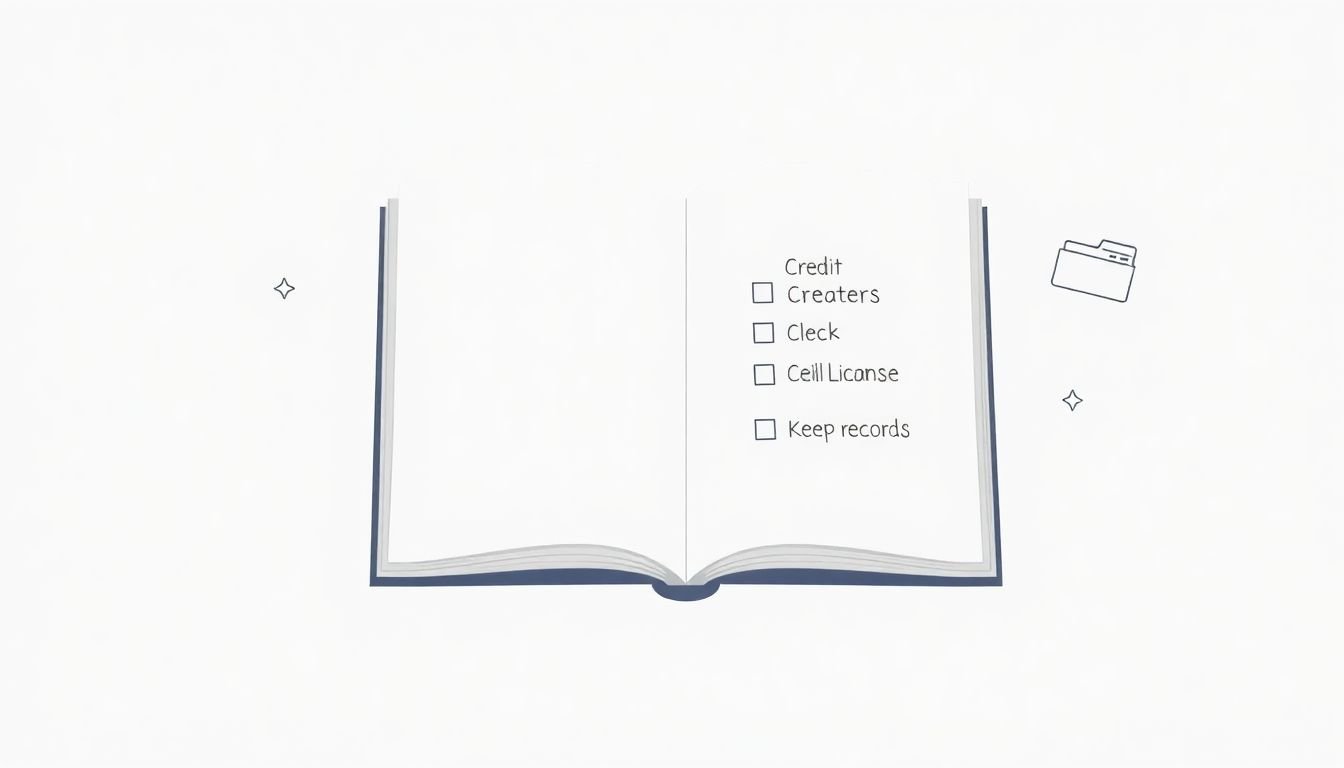
Attribution isn’t just being nice. It’s often a license requirement. And when you don’t follow the attribution format, you can lose the protection you thought you had.
Here’s what “proper attribution” usually means:
- Creator name (or organization)
- Title (when available)
- Source link (where you found it)
- License type (e.g., CC BY 4.0) and/or link to the license
Attribution template for CC BY / CC BY-NC:
[Title] by [Creator Name] is licensed under [CC BY / CC BY-NC 4.0] (link to source + link to license).
Used with permission / under the terms of the license.
Attribution template for CC BY-SA:
[Title] by [Creator Name] is licensed under CC BY-SA [version]. (link to source + link to license).
If you create a derivative, share it under the same license.
What about captions and labels?
- If you’re embedding an image or video in a course, add attribution near the asset (caption or a “Credits” section for that lesson).
- If you’re using a screenshot, include the credit under the screenshot so it’s not buried in a footer no one reads.
- If you’re using music in a video, make sure your description and/or end screen credits match the license terms.
Example wording you can actually use:
“Photo: ‘City skyline at dusk’ by Jane Doe, licensed under CC BY 4.0 (https://example.com/source).”
I’ve also learned to double-check platform-provided attribution. YouTube, for example, may display some info automatically, but you still need to make sure the credit line is accurate and complete for your license requirements.
And yes—incorrect attribution can sometimes trigger takedowns or disputes even when you intended to comply. That’s why I treat attribution as part of the compliance workflow, not a last-minute chore.
5. Maintaining Records of Licensing Agreements and Permissions
Think of your licensing records as receipts. If something ever gets questioned, you want to be able to answer fast: What did you use, what rights did you have, and where’s the proof?
If you don’t keep records, it’s like losing the email confirmation after you buy something online—you can still remember, but you won’t have evidence.
What to save (minimum):
- Emails with the rights holder (including the exact scope you requested and what they granted)
- Signed agreements or license certificates
- Invoices/receipts (when applicable)
- License page screenshots or PDFs showing the exact license terms
- Links to the original source page and the version you used
Documentation checklist (copy/paste fields):
- Asset name/ID: [file name + description]
- Source URL: [link]
- Creator/Rightsholder: [name]
- License type: [CC BY 4.0 / CC BY-NC 4.0 / custom]
- License URL: [link to license]
- Permission scope: [channels, formats, territory, term]
- Commercial use allowed: [yes/no/unclear]
- Derivative/modification allowed: [yes/no]
- Attribution requirements: [exact wording if provided]
- Proof location: [folder path / Drive link / ticket ID]
- Date verified: [YYYY-MM-DD]
About license IDs/metadata: Creative Commons license identifiers and metadata are helpful, but they’re not a magic substitute for permission where permission is required. If the license is unclear, or your use doesn’t match it, you still need to resolve that gap.
Mini case study #1 (what went right):
A client embedded a CC BY photo in a paid course lesson. We recorded: the source URL, the CC BY license link, the attribution text, and a screenshot of the license terms. When the client later updated the lesson page, we reused the same attribution block. No surprises, because the record was already there.
Mini case study #2 (what went wrong):
Another team used a CC BY-NC image on a course page that was part of a paid funnel. They assumed “non-commercial” meant “not selling the image.” It didn’t. We had to replace the asset with CC BY content and update the credits. Lesson learned: non-commercial isn’t “not selling the asset”—it’s about whether your overall project is commercial.
Keep these records updated when you renew licenses or when you change how you distribute content. That one habit prevents a lot of accidental non-compliance.
6. Handling the Growing Market and Technology Trends in Copyright Licensing
Licensing isn’t slowing down. It’s getting more formal—and more automated. One reason is the sheer growth of digital distribution. For example, the licensing market has been projected to grow from about USD 13.5 billion in 2023 to USD 22.4 billion by 2032 (see from USD 13.5 billion in 2023).
So what does that mean for you?
- More platforms = more enforcement. TikTok, Instagram, YouTube, and streaming ecosystems use automated systems to detect reused content.
- Faster takedowns. If you’re wrong, you might get flagged before your team even notices.
- More sellers and marketplaces. You’ll find licensing options everywhere, but not all are legitimate—so verify terms and scope.
Blockchain and rights registries: there’s a lot of hype around “transparent ownership,” but here’s the practical way to evaluate it. If a service claims it can identify rights holders, I’d want to see:
- How they source the registry data
- Whether it’s legally recognized or just informational
- Whether it includes usage scope (term, territory, formats)
- What evidence they provide if there’s a dispute
AI detection and enforcement: automated systems can match audio/video and sometimes images. That means:
- Using the “wrong” version of a licensed asset can still trigger a claim.
- Attribution mistakes and license mismatches can become disputes because the system sees the content, not your intention.
- Your best defense is still documentation—proof of license and scope.
In my view, the biggest advantage of staying on top of trends isn’t “cool tech.” It’s that you’re less likely to get stuck mid-launch. If you keep records and verify scope every time, technology becomes less scary.
And if you’re using any automation to help with licensing workflows, treat it like a draft assistant—not the final authority. Always confirm the license terms and save your proof.
FAQs
Third-party content is material created by someone other than you—like images, music, videos, text, or graphics. It matters because copyright law usually restricts how that work can be copied, shared, and reused. If you use it without the right permission (or license), you can face takedowns or claims.
Start by identifying the rights holder, then request permission in writing. Be specific about where the content will be used (channels), how long you’ll use it, whether your project is commercial, and whether you plan to modify it. Once you get approval, save the agreement or email proof.
You’ll commonly see Creative Commons licenses (like CC BY, CC BY-NC, CC BY-SA), public domain content, and traditional paid licenses for “all rights reserved” works. The right choice depends on your use case—especially commercial use, attribution, and whether you’ll create derivatives.
Follow the license requirements. In practice, that usually means including the creator’s name, the source link, and the license type (and version). If the license provides specific attribution wording, use it—don’t improvise.