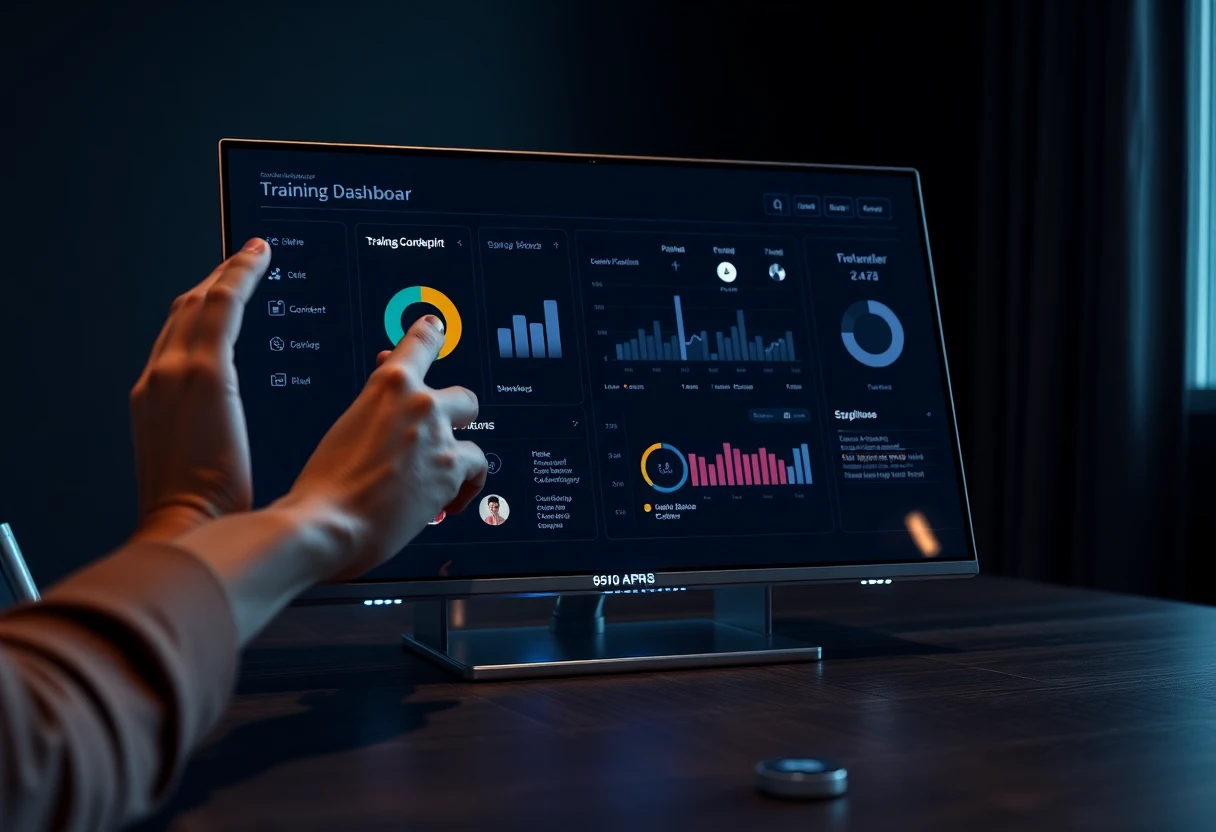
Top Product Training Software (2026) — Reviewed Tools
⚡ TL;DR – Key Takeaways
- ✓Product training software is built for product enablement (customers, partners, and sales), not just HR-style LMS compliance.
- ✓The strongest platforms pair training delivery with advanced analytics tied to product usage outcomes.
- ✓AI automation is most useful for course creation, personalization, and adaptive assessments—while SMEs keep quality high.
- ✓Just-in-time learning (in-app guidance/DAP) + formal courses creates the fastest path to mastery.
- ✓Buyer criteria should prioritize integrations (CRM/helpdesk/product analytics) and flexible learning paths with access control.
- ✓To prove ROI, measure knowledge retention and workplace application—not only completions.
What product training software is (and isn’t) in 2026 — and why this distinction saves you months
Product training software is software that helps you create, deliver, and measure training on your product. In 2026, that training isn’t just “courses.” It’s typically an academy (customer/partner), role-based enablement (sales/support), and in-app learning (just-in-time guidance) tied to product usage.
Most people get this wrong because they start shopping like it’s HR. An LMS / learning management system can help, but it usually doesn’t connect learning to adoption outcomes unless you configure it, integrate it, and run it like an enablement operation.
Product training vs. a general LMS / LMS replacement myths
Product training software isn’t a pure LMS replacement. It’s a different goal: adoption and enablement across multiple audiences (employees, customers, partners, sales). A general LMS / learning management system historically optimized for compliance and internal HR tracking.
Where the line matters in procurement is simple: do you need learning that changes what users do inside your product? If yes, you want a platform that supports audience targeting, versioned content tied to releases, and analytics correlated to product behavior.
When we first tried to “solve” customer education with generic LMS features, we got a clean dashboard and still saw weak feature adoption. The training was tidy. The product usage wasn’t. That mismatch is the whole story.
- Compliance-first LMS — great for tracking who finished what and when.
- Product training platforms — built to drive product knowledge into product behavior and measure impact.
- Procurement gotcha — “LMS supports SCORM” doesn’t mean it supports adoption analytics or just-in-time learning.
The modern ecosystem: LMS/LXP + DAP + analytics
In 2026, you’re buying an ecosystem, not a single app that claims to do everything. The reality is a blend of formal learning (courses, academies, certifications) and in-flow learning delivered through a digital adoption platform (DAP), with integrations that connect learning events to CRM, helpdesk, and product analytics.
Advanced analytics are now table stakes. The point isn’t “how many completed.” The point is whether knowledge checks and learning paths correlate with feature activation, time-to-first-value, lower support burden, and better retention signals.
One more trend: skills are replacing content as the organizing principle. That aligns naturally with product training, because you can define “skills” as repeatable user tasks (configure X, troubleshoot Y, set up Z) and map training to those.

Top features to look for in the best product training software — don’t get seduced by shiny UI
If the features don’t map to outcomes, they don’t matter. The best product training tools in 2026 focus on three things: smart content production and updates, learning pathways that fit real roles and lifecycle stages, and analytics that connect to product usage outcomes.
And yes, AI is part of the story now. But AI isn’t the product—your workflow is. AI helps you ship faster, personalize, and keep content current without turning SMEs into full-time editors.
Feature breakdown: AI, analytics, mobile optimization, and integrations
Product training succeeds when training delivery fits real schedules and real contexts. That’s why mobile optimization matters. Busy admins and sales reps don’t want to fight a desktop-first portal.
On the production side, AI automation is most useful for drafting lesson structures, quiz questions, and localization variants from your product docs. It should also support adaptive quizzes and learning path recommendations based on performance.
Analytics is the part everyone under-specs until leadership asks for proof. In 2026, “advanced analytics” should link learning signals to product usage outcomes: feature activation, time-to-first-value, and related support metrics. Integrations are what makes those correlations possible—CRM, helpdesk/knowledge base, product analytics, and marketing automation.
- AI automation — drafting, localization support, adaptive quizzes, and learning path suggestions.
- Outcome analytics — connect knowledge checks and completion to feature activation and adoption.
- Mobile optimization — responsive delivery for on-the-go learning.
- Integrations — HR/CRM/helpdesk/product analytics connections that support measurement.
| Category | What “good” looks like in 2026 | What “meh” looks like |
|---|---|---|
| AI | Drafts content + quizzes from your inputs, supports human review, and keeps quality consistent | Generates whole modules with no approval workflow or traceability to source docs |
| Analytics | Shows learning-to-adoption correlations (activation, time-to-value) and supports cohort comparisons | Shows completions and quiz scores only, with no linkage to product usage |
| Mobile | Responsive modules, fast loading, offline-tolerant patterns where needed | “Mobile friendly” in marketing slides, but broken timelines and tiny controls |
| Integrations | CRM/helpdesk/product analytics integrations with usable exports for BI | “We have an API” without ready-to-use events and mapping |
Personalized learning paths, adaptive learning, and gamification
Personalized learning paths aren’t just “recommended courses.” They’re structured paths based on role, segment, product line, and lifecycle stage—onboarding → adoption → expansion. If your paths are the same for everyone, you’re making advanced learners waste time and confusing new learners.
Adaptive learning helps when it targets gaps. The practical pattern is short modules with frequent knowledge checks. If someone fails early, the path should get easier, more guided, and more task-focused before it ramps.
Here’s what I’ve seen work across teams: tie certificates to meaningful gates (admin workflows, billing changes, escalation procedures) and keep “lightweight” modules optional. You want learners to choose depth when it matters.
- Role + lifecycle personalization — onboarding vs power-user vs renewal updates.
- Adaptive sequencing — performance-based difficulty adjustments.
- Gamification with guardrails — badges for task completion, not for “watched everything.”
Access control, version control, and update triggers (your real “ops” layer)
Your ops layer decides whether training stays trustworthy. Access control needs to handle role-based cohorts across employees, customer tenants, and partners. In multi-audience platforms, you want separation without losing reporting clarity.
Version control matters because products ship fast. Lessons and media should be tied to release identifiers and effective dates. Otherwise, your analytics becomes noise: did the user complete the “old” module or the “current” one?
Update triggers are the modern unlock. Release notes, feature flags, or product analytics events should prompt refresh modules automatically—plus a short refresher quiz after major changes. That’s how you reduce SME bottlenecks while keeping quality high.
How product training software is used: common use cases — and what “success” means in each
In the real world, product training isn’t one program. It’s multiple workflows designed for different people at different moments: onboarding, feature adoption, certification, sales positioning, and ticket deflection.
The key is to define “success” per use case. A customer onboarding program should optimize time-to-first-value. Sales enablement should optimize pipeline quality and conversion. Support enablement should optimize ticket volume and resolution speed.
Product/customer onboarding: academies + in-app guidance
Customer onboarding is where formal learning and just-in-time learning must work together. You’ll typically run an onboarding path for the first 0–30 days with microlearning, checklists, and milestone certifications.
Then you embed the same knowledge inside the product using a DAP-style approach: tooltips, walkthroughs, and “learn now” links to deeper modules. This reduces context switching and gets users to first value faster.
One thing I learned the hard way: onboarding content that isn’t tied to actual in-product events becomes a “nice-to-read” library. Tie onboarding completion and quiz confidence to feature activation milestones.
Sales enablement: demos, objections, and workflow labs
Sales enablement needs practice, not just decks. You want scenario-based modules where reps choose the right feature for the right customer situation, plus hands-on workflow labs that mirror actual buyer workflows.
The strongest setups connect training completion to sales outcomes. That could mean pipeline quality, win rate, deal cycle time, or lower escalation rates when reps hand off to onboarding or support.
In one rollout, we measured quiz completion and felt good—until we checked deal notes. The reps knew the definitions but didn’t know when to use them. Once we added scenario labs tied to objection patterns, we finally saw adoption-related improvements in post-sale implementation.
- Scenario modules — objections mapped to feature outcomes.
- Workflow labs — reps practice real configurations.
- Outcome linkage — training completion correlated with pipeline/win metrics.
Employee training and support: ticket deflection via contextual content
Support enablement is where product training saves money. When your helpdesk is integrated, you can recommend relevant modules when tickets match categories or keywords. That turns training into just-in-time support assistance for agents and even for power users.
And for products that evolve weekly, you need continuous learning culture. “Annual training” is dead. You need update-driven modules that keep agents competent without constant manual rework.
How to choose product training software: a buying checklist — the version that prevents buyer’s remorse
Picking product training software is mostly about fit: integrations, analytics depth, security, and admin usability. Everything else is secondary.
Don’t think “Is it the best platform?” Think “Can it run my workflows without heroics?” In practice, that’s what determines whether training actually ships and stays current.
Buying criteria: integrations, analytics, security, and admin UX
Start with integrations: CRM (Salesforce or equivalent), product analytics, helpdesk/knowledge base, and marketing automation. Without event mapping, your “analytics” will be mostly vanity charts.
Next, evaluate analytics depth. You want dashboards, cohort analysis, export to BI tools, and correlations to outcomes. If you can’t export or segment cleanly, you won’t run experiments or prove ROI.
- Integrations — HR/CRM/helpdesk/product analytics + event mapping.
- Analytics — cohort dashboards, export, and outcome correlation.
- Security — SSO, RBAC, segmentation, audit trails.
- Admin UX — versioning, publishing flows, and update workflows.
Scoring framework: evaluate tools/platforms for your maturity level
Don’t grade vendors the same way if you’re at different maturity levels. Early-stage teams should optimize for speed to publish, mobile optimization, and basic reporting. Mature enablement teams care about adaptive learning, advanced analytics, and content operations discipline.
If you have multi-audience needs (SaaS + partners + enterprise), prioritize multi-tenant portals and flexible access control. That’s the difference between “we can run a pilot” and “we can scale across customer segments without leaks.”
| Maturity level | Top priorities | What to de-prioritize |
|---|---|---|
| Early-stage | Fast publishing, mobile, simple admin UX, basic reporting | Deep AI recommendations you won’t maintain |
| Mature enablement | Advanced analytics, adaptive learning, strong content operations | Fancy gamification that doesn’t tie to outcomes |
| Multi-audience scale | Multi-tenant portals, access control, audit trails, segmentation | Single-audience-focused “nice templates” |

Best product training software tools & platforms (reviewed) — what I’d shortlist in 2026
There isn’t one perfect vendor. There are platforms that are strong at different layers: learning delivery, customer education portals, social/community learning, and content production workflows.
So I look at them by scenario. Then I validate the real workflow in a pilot, not in a glossy UI walkthrough.
List of recommended tools/platforms by scenario (2026)
Here are the categories I evaluate, with examples you should include in your shortlist when they fit your use case:
- CYPHER Learning — strong candidate when you want automation-heavy enablement workflows across workforce and customer education.
- Docebo, Absorb LMS, TalentLMS, Litmos, D2L Brightspace, Workday Learning — consider when you need enterprise administration and robust LXP/LMS capabilities for internal enablement plus external scaling.
- Valamis, 360Learning, Trainn — evaluate for social learning, collaboration, and higher content velocity through enablement workflows.
- Continu / Continu LMS, Gainsight — look at these when customer education and success-aligned enablement are central to your strategy.
- Production stack add-ons — Atlassian + Loom for capture/workflows, and Powtoon for video creation when you need lightweight production.
What I look for when “reviewing” platforms (my first-hand evaluation rubric)
I don’t score vendors from demos. I score the end-to-end flow: content creation → publish → target audience → measure outcome → trigger refresh. If you can’t run that loop in a pilot, you’ll struggle after launch.
My minimum test set is usually three workflows. One onboarding path with a quiz gate, one certification that requires completion logic, and one analytics export/correlation check. Then I validate integrations with CRM/helpdesk/product analytics in a sandbox or pilot before scoring anything else.
“Looks good” is cheap. The pilot is where you find the truth—publishing/version behavior, report accuracy, and whether integrations actually send the events you need.
- Real workflow test — onboarding, certification gate, analytics export.
- Integration validation — CRM/helpdesk/product analytics mapping in a pilot.
- Ops realism — how painful is version control and update publishing?
AI in product training software: where it truly helps — and where it quietly hurts
AI is useful in product training when it reduces production bottlenecks and improves personalization. It’s not useful when it replaces SMEs or when it generates content you can’t trace back to source material.
In practice, AI should speed up drafting, help localization, support adaptive quizzes, and improve recommendations. But you still need a human review step to prevent incorrect workflows and outdated screenshots.
AI automation for content creation, localization, and QA
Use AI automation to draft lesson outlines, example scenarios, quiz questions, and localized versions from your product docs. This is where teams win time because the first draft is the slowest part.
But keep SMEs in the loop for accuracy on features, limitations, edge cases, and “this is how we do it with our customers.” Adopt a human review step so you don’t ship incorrect workflows or stale images.
AI can also help with media: scripts for walkthrough videos, summaries of release notes, and update suggestions for modular content components. Still, you need version control to interpret analytics correctly.
- Drafting — outlines, quizzes, and scenario content from your inputs.
- Localization — faster translation with consistent terminology.
- Human QA — SME review gates to prevent misinformation.
Adaptive learning and personalized learning paths (practical patterns)
Personalized learning paths should reflect role and prior behavior, not just “browse and pick.” A new admin who struggled in setup should get guided steps and simpler prerequisites before advanced topics.
Adaptive learning works best with short modules and frequent knowledge checks. If you try to adapt inside long videos, you’ll confuse learners and you won’t get clean performance signals.
AI analytics can also help identify at-risk learners and content that correlates with better product usage. That’s how you turn training data into an operational improvement loop.
AI analytics: turning training data into action
AI analytics should help you differentiate vanity metrics (completions) from outcome metrics (feature adoption, ticket reduction). Completions can be useful, but they’re not the goal if your product adoption is lagging.
Run cohort comparisons: pre/post training release and role-based segments. Then set up action queues for L&D and product teams when analytics show weak adoption or low confidence in specific workflows.
AI can point you to the problem. But without an “action queue” and owners, it just becomes another dashboard you ignore.
Design a product training program people actually finish — stop building portals nobody uses
Completion rates are a symptom. People don’t finish because the training doesn’t fit time, context, or relevance. If you want results, design around outcomes, practice, and just-in-time delivery.
In 2026, the winning pattern is backward design from feature adoption and time-to-value, then layering microlearning, simulations, and in-app guidance.
Backward design from outcomes: feature adoption, time-to-value, ticket deflection
Define 3–5 measurable outcomes and build learning paths backward from them. Examples: feature activation rate, time-to-first-value, adoption of a workflow, and reduced support tickets for a category.
Map your training touchpoints to the lifecycle. Start with onboarding, then adoption, then expansion/renewal. Use knowledge retention checks that predict performance on real product tasks, not only recall.
- Outcome examples — activation, time-to-value, ticket deflection, certification success.
- Lifecycle mapping — onboarding → adoption → expansion → renewal.
- Retention checks — scenario success and short post-tests.
Microlearning + simulations + sandbox practice
Use microlearning for discrete product tasks: 5–10 minute modules that teach one thing users need to do next. Pair videos or walkthroughs with step-by-step checklists so learners can apply instantly.
Then add scenario-based questions and sandbox practice. If you only test “what to know,” you’ll miss “how to do.” Simulations and sandboxes accelerate skill transfer, especially for complex setups.
Just-in-time learning: embed help where users work
Just-in-time learning reduces context switching and shortens time-to-first-value. Instead of sending users back to a portal, you deliver guidance at the moment they hit the task.
Common patterns include tooltips, workflow walkthroughs, checklists, and “learn now” links that jump to full modules. If your in-app guidance isn’t tied to the same content version your academy uses, you’ll create confusion.

Content operations: version control, access control, and update triggers — the unsexy work that makes training real
Your platform is only as good as your content ops. Teams usually underestimate this. They buy tools, publish a bunch of modules, then get stuck maintaining everything every release.
In 2026, the winning approach is modular content architecture with version control, robust access control, and update triggers driven by release and product analytics events.
Version control for fast-moving products
Modular content architecture prevents full-course rewrites. Break courses into smaller modules that map to specific features or workflows so you can update only the parts that changed.
Tie each module version to product release identifiers and effective dates. Also maintain rollback/attribution logic so analytics tells you what version the user actually completed.
- Module-by-feature design — update less, publish more reliably.
- Release tagging — tie content to identifiers and dates.
- Rollback/attribution — keep analytics interpretible.
Access control across tenants, roles, and partners
Access control needs to handle employee vs. customer vs. partner segmentation. For B2B SaaS, multi-tenant customer portals are common. For partners, branded academies and completion-gated content are often essential.
If you need certification gates for sensitive workflows (admin, billing, support escalation), use strict role-based access control and audit trails.
Update triggers that keep training current
Update triggers automate the boring part. Refresh modules based on release notes, feature flags, or product analytics events that indicate users are struggling or a workflow changed.
Automate a “what’s new” module plus a short refresher quiz after major changes. Then establish review SLAs: define what SMEs must approve, and what AI can safely update without human intervention.
Measuring ROI: analytics that link training to business outcomes — stop reporting “course finished”
ROI measurement in product training is about linkage. Completions are easy. Proving impact on adoption, time-to-value, ticket deflection, and revenue enablement takes better metrics and better integration.
If you’re serious about outcomes, you need to measure leading indicators (knowledge retention) and workplace application (what users actually do).
What to measure beyond completion rates
Use knowledge retention as a leading indicator: quiz performance, scenario success, and confidence assessments that predict real task execution. This is more predictive than completion percentages.
Then measure workplace application. Look for feature adoption/activation rate, time-to-first-value, and reduced support tickets (or improved resolution times). Tie training to business KPIs like trial conversion, renewal/expansion, and sales enablement metrics.
- Leading indicators — retention checks, scenario success, certification pass rates.
- Outcome indicators — feature activation, time-to-first-value, ticket deflection.
- Business indicators — conversion, renewal, expansion, win rate, deal cycle.
Dashboards, exports, and experimentation (pilot before rollout)
Build dashboards by cohort: role, product line, lifecycle stage, and customer segment. Then export analytics to BI tools so you can run deeper modeling and trend detection.
Run experiments. A/B test onboarding paths and compare outcome deltas, not just engagement. The goal is to turn your training program into a continuously improving system.
Wrapping Up: your next-step plan to upgrade product training — start with the workflow loop, not the vendor
If you want faster, measurable product training, your next step is to operationalize the feedback loop: publish → measure → refresh. Most teams skip the loop and then wonder why content goes stale.
Here’s a pragmatic 30-60-90 plan I’ve used to bring product enablement under control.
A 30-60-90 day execution roadmap
- Days 1–30: define outcomes + segments; audit content and integrations — pick 3–5 measurable outcomes (feature adoption, time-to-first-value, ticket deflection). Segment learners by role/lifecycle stage and map which integrations you need for measurement.
- Days 31–60: implement platform essentials and publish high-impact paths — enable mobile optimization, access control, and basic analytics. Publish 2–3 microlearning paths for onboarding and one certification gate tied to a real workflow.
- Days 61–90: add AI-assisted workflows and connect learning to product usage events — introduce AI draft-and-review for content updates and localization. Wire learning events to product usage analytics and start iterating based on ROI dashboards.
Where AiCoursify can fit (practical, not theoretical)
I built AiCoursify because I got tired of content ops stalling. Teams weren’t failing because they lacked ideas. They failed because course creation and updating became too slow to match product release cycles.
AiCoursify can fit as a complementary layer in your stack when you want faster course production workflows and smarter personalization/recommendation logic using AI—so updates don’t stall and learning paths stay aligned with how users actually behave.
The best time to introduce a tool like this is when you already have outcomes and workflows defined. Otherwise, you just produce more content faster… faster content drift.
Frequently Asked Questions
What is the best software for product training?
The best software depends on your primary use case: customer education, partner training, sales enablement, or in-app guidance. I’d prioritize platforms that support integrations, analytics tied to adoption outcomes, and content operations like version control and update triggers.
If you’re trying to replace an LMS / learning management system without solving adoption measurement, you’ll end up with a tracking dashboard and still miss adoption. Choose based on how training connects to what users do inside the product.
What is product training software used for?
Product training software is used to create, deliver, and measure product learning for employees, customers, partners, and sales teams. Common goals include onboarding, feature adoption, certifications, ticket deflection, and measurable revenue enablement.
The “product” part matters: you should be able to tie learning to product usage outcomes, not only to course completion.
What features should product training software have?
Look for product training features like AI automation, personalized learning paths, adaptive learning, analytics, and mobile optimization. Also make sure you have integrations for HR/CRM/helpdesk/product analytics and admin capabilities like access control, certification gates, and version control.
Without ops features, AI and analytics don’t matter. You need a system that stays current as your product changes.
What is the difference between LMS and training software?
An LMS / learning management system is usually the core platform for learning delivery and tracking. “Training software” for product enablement often includes customer education workflows, advanced analytics tied to adoption, and tighter integration with product usage and in-app guidance.
So yes, an LMS can be part of the stack—but product training software usually expects more: audience targeting, operational governance, and outcome measurement.
How do you create a product training program?
Create it backward from outcomes like feature adoption, time-to-first-value, and ticket reduction. Segment learners by role and lifecycle stage, then build microlearning plus practice (simulations/sandboxes), and embed just-in-time help.
Finally, wire analytics so you can iterate after each product release. If you can’t measure and refresh, the program will become a library, not an enablement engine.