Gamified Cybersecurity Awareness Programs: How to Boost Training Effectiveness in 5 Steps
Let’s be honest: most cybersecurity training feels like it was written by someone who’s never had to sit through it. It’s long, repetitive, and—worst of all—employees forget it the second the course ends. I’ve seen that happen in real rollouts: people complete the module, but when a phishing email shows up in their inbox, the “learning” doesn’t reliably turn into action.
That’s why I like gamified cybersecurity awareness programs. When you add game mechanics (missions, scoring, timed challenges, badges, team play), the training stops being a lecture and starts feeling like practice. And practice sticks—especially when you build in instant feedback and repeat the behaviors you care about.
In the steps below, I’ll show you exactly how to design a gamified program that’s engaging and measurable—so you can prove it’s working (not just “fun”).
Key Takeaways
- Gamified cybersecurity training boosts engagement and helps employees retain practical skills like spotting phishing, using password managers, and reporting suspicious activity.
- Points, badges, and leaderboards can increase participation and completion—when they’re tied to real security outcomes (not just “clicking through”).
- The winning formula is simple: clear behavioral goals, mission-based storytelling, rewards with anti-gaming rules, and feedback that explains the “why” immediately.
- Examples like phishing simulations and team escape-room style scenarios show that competition and collaboration can improve awareness and reporting.
- Start with a small pilot, set success thresholds, and update scenarios on a schedule that matches your threat landscape.
1. Why Gamified Cybersecurity Programs Are Effective
People remember what they practice. Not what they watch for 45 minutes and forget on Monday.
When I design these programs, I’m not trying to “make security fun” for its own sake. I’m using game mechanics to drive specific behaviors: spot the red flags, slow down, and report the right thing through the right channel.
Here’s what tends to happen when training becomes gamified:
- Attention improves because employees have a mission and a reason to care.
- Learning becomes active since they’re making choices (e.g., “report” vs. “click”).
- Feedback lands faster because the system can explain the mistake immediately and show the next best action.
- Repetition sticks because you can run short challenges frequently without feeling like another mandatory course.
Do gamified phishing simulations automatically guarantee better results? No. But when the scoring and feedback are designed well, they can meaningfully improve detection and reporting behaviors compared to one-off training.
One thing I’ve noticed across multiple implementations: the biggest gains come from tying the game outcomes to real-world actions—like whether someone reports a simulated phishing email before they click. That’s the difference between “awareness points” and actual behavior change.
2. Key Benefits of Gamification in Cybersecurity Training
Let’s break the benefits down into what you can actually measure.
1) Higher completion and more consistent participation
In my experience, employees complete training more reliably when it’s structured like a series of short missions. Instead of one big course, they get weekly challenges that take 3–8 minutes. That helps reduce “training fatigue.”
2) Better retention of practical skills
Gamification works best when it forces decision-making. For example, a mission might present a realistic email and ask the employee to choose:
- Is this phishing? (yes/no)
- What should you do next? (report, delete, verify via known channel, etc.)
- Which clue gave it away? (spoofed domain, urgent language, unexpected attachment)
That “why” question is crucial. Without it, people guess and move on.
3) Stronger threat reporting (the metric that matters)
Engagement is nice, but reporting is where the business value shows up. If your program encourages employees to report suspicious messages quickly, your security team gets more opportunities to intervene early.
Also, watch for “badge inflation.” If the program rewards completion only, you’ll get participation without improvement. The scoring needs to reflect the behavior you want.
4) Team energy and healthy competition
Leaderboards can help—if you keep them fair. I prefer department-level or team-level scores over individual-only rankings, especially in organizations where people might feel singled out.
Important note on numbers: you’ll often see bold claims like “+75% threat reporting” or “+50% awareness” in vendor posts. Those results can be real, but they depend heavily on baseline, scenario quality, and measurement method. If you want to use specific percentages in a business case, I recommend pulling the source report and checking the sample size, timeframe, and how the metric was defined.
3. Essential Gamification Elements for Success
Gamification isn’t just points and badges. It’s a system that turns learning into repeatable behavior. Here’s the checklist I use when I’m reviewing a program design (or building one from scratch).
Gamification design checklist (use this before you launch)
- Behavioral goal: What specific action changes? (e.g., “report suspicious email within 60 seconds of spotting a red flag”)
- Scenario realism: Does the mission look like the employee’s real environment (language, role-based context, tools they use)?
- Anti-gaming rules: Are rewards tied to correct decisions, not just speed or clicks?
- Scoring logic: Do you award points for reporting, identifying clues, and choosing the safe next step?
- Feedback design: Does feedback include (1) what happened, (2) why it was risky, and (3) what to do next time?
- Difficulty calibration: Are missions adjustable so new users aren’t crushed and advanced users don’t get bored?
- Cadence: How often do you run missions? (weekly beats monthly for most teams)
- Measurement plan: What baseline are you using, and how will you compare before vs. after?
Example mission template (phishing simulation)
- Mission name: “Spot the Spoof”
- Time-to-complete target: 5 minutes (with a soft timer—not a punishment)
- Scoring (example rules):
- +50 points if they report the email
- +30 points if they correctly identify 2+ clues (domain mismatch, urgency, unexpected attachment)
- +10 points for choosing the safe next step even if they didn’t report immediately
- 0 points if they click/open when the mission asks them to decide first
- -10 points if they “report” but cite the wrong clue (this prevents guess-based reporting)
- Feedback after submission:
- Why it mattered: “This sender domain is one character off from the real vendor.”
- What to do: “Use the ticketing link or verify via your known vendor contact.”
- Next mission: “Try the follow-up scenario with a payroll-themed email.”
Example mission template (password hygiene)
- Mission: “Build the Strong Password”
- Decision points: choose length, passphrase vs. complex gibberish, and whether to reuse
- Feedback: explain tradeoffs (reuse risk, length vs. complexity myths)
- Reward: badge for “correct approach” + a short action step (“enable password manager” checklist)
One more thing: I strongly recommend you include a small “debrief” screen after each mission. It shouldn’t be a wall of text—just 3–5 bullets that summarize the key takeaway and link to your internal reporting process.
4. Examples of Effective Gamified Cybersecurity Programs
I’m going to be careful here: many “case studies” online are summarized without full methodology. So rather than repeating exact percentages as fact, I’ll describe the mechanics that tend to work and what you should look for in any vendor or customer story.
Example 1: Phishing simulation missions (score + report-first behavior)
In one common rollout pattern, organizations run phishing simulations where the employee must decide what to do before clicking. The gamification mechanic is usually:
- Report-first scoring (highest points for reporting)
- Clue identification (points for selecting the actual red flags)
- Immediate debrief (feedback explains why the message was risky)
What to measure: baseline click rate, report rate, and “correct clue” rate. Those three together tell you whether people learned or just completed.
Example 2: Team escape-room style scenarios (collaboration + timed decisions)
Certain organizations use escape-room or puzzle-based formats for security topics like incident response, social engineering, and secure file handling. The gamification mechanics are usually:
- Team roles (each person contributes a clue or answer)
- Timed challenges (kept short so people don’t feel stressed)
- Correctness gates (you can’t “win” by guessing)
What to measure: time-to-solution, number of correct decisions, and whether the scenario improves later performance on individual quizzes.
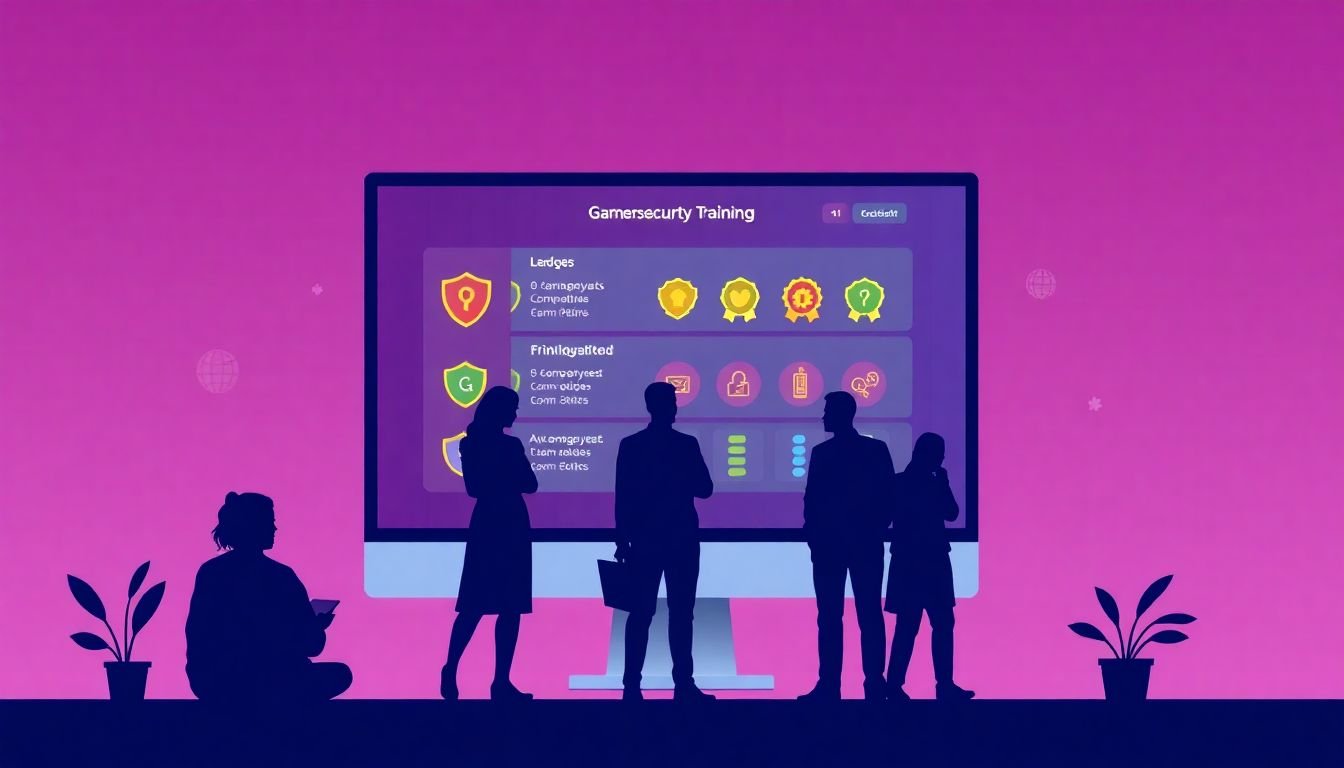
Example 3: Badge/leaderboard programs (with anti-gaming rules)
Leaderboards can motivate, but only if the points reflect correct outcomes. A useful pattern is to include:
- Decay rules (recent performance matters more than old wins)
- Anti-gaming (no points for retaking until learning objectives are met)
- Team-based aggregation to reduce “us vs. them” pressure
What to measure: participation rate and improvement in decision quality (not just course completion).
If you want to use a specific company name (like AES or Cisco) in your internal presentation, make sure you can link to the original report or press release and verify how they measured outcomes. Otherwise, it’s safer to describe the mechanics instead of repeating unsupported numbers.
5. How to Implement Gamified Cybersecurity Awareness
Okay, here’s the practical part. If you want a program that sticks, don’t start by building a massive “security game.” Start by piloting a small set of missions with clear metrics.
Step 1: Pick your first behavioral outcomes
Choose 2–4 behaviors you want to change in the first 60 days. Examples:
- Report suspicious emails through the right channel
- Stop clicking on phishing links in simulated scenarios
- Use strong password practices (manager on, reuse down)
- Verify requests that involve money, credentials, or urgent action
Step 2: Build your first “mission set”
For a pilot, I’d aim for:
- 2 phishing scenarios per week (one easier, one slightly harder)
- 1 password/identity mission per week
- 1 short team scenario every 2 weeks (quiz, puzzle, or mini escape-room)
Keep total time under ~15–25 minutes per week per employee. People won’t complain if it’s quick and relevant.
Step 3: Design scoring and feedback so it can’t be gamed
My rule of thumb: if employees could “win” without learning, they will. So:
- Award points for correct decisions and correct clue identification
- Require a debrief screen after each mission
- Use “report-first” incentives for phishing simulations
Step 4: Set up your metrics dashboard (before launch)
You’ll want at least these metrics:
- Participation rate (who completed missions)
- Correct decision rate (did they choose the safe action?)
- Report rate (did they report suspicious items?)
- Click/open rate (for phishing scenarios)
- Time-to-complete (to spot confusion vs. speed-running)
Here’s a simple dashboard layout you can copy:
- Department: Sales, HR, Engineering, etc.
- Mission: “Spot the Spoof #1”
- Baseline: last month click/report rates
- After 2 weeks: click/report rates
- After 6 weeks: correct clue rate + report rate
- Notes: “Higher fail rate in HR—content updated to match payroll theme”
Step 5: Run a pilot, then expand with an update cadence
Schedule matters. You want enough time to measure behavior changes, but not so long that the content goes stale.
Implementation timeline (example)
- Week 0–1 (Planning): define outcomes, build scoring rules, pick baseline metrics, draft 3–5 scenarios
- Week 2 (Pilot prep): test missions with a small internal group, refine feedback text, confirm reporting workflow
- Week 3–6 (Pilot): run weekly missions; monitor click/report/correct decision rates
- Week 7 (Review): adjust difficulty and rewrite any confusing feedback
- Week 8–12 (Scale): expand to more departments and add one team scenario per month
Roles and costs (rough, but realistic)
- Security/Training owner: owns outcomes and scenario review (time: 2–5 hrs/week during pilot)
- Content designer: writes scenarios, feedback, and missions (time: 1–3 hrs/week after initial build)
- IT/Systems: supports delivery and any integrations (time: light during pilot, heavier during rollout)
- Platform/tooling: costs vary widely depending on whether you use a dedicated security awareness platform, authoring tools, or custom development
The cheapest path isn’t always the best one. If you can’t measure report rate and decision quality, you’ll struggle to prove impact.
6. Common Pitfalls to Avoid in Gamified Security Programs
Here are the mistakes I see most often—and they’re fixable.
- Overcomplicated “games”: if it feels like a video game designed by committee, people disengage. Keep missions short and clear.
- Rewarding clicks or completion instead of correct behavior. Completion-only points create the wrong incentives.
- Weak feedback: “Incorrect—try again” doesn’t teach. Feedback should explain the clue and the safe next step.
- Delayed debriefs: if employees have to wait days to see why they missed something, the learning effect drops.
- Hostile competition: leaderboards can backfire if they shame individuals. Team-level scoring usually lands better.
- Content that never updates: threats evolve. If your scenarios don’t change, employees start recognizing patterns instead of learning decision-making.
- Ignoring metrics: if you don’t track report rate and correct decision rate, you won’t know whether the program is improving safety or just engagement.
7. Tips for Sustaining Engagement in Gamified Cybersecurity Programs
Engagement doesn’t come from launching once. It comes from keeping the missions fresh and relevant.
- Update scenarios on a cadence: for many teams, weekly phishing refreshes and monthly theme changes work well.
- Vary the formats: mix email simulations with quick quizzes, short videos, and occasional puzzle/team challenges.
- Use “threat intel” to guide difficulty: if your threat landscape shows a new lure (e.g., HR-themed scams), reflect that in the next mission set.
- Share real wins: when someone reports a suspicious message correctly, celebrate it (anonymously if needed). People respond to progress.
- Keep rewards meaningful: digital badges are fine, but I also like recognition in internal channels—people enjoy visibility.
- Encourage peer learning: allow employees to share “what clue did you notice?” after missions. That turns training into a culture habit.
- Set achievable milestones: aim for early wins in the first 2–3 weeks so employees build confidence.
- Collect feedback: short surveys after missions can reveal confusion fast (“too hard,” “not relevant,” “unclear instructions”).
And one last practical tip: align gamified training with your actual security policies and reporting workflow. If employees learn “report it to X” but the real process is buried, they’ll stop trusting the program.
FAQs
Gamified programs are effective because they turn security awareness into active practice. Instead of passive reading, employees make choices in realistic scenarios and get feedback right away—so the learning is more memorable and easier to apply during real threats.
The biggest benefits are higher engagement, better retention, and more consistent participation. When you tie points and rewards to correct decisions (like reporting phishing), you typically see stronger behavior outcomes—not just higher completion rates.
Successful programs have clear behavioral goals, realistic scenarios, and scoring that rewards the right actions. Add instant feedback that explains the clue and the safe next step, plus a cadence that keeps content fresh. That combination is what sustains learning over time.
Common examples include phishing simulations with report-first decision points, cybersecurity escape rooms or puzzle scenarios for team learning, and short mobile/quiz challenges that reinforce specific behaviors. The key is that the “game” must be tied to correct security actions.