Escalation Workflows for Technical Issues: How To Set Up Effective Processes
If you’ve ever watched a “quick fix” turn into a multi-day incident, you already know the real problem isn’t the bug—it’s the lack of a clear escalation path. When nobody’s sure who owns the next step (or when they’re supposed to jump in), issues stall. People start guessing. And the whole team gets stressed.
I’ve run into this firsthand: the tickets looked “active,” but nothing was actually progressing because the escalation triggers were vague and the handoffs were inconsistent. The moment we tightened SLAs, made ownership obvious, and automated the boring parts, things got calmer fast.
In this post, I’ll walk you through the exact escalation workflow setup I’d use for a technical support org—SLAs you can copy, an escalation matrix you can adapt, automation rules you can implement, and the metrics I’d track to prove it’s working.
Key Takeaways
Key Takeaways
- Define SLAs with concrete response/resolution targets (and communication rules), then measure SLA compliance using ticket fields or automation logs.
- Build an escalation matrix that maps issue types to owners and escalation timing—so tickets don’t bounce around or wait on “someone who might know.”
- Pick hierarchical escalation for clear authority chains, function-based escalation for specialized roles, or use a hybrid (what I usually recommend).
- Automate escalations based on time, severity, and missing information—so you don’t rely on a human noticing the clock.
- Track escalation data weekly (not just quarterly): resolution time, escalation rate, “time to first assignment,” and recurring root causes.
- Train with real scenarios: run incident simulations and teach what “good escalation notes” look like (logs, impact, repro steps, next action).
- Review and update policies on a schedule and after major incidents—your triggers will drift over time if you don’t revisit them.
Define SLAs for Technical Issues (with numbers you can enforce)
SLAs aren’t just “we respond fast.” They’re specific promises about response time, resolution deadlines, and how often you’ll update the customer.
When I set these up, I start with three severity levels. It keeps things readable and stops the argument of “what counts as critical?”
Example SLA targets (copy/paste friendly)
- Severity 1 (Critical / Production down): acknowledge within 15 minutes; first technical update within 30 minutes; resolve or provide mitigation within 4 hours.
- Severity 2 (Major impact / degraded performance): acknowledge within 1 hour; first update within 4 hours; resolve or mitigation within 1 business day.
- Severity 3 (Minor / workaround available): acknowledge within 4 business hours; update within 1 business day; resolve within 3 business days.
Here’s the part people skip: communication standards. For Severity 1, I also require a status message every 60 minutes until impact is contained. Without that, customers feel like they’re waiting in the dark—even if you’re working hard.
One more thing: don’t pretend you can always “resolve” in the SLA window. For complex incidents, I write SLAs as “resolve or provide mitigation + next update time.” That keeps expectations realistic and still holds the team accountable.
To make SLA compliance measurable, add a few ticket fields (or equivalent in your tracker): severity, first response timestamp, first engineering assignment timestamp, and last customer update timestamp. Then you can spot the real delays instead of blaming “slow troubleshooting.”
Create an Escalation Matrix for Clear Responsibilities (who does what, and when)
An escalation matrix is basically the “traffic rules” for support. If it’s missing, teams end up doing the same thing over and over: re-reading old tickets, asking “who owns this,” and waiting for someone to notice the timeout.
In my experience, the fastest way to build one is to start with your most common escalations and then generalize. For example: “can’t reproduce,” “production impact,” “security concern,” “infrastructure outage,” and “customer-specific integration failure.”
Example escalation matrix (simple but effective)
- Severity 1 + Production impact
- Front-line support: triage + confirm impact (target: 15 min)
- Escalate to Incident Commander / On-call Eng Manager if no mitigation plan in 30 minutes
- Escalate to Specialist (Network/Backend/DB) if root-cause hypothesis not provided within 60 minutes
- Severity 2 + Degraded performance
- Front-line support: reproduce attempts + gather logs (target: 1 hour)
- Escalate to Specialist if workaround not found within 4 hours
- Severity 3 + Workaround available
- Front-line support: guide customer + log issue for engineering
- No escalation unless workaround fails or new impact appears
- Security / Compliance flagged
- Immediate escalation to Security owner (no waiting for timeouts)
Notice what’s missing? “Escalate when someone feels like it.” Instead, every row has a time trigger or a condition trigger (like “security flagged” or “workaround failed”).
Also, make the matrix easy to read. If it takes 10 minutes to understand, it won’t be used during an incident. I like a one-page table (or a flowchart) with issue type, current owner, next owner, and escalation trigger.
Then keep it alive. After each major incident, I update the matrix based on what actually happened—especially the “time to first meaningful action.”
Choose Between Hierarchical and Function-Based Escalation (or combine them)
This is one of those “it depends” sections, but I don’t like vague advice. Here’s how I decide in practice.
Hierarchical escalation (front-line → supervisor → manager → specialist) works when you have clear authority and you want consistent decision-making. It’s great for organizations where the chain of command matters.
Function-based escalation (network issues always go to the network team, regardless of rank) works better when specialists are the real bottleneck—and you don’t want tickets waiting on a manager approval step.
My go-to recommendation: hybrid
- Use hierarchical for Severity 1 so someone accountable is always “driving” the incident.
- Use function-based for the technical fix so the right specialist is pulled in immediately (no extra layers).
Example: if you’re dealing with a network outage, function-based escalation should route the ticket directly to the network engineer after confirmation. But hierarchical escalation still matters for coordination—so the incident commander controls comms and priorities.
When you test this approach, watch two metrics: time to first assignment and time to first mitigation. If those don’t improve, your routing logic is probably too slow or your severity classification is inconsistent.
Effective Use of Automation and Tech (so escalations don’t depend on memory)
Automation is where escalation workflows stop being “a good idea” and start working reliably.
In a solid setup, triggers shouldn’t be vague. They should be based on ticket fields, timestamps, and a few clear conditions.
Example automation rules I’d implement
- Escalate on missing response: if severity = 1 and no “acknowledged” update within 15 minutes, notify Incident Commander + page on-call.
- Escalate on missing engineering assignment: if Severity 1 and engineering_assigned_at is empty after 30 minutes, reassign to on-call engineering group.
- Escalate on missing customer update: if last_customer_update_at is older than 60 minutes for Severity 1, send reminder and require an update comment.
- Route by issue type: if issue_type = network outage, assign to Network Specialist queue automatically.
- De-escalate when mitigation is confirmed: if mitigation_status changes to “contained,” stop paging and switch to “monitor mode.”
Also, use ticket fields intentionally. The internal link below is helpful because it focuses on the kind of fields you’ll actually need to measure and automate escalation—things like severity, timestamps, and escalation state.
ticket escalation tracking through customizable fields — use this as a checklist for what to capture so your escalation logic can be accurate.
One thing I removed from the original version: the post mentioned specific stats from Datadog and Xbox Live. Unless you can verify the exact report, timeframe, and methodology, those numbers are risky. What I can say confidently is this: the best way to reduce false positives is to tune your triggers based on real incident outcomes (and to add “guardrails” like “only page when impact is confirmed”).
Finally, don’t automate everything. I’ve seen teams drown in alerts. A practical approach is:
- Use automation for routing and time-based escalation.
- Use human judgment for root-cause and customer comms.
- Use self-service (status pages, knowledge base, chat) for low-risk issues so the queue stays healthy.
Monitoring and Analyzing Escalation Data (what to measure weekly)
Once escalation is live, you don’t “set it and forget it.” If you don’t look at the data, you’ll keep repeating the same delays and calling it “unpredictable incidents.”
Metrics I track (and what they tell me)
- Time to first response (by severity). If this is off, your triage workflow needs work.
- Time to first engineering assignment. This is the one that usually reveals hidden bottlenecks.
- Escalation rate (by issue type). If one category escalates constantly, your initial classification or tooling is probably weak.
- Resolution time and time to mitigation. “Resolved” can be misleading if teams wait to close tickets.
- Customer update compliance (missed update intervals). This shows whether comms are actually happening.
Here’s a concrete example from a workflow I’ve improved: we saw a spike in escalations from “Severity 2 auth failures.” The tickets had the right severity—but they were missing logs and repro steps. So we updated the ticket form to require request ID, timestamp, and client version before escalation could trigger. Fewer escalations, faster triage, and less back-and-forth.
For dashboards, I’d keep it simple:
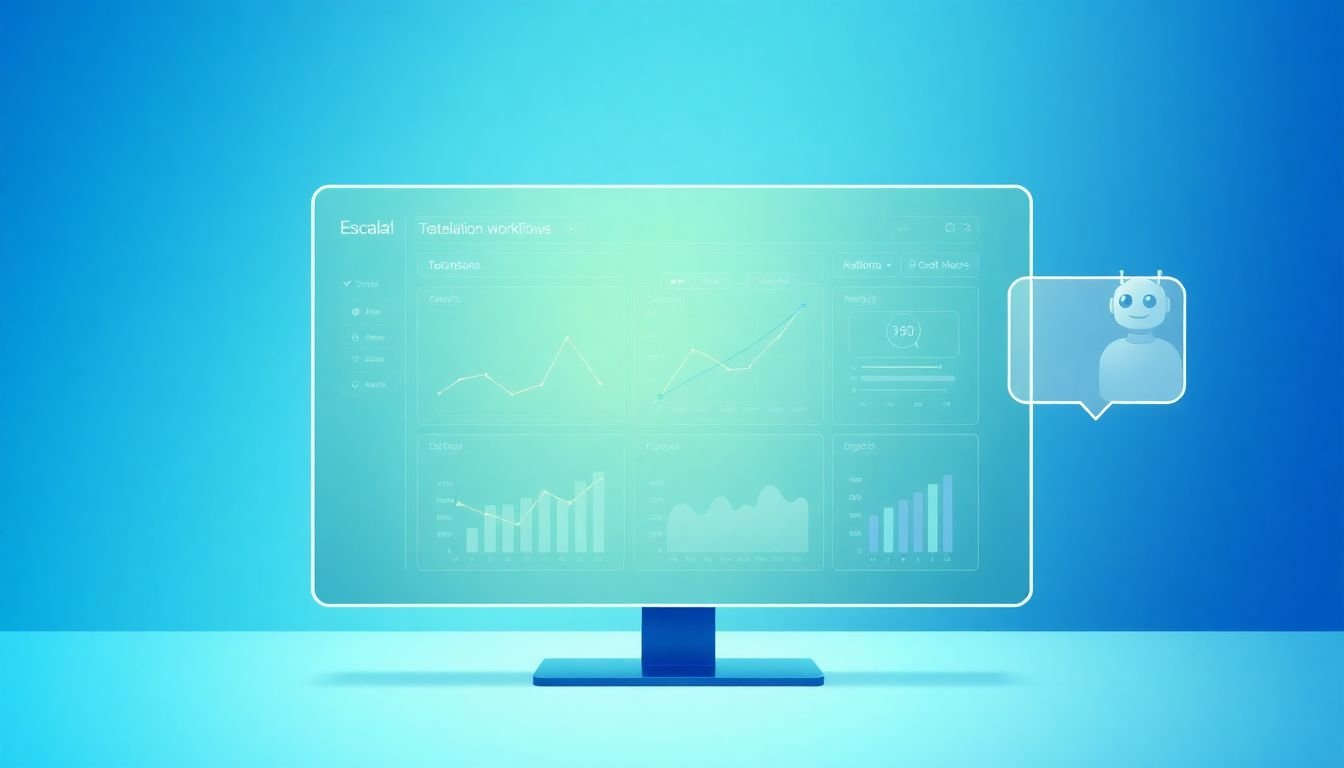
- A weekly escalation dashboard with charts for time-to-response, time-to-assignment, and escalation rate by issue type.
- A top recurring root causes table (even if it’s manual at first).
- A SLA compliance breakdown by severity and team queue.
Then review on a schedule. Monthly is fine for bigger policy changes, but I’d do a quick weekly check-in so you catch drift early.
Training Support Teams to Handle Escalations (so they don’t freeze)
Escalation workflows fail when people aren’t trained for the moment escalation happens. You can have perfect SLAs on paper—if your team doesn’t know what “good escalation” looks like, the process won’t behave in real incidents.
What I’ve found works best is training that’s tied to real ticket inputs and real escalation outcomes.
- Run simulations for your top 3 scenarios (for example: production outage, degraded performance, security concern).
- Teach the exact escalation note format your team should write (impact, what’s been tried, logs attached, next action, and who’s being paged).
- Use a quick-reference escalation chart so agents don’t hunt through docs during an incident.
- Do “shadow escalation”: for new hires, have them lead triage while a senior agent monitors and corrects decisions.
If you want a support-process reference point, this internal link can help with how you structure learning and documentation:
support process guide — it’s useful for thinking about how you package guidance and keep it updated, which matters when your escalation rules change.
And yes, keep collecting feedback. If agents say, “I didn’t escalate because I wasn’t sure,” that’s not a motivation problem. It’s a training and decision-criteria problem.
What I do after each simulation: update the matrix or SLA triggers if the scenario exposed unclear thresholds. That keeps training improving the workflow, not just checking a box.
Reviewing and Updating Escalation Policies (because reality changes)
Your escalation workflow will drift. New product features get launched. Integrations change. Teams reorganize. And the “old” triggers start causing either missed escalations or too many unnecessary pages.
I recommend a review cadence of quarterly, plus a quick post-incident review after any major outage or repeated escalation failure.
During a policy review, I look for these issues
- Tickets that repeatedly miss the same SLA component (response, assignment, or customer updates).
- Escalations triggered too late (or too early).
- Issue types that are consistently misclassified.
- Specialist queues that are overloaded because routing rules are too broad.
If you notice certain issues always take longer to escalate, don’t just tell the team to “be faster.” Adjust the trigger. For instance: if Severity 2 network issues consistently need specialist involvement, move the escalation threshold earlier (like from 4 hours to 2 hours) or make routing conditional on a “network symptoms” field.
Also, make updates collaborative. Front-line agents see the confusion first. Engineers see the root cause fastest. Put both in the room when you rewrite the workflow.
Do that, and your escalation process stays flexible—ready for a small glitch, but built to handle the full outage too.
FAQs
An SLA is a written agreement that spells out expected response and resolution times for technical issues. It sets clear service expectations and gives both the support team and the customer a shared standard for accountability.
An escalation matrix clarifies ownership and timing. It defines which team handles each issue type and when a ticket should move to the next owner, which reduces delays and helps ensure the right people work on the problem sooner.
Hierarchical escalation follows a chain of authority, which can be helpful when leadership decisions and coordination are essential. Function-based escalation routes by role or expertise, which can speed up technical resolution. In practice, a hybrid model often works best: hierarchical for coordination and function-based for routing to specialists.