
How to Create Inclusive Avatars in Virtual Worlds in 8 Steps
Building avatars that feel welcoming for everyone is harder than it sounds. I’ve seen what happens when a platform only offers a “default” look—people either don’t bother customizing at all, or they end up picking the closest option that still doesn’t feel like them. And when stereotypes slip into the presets? That’s when the vibe changes fast.
In my experience, the best inclusive avatar systems don’t just add more options. They make it easy for users to choose features that match their identity (or let them explore without getting judged). Below are eight practical steps I use when planning avatar features for virtual worlds—plus what I’d measure during user testing to make sure it’s actually working.
Key Takeaways
- Offer more than “more skins.” Build a real range: skin tones, hair textures, body shapes, ages, and clothing options—and avoid default sets that imply one “beauty standard.” Use community feedback to decide what to add next.
- Use proven avatar tools to avoid starting from scratch. Ready Player Me and VRoid Studio are solid starting points, especially when you need consistent pipelines for textures, accessories, and avatar exports.
- Design for racial and gender diversity with intent. Include facial feature variety and gender expression options (including non-binary choices) instead of forcing users into a binary.
- Accessibility shouldn’t be an afterthought. Add multiple input methods, readable name/alt text, captions/subtitles, and clear keyboard/controller mappings. Then test with real users who need those features.
- Expressiveness matters—face, gestures, and eye direction help people “read” each other. If you’re adding motion capture or AI animation, test for uncanny results and let users dial it down.
- Privacy and ethics are part of the design, not a legal footnote. Be explicit about what you collect, how long you keep it, and how users can export/delete it.
- Inclusive design is a process. Run structured tests across devices, update presets based on feedback, and keep an eye on how avatars look in motion and different lighting.
- Inclusion doesn’t end at launch. Keep the feedback loop running, expand customization categories over time, and make it easy for underrepresented users to shape what comes next.
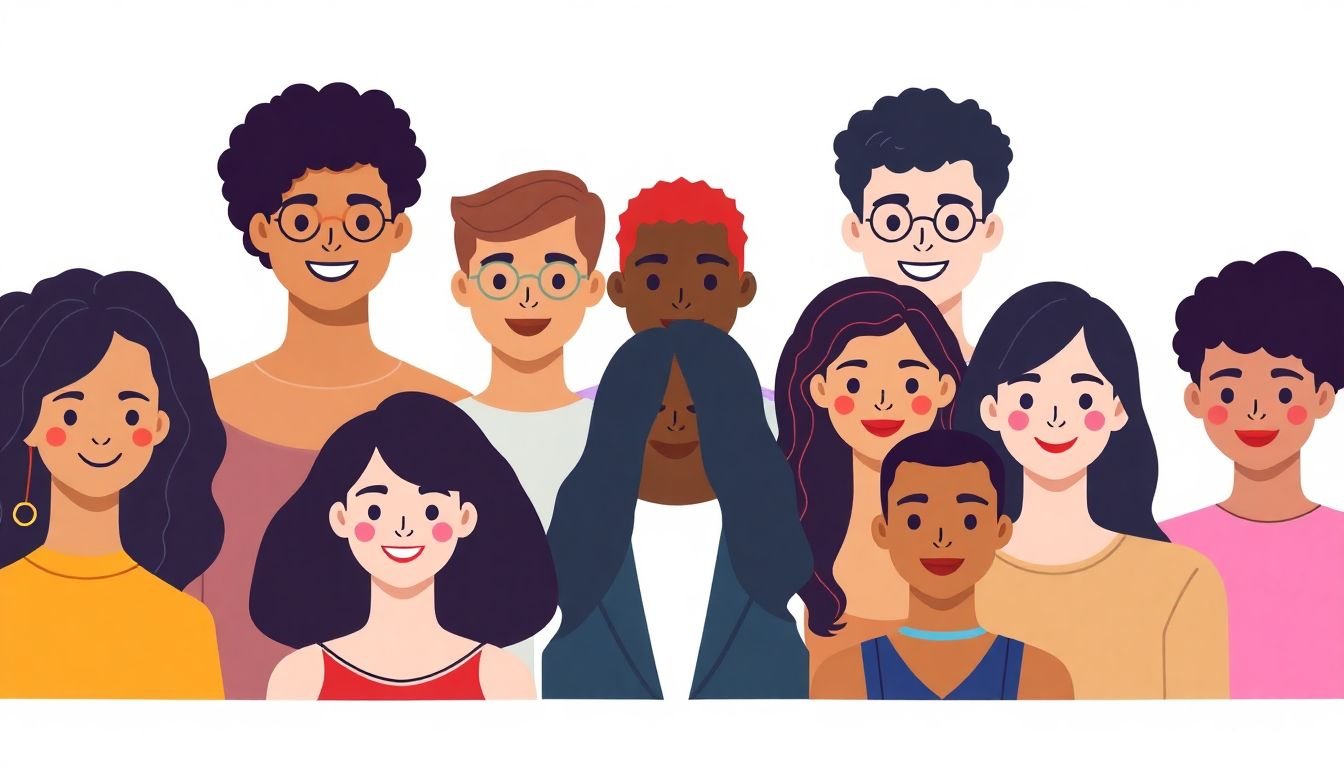
1. Create Inclusive Avatars in Virtual Worlds
Making avatars inclusive starts before you pick any textures. I always begin by mapping the “identity categories” users will want to represent—then I design the avatar system around those categories, not around what’s easiest for the art team.
Here’s the checklist I use:
- Offer broad customization categories: skin tones, hair types/textures, body shapes, clothing styles, and accessories.
- Let users mix freely: don’t lock hairstyles to “one race” or body types to “one gender.” Real people don’t work like preset combos.
- Avoid “default-only” bias: if your default avatar is one look, users who don’t match it feel like they’re starting behind.
- Support identity exploration: make it safe to try different looks without punishments (no “you’re wrong” prompts, no forced explanations).
- Collect feedback with structure: ask what options users tried, what they couldn’t find, and what felt stereotyped.
In one project I reviewed, the team added more skin tones but left hair presets tied to a narrow set of facial features. The result? Users could change complexion, but couldn’t build a look that felt consistent. That’s why I treat “identity representation” as a system, not a single slider.
Finally, invite community feedback early. Don’t just ask “is this inclusive?” Ask targeted questions like: “Which presets feel like stereotypes?” and “What would you add if you had 10 minutes?” You’ll be surprised how quickly patterns show up.
2. Access Resources and Tools for Building Diverse Avatars
If you’re building an avatar system from scratch, you’ll burn months on rigging and pipeline headaches. That’s why I usually start with tools that already solve the heavy lifting—and then I customize the inclusivity layer on top.
Two practical options:
- Ready Player Me: useful when you want a consistent avatar base and quick variety through customization and imports.
- VRoid Studio: great when you need detailed hair, clothing, and character styling workflows.
When I evaluate a tool, I look for three things:
- Asset import flexibility: can you bring in custom accessories (scarves, headwear, culturally specific items) without breaking the rig?
- Texture and material control: can you adjust skin tone and hair color/texture without weird shading artifacts?
- Export/compatibility: does it work with your target runtime (PC VR, mobile, web)?
Also, don’t underestimate learning from others. If you’re building a team workflow (or training content for designers), you can reference Create AI Course for how to structure lessons and preparation—because inclusivity is easier when your process is repeatable, not improvised.
The goal isn’t “use a tool.” The goal is to get to inclusive options faster, with fewer technical compromises that later block customization.
3. Design for Racial and Gender Diversity
Representation isn’t just about adding more choices—it’s about making them believable and respectful. I’ve noticed that teams often under-design facial feature variety and over-design clothing. People notice faces first. They also notice when features feel “stereotype-coded.”
Here’s what I recommend:
- Skin tone variety: include a wide range and make sure lighting/materials don’t wash people out.
- Facial feature variety: don’t only change “color.” Add options for nose shape, eye shape, lip shape, and other features.
- Hair textures: choose hairstyles that work with different hair types (coils, curls, straight hair) instead of forcing everything into the same style.
- Gender expression options: support more than a binary. Offer pronoun/display options and let users present masculinity, femininity, and androgyny—or anything between.
- Cross-category compatibility: avoid presets that imply certain combinations are “correct.” Let users build their own.
For testing, I like a simple metric: “time-to-identity”. Give users a task like “build an avatar that feels like you” and measure how long it takes to reach a “good enough” state. If it takes 5 minutes for some users and 25 minutes for others, your system is uneven—even if you technically have a lot of options.
One more thing: if you mention market growth, tie it to your design reality. For example, as virtual worlds scale (and user engagement expectations rise), inclusive avatar systems become part of retention. The market projection often cited for virtual worlds/gaming growth includes figures like USD 679 billion by 2030, but I’d treat that as a signal to invest in moderation, accessibility, and identity-safe customization—not as proof that any single feature “works.”
4. Include Accessibility Features in Avatars
Accessibility isn’t a checklist item. It’s the difference between “I can participate” and “I’ll sit this one out.” I’ve watched users with motor or vision impairments struggle when avatar interactions depend on tiny gestures or low-contrast UI.
Here’s what to build into your avatar experience:
- Captioning/subtitles: for voice chat and in-world audio. If you can’t guarantee perfect transcripts, at least show speaker names and clear text alternatives.
- Keyboard/controller mapping: don’t hide key actions behind gestures only. Provide remappable controls for movement, emotes, and interaction.
- Text alternatives: if your avatar supports expressions/emotes, expose that state as text for screen readers (e.g., “smiling,” “waving,” “clapping”).
- Alternative interaction paths: for users who can’t use hand tracking, include button-based emotes or voice commands (with visible confirmation).
- High-contrast and scalable UI: ensure nameplates and interaction prompts remain readable at different distances and brightness settings.
Testing protocol I’ve used (and recommend):
- Recruitment: 8–12 participants across different accessibility needs (vision, hearing, mobility).
- Tasks: (1) join a session, (2) trigger 3 emotes, (3) understand who spoke in a conversation, (4) customize an avatar feature.
- Success criteria: participants can complete tasks without assistance, and they rate the experience as “usable” (not “workaround-y”).
- Data to capture: task completion time, number of prompts needed, and “confusion points” (what they expected vs what happened).
And yes—test with real users. “It seems accessible” isn’t a standard. It’s a guess.
5. Enhance Avatar Expressiveness and Interaction
People don’t trust “blank” avatars. If someone can’t tell whether you’re friendly, confused, or annoyed, conversations get tense fast. That’s why expressiveness is such a big deal.
I focus on a few high-impact behaviors:
- Facial expressions: smiles, frowns, surprise—plus a calm “neutral” state.
- Gestures and emotes: wave, thumbs up, clap, point, sit/stand (when relevant).
- Eye direction: even subtle gaze helps people feel present and reduces miscommunication.
If you’re using motion capture or AI-driven animation, here’s what I noticed in practice: it’s easy to end up with “almost right” movement that feels uncanny. So give users control. Let them reduce intensity, switch to simplified animations, or choose “low motion” mode.
On the research side, there are studies connecting nonverbal cues to social presence and bonding in virtual environments (for example, work by Slater and colleagues on social presence and virtual embodiment). I’d still treat any “expressive avatars = bonding” claim as directionally true, not guaranteed. Your real proof is user behavior: Do people talk more? Do sessions feel warmer? Are fewer interactions misread?
That’s the metric I care about: reduced misunderstanding. If users report “I can tell what others mean” more often after expressiveness improvements, you’re on the right track.
6. Address Privacy and Ethics in Avatar Design
Avatar design collects data whether you intend it or not. Even “just customization” can reveal preferences, appearance traits, and user behavior patterns. I like to be blunt: if you collect it, you should explain it, limit it, and give users real control.
Here’s a concrete privacy/ethics checklist:
- Data minimization: list what you collect (e.g., avatar appearance settings, uploaded textures, chat logs, device identifiers). Remove anything you don’t need.
- Retention windows: set a time limit (example: keep avatar-related uploads for 30–90 days after deletion request; keep analytics aggregated with no user-level link). Don’t leave retention vague.
- Consent UX: if you use uploads or biometric-adjacent features (even indirectly), ask clearly before enabling them.
- User controls: provide export and delete options. “You can hide your avatar” should be separate from “you can delete the data behind it.”
- Anonymization limits: don’t pretend everything is anonymized if it’s still linkable. Document what can still identify a user.
- Safety guidelines: define what’s allowed in customization. If users can create offensive or harassing representations, you need moderation rules and reporting flows.
In my experience, the fastest trust win is transparency that’s actually readable. If your privacy policy is 5 screens long and no one understands it, users won’t feel in control—even if you’re technically compliant.
Also, avoid “ethical” language that doesn’t show up in the product. If you say users can anonymize, then make sure anonymization changes what others can see, not just what you label internally.
7. Follow Best Practices for Inclusive Avatar Creation
Once you have features, the hard part is making them work everywhere. Inclusive design fails when it looks great on one device and breaks on another—or when animations don’t translate well into different performance modes.
My best-practice routine:
- Involve diverse voices: include people who represent the identities you’re designing for, not just “generic diversity stakeholders.”
- Run compatibility checks: verify avatars under different lighting, screen resolutions, and motion speeds.
- Test across devices: at minimum, check PC and mobile/web variants. In VR, test with different headset brightness/contrast settings.
- Stress the system: how does it behave with long hair, bulky accessories, or extreme body shapes? Clipping and mesh artifacts are where inclusion often gets punished.
- Update based on evidence: don’t add options because someone suggested it once. Add them because users asked for them and testing shows benefit.
As an example, platforms like Meta’s Horizon Worlds have publicly encouraged community input to improve avatar diversity and functionality. Still, community feedback only helps if it turns into shipped changes and measurable improvements.
So keep your acceptance criteria specific. For instance: “No clipping on 95% of combinations,” “captions appear within 1 second of speech,” or “users can complete emote tasks using keyboard-only in under 2 minutes.” That’s what turns inclusion into engineering.
8. Encourage Ongoing Inclusion in Future Virtual Worlds
Inclusion isn’t a one-and-done launch feature. It’s maintenance. People’s needs change, and your avatar options will eventually feel dated unless you keep iterating.
Here’s how I’d keep it moving:
- Run periodic feedback cycles: every 6–12 weeks, review support tickets, in-app feedback, and test results.
- Expand beyond appearance: add identity-safe accessories, cultural wear options, and customization categories tied to real user requests.
- Support underrepresented creators: if you allow user-generated content, make the submission and moderation process accessible and fair.
- Track adoption, not just opinions: measure how often users actually use new inclusive features.
- Plan for growth: as the AI avatar market grows (often projected from USD 0.8 billion in 2025 to around USD 5.93 billion in 2032), more users will expect personalization. That increases the importance of accessibility, safety, and privacy controls—because more customization means more ways to get it wrong.
When inclusion is part of your product roadmap, users stop feeling like they have to “fit” the platform. They feel like it fits them.
FAQs
Build a real range of customization options—skin tones, facial features, hair textures, and clothing—then let users mix them freely. For gender, don’t stop at a binary toggle: include gender expression options, pronoun/display choices, and non-binary-friendly presentation. And before you ship, test with people from the communities you’re representing to catch stereotype-coded defaults.
Look for platform accessibility features (captions/subtitles, adjustable UI, remappable controls) and pair them with your own avatar-state text alternatives. If you’re unsure where to start, follow established accessibility guidance like the WCAG approach for readable text and operable controls, then validate with user testing using participants who rely on those features.
Add facial expressions, gestures, and (where possible) gaze direction. If you use motion capture or AI animation, include a “reduced motion” or intensity control so users can avoid uncanny or overwhelming movement. Most importantly, make sure emote states are understandable through text or audio cues when needed.
Be upfront about what data you collect (including avatar customization and uploads), how long you keep it, and how users can export or delete it. Avoid stereotype-coded representations and put moderation/reporting in place for harassment. Consent matters—especially if you’re using any data that could be sensitive or linked to identity.