Talking Head Video Production: Ultimate 2026 Guide
⚡ TL;DR – Key Takeaways
- ✓Talking head video production works best when each video has one clear key message and a simple story arc
- ✓AI is the new “assistant director”: accelerate scripting, avatars, lip-sync, captions, and resizing—without losing human authenticity
- ✓Use a two-speed strategy: 15–90s clips for hooks + 2–30 minute anchor lessons for deep dives
- ✓Your setting (light, framing, mic) beats fancy gear—phone setups with the right lighting can look professional
- ✓Batch workflow + editable templates let you ship weekly training, marketing, and internal comms updates
- ✓Hybrid formats (talking head + animations) help explain complex ideas viewers can’t “see” on camera
- ✓Measure retention signals (drop-off, watch time) and iterate with A/B-tested scripts and edits
One clear key message beats “good vibes” every time—start there.
Talking head video(s) production works because people listen to people. When you put a human face at center, you cut the mental distance that text-heavy courses create.
In practice, the “performance” isn’t your camera—it’s your structure. Treat every video like a mini story arc: problem → explanation → next step (CTA). Viewers don’t need your whole worldview. They need one thing they can act on right after the video ends.
What makes talking head videos work in online courses
One person, one promise is the winning formula. A direct, specific presenter feels like conversation instead of lecture, and that matters more than fancy production for most course audiences.
For online learning, the best talking head videos also “execute” their promise with proof. That means you include a quick example, a real scenario, or a measurable outcome—something that says, “Yes, this works.”
And here’s what surprised me the first time I tracked it: short doesn’t mean shallow. A tight 15–45s clip can carry one insight and still feel complete if the ending points to a next action.
My first-hand production checklist I use before pressing record
I validate four things before I record: one takeaway per clip, readable on-screen captions, audio clarity, and a framing plan that matches the platform. If one of those fails, the video becomes “content,” not training.
Then I plan versions on purpose. Each topic gets a short hook clip and an anchor lesson video, so the course keeps compounding instead of starting over every week.
So yeah, my checklist is boring. But it’s saved me from the two classic disasters: “great speaking, unusable audio,” and “nice look, viewers can’t understand what I said.”
Planning is where re-shoots die—answer the right questions up front.
This is an ultimate guide, but it’s also a practical one: your planning decides whether the final talking head video(s) feel effortless or painful. If you get the planning right, shooting and editing get dramatically simpler.
Most teams re-shoot because they didn’t define the learner, the destination, and the next action. Once you lock those in, your script becomes easier to write and easier to cut.
Pre-production questions that prevent re-shoots
Who is the learner? If your talking head video is for a beginner, don’t talk like they’re already at intermediate level. If it’s for a manager, show examples from their world.
Then ask what they already know and what you want them to do after watching. If you can’t answer “after,” you’ll end up with explanation without action—and viewers bounce.
Finally, define where it will live: LMS, YouTube, vertical promos, or internal communications. Platform decides framing and editing more than your lens choice ever will.
- LMS hosting usually rewards clarity, chapters, and longer anchor lessons.
- Vertical promos force tighter pacing and more aggressive captions.
- YouTube tends to punish weak hooks fast, so the first 3–5 seconds matter.
Script structure for keeping viewers riveted
The 15–45s model is simple: Hook (problem) → Value (one insight) → CTA (next lesson). You’re not trying to cover everything. You’re trying to earn attention and move people forward.
The 2–30 minute anchor lesson model is also straightforward: setup → guided explanation → proof/example → recap and action. The trick is making each section feel like a continuation of a conversation, not a slideshow.
I use a “sentence discipline” rule: every paragraph is one idea, every idea ends with a reason to keep listening. If a section doesn’t move the learner toward the next step, it gets cut.
Outline templates for course, marketing, and training
Editable templates are what let you ship weekly without quality falling apart. I keep reusable outlines for intros, transitions, mini-quizzes, and summaries—then I swap in examples and the specific key message.
For repurposing, I outline so the anchor lesson can become multiple shareable online content clips. One anchor can yield a hook short, an “example” short, and a “mistake to avoid” short.
Phone-first still wins—if you nail delivery, you’ll keep viewers riveted.
Shooting like a pro isn’t about expensive gear. It’s about lighting, audio, and a presentation that feels human. You can get an effective video style with a phone if you treat it like a serious production.
The goal is consistency across a whole course series. If your talking head looks and sounds the same from lesson to lesson, learners trust you faster and retain more.
Technical setup in ~5 minutes (phone-first, results-first)
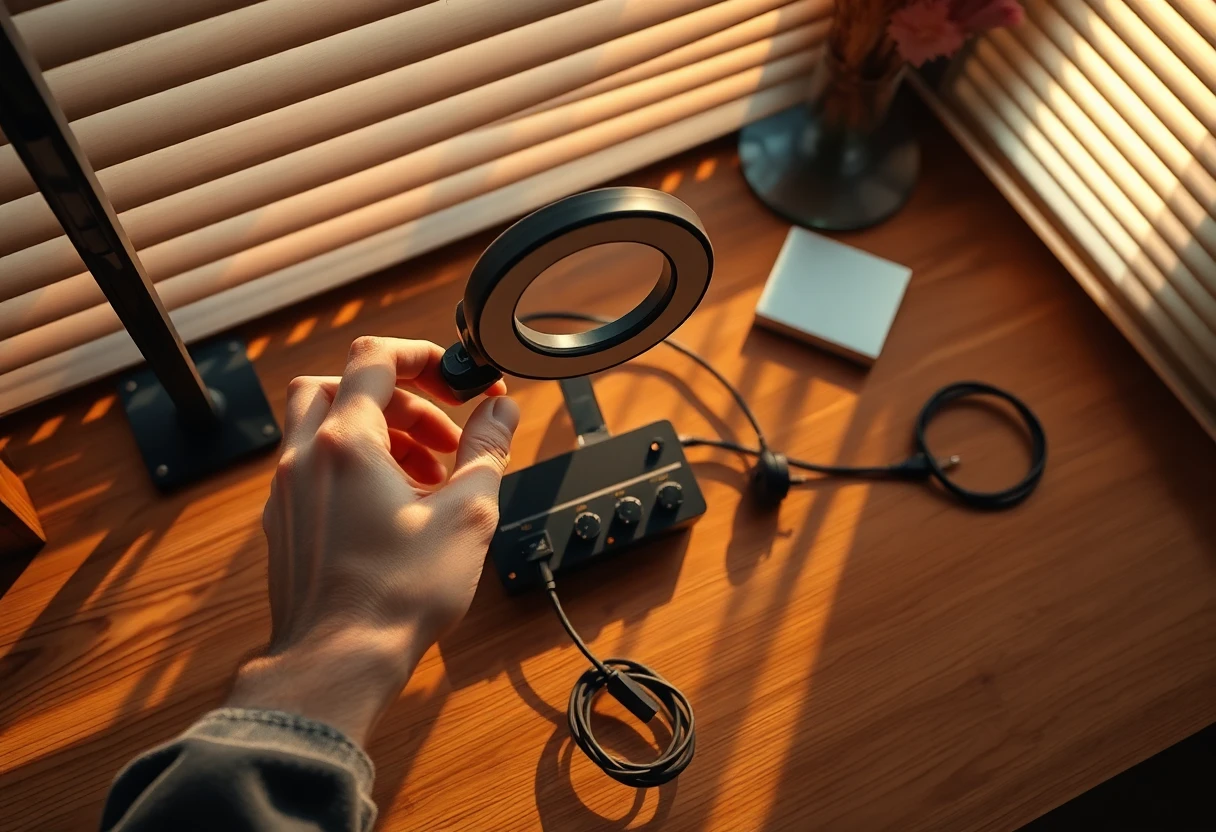
Prioritize lighting over gear. Use a soft key light and keep the camera at eye level. The “look professional” leap is usually lighting + framing, not lens quality.
Next, use a clip-on mic and check your peaks. Do a quick recording and listen back. If the room echo is there, fix it before you record the real take.
On my shoots, I do a fast “readability test” too: can you read the subtitles if the audio is played at normal room volume? If not, adjust caption font size or contrast.
Practice methods that improve delivery and authenticity
Rehearse with the exact script. I mark breaths and emphasis so the talking head video delivery feels natural instead of robotic. It’s the difference between “I read a script” and “I’m explaining to you.”
Then do a 30-second test take. Watch pacing and wardrobe contrast with your background. You’d be shocked how often “everything looked fine” until you see it on camera.
Authenticity doesn’t mean you never pause. It means pauses feel intentional and the learner still understands what you mean.
When I first tried scaling talking head videos for a course update, I thought more takes would fix everything. It didn’t. The fix was practicing pacing like a conversation and cutting dead air during editing. That’s when retention stopped bleeding.
Lighting and gear examples you can copy
Use a clean lighting approach you can repeat. A softbox setup like Mountdog Softbox Light is a good example of the kind of “one-and-done” lighting that produces a consistent talking head look.
If you go USB mic/cam workflows, validate your interface settings. For example, with an AT 2020 USB+ style setup, you want to confirm the correct input device and levels before you record.
Your setting should support the story, not compete with it.
Setting is where storytelling becomes believable. When the background supports your brand story and doesn’t steal attention, the talking head video feels like the learner is in the room with you.
Consistency matters too. If your composition is stable across a series, viewers stop “re-learning” your layout each time.
Room, background, and framing that explain and connect
Choose a background that supports attention. Think brand colors, a tidy shelf, or a blurred office wall—whatever fits your audience. The point isn’t aesthetic perfection. It’s keeping the viewer focused on your key message.
For framing, keep a consistent eye-line and headroom. If you’re doing course series, pick a “default shot” and never improvise between lessons.
I also like adding one subtle element that helps recognition: a consistent plant, sign, or artwork. Viewers build familiarity. That familiarity reduces friction and improves “I trust this” moments.
AI-accelerated production workflows (assistant director approach)
AI is your assistant director: it accelerates scripts, first-pass edits, captions, resizing, and even avatar pipelines when it makes sense. The key is you still decide the narrative, tone, and example selection.
In practice, I use AI for multilingual versions and rapid iteration, then I add the human touch where it matters: narrative continuity, examples that match the audience, and real “why this matters” phrasing.
Tools you’ll see in real production workflows include Riverside.fm (creator-style capture), Synthesia.io (avatar pipelines), and editing/caption automation for speed. If you’re building courses at scale, I built AiCoursify because I got tired of piecemeal workflows that break when you need consistent templates and weekly output.
Hybrid talking head + visuals for complex concepts
Hybrid formats help when viewers can’t “see” the explanation. Talking head delivery stays for credibility, while animations or screen visuals carry the data storytelling.
Simple on-screen graphics reduce cognitive load. A single diagram, a moving arrow, or a 3-step overlay can make your explanation click faster than another minute of talking.
When you design hybrid lessons, plan the visual beats in the script. Don’t add graphics as an afterthought, or you’ll end up re-cutting footage to fit the animation timing.

Edit for retention first—then polish is just cleanup.
Editing priorities are simple: retention over polish. Cut dead air aggressively, and keep one idea per segment so learners don’t fight you.
Then add the accessibility and platform details that make your talking head video(s) actually work everywhere—captions, resizing, and clean typography.
Editing priorities: retention > polish
Cut the pauses that don’t serve meaning. Keep the pauses that let the viewer breathe and digest. During editing, you’re choosing where the learner’s attention goes next.
Use AI auto-captions to speed things up. Then verify the caption timing and wording in the parts where your key message appears. A single wrong word can wreck trust.
Platform resizing is also part of retention. If people watch on mobile and you didn’t resize correctly, your viewer will miss subtitles and charts.
Two-speed distribution: shorts + anchor lessons
Two-speed strategy keeps your pipeline healthy. Use 15–90s clips for reach and anchor videos in the 2–30 minute range for completion and depth.
Then repurpose anchor segments into multiple talking head video variations. A/B test hooks, opening questions, and the first example you show.
Batch production and team workflow (weekly shipping system)
Batch workflow is how you scale without burning out. Record 10–20 clips in one session, then use editable templates for faster edits and consistent branding.
For remote teams, pair AI workflows with a consistent review checklist. The checklist prevents rework and keeps tone consistent across editors and reviewers.
My rule: don’t polish everything—polish what impacts comprehension. Captions, audio clarity, and pacing matter more than color grading for most courses.
| Production need | Human-led talking head | AI-assisted workflow | Where it shines |
|---|---|---|---|
| Speeding up scripting & edits | Slower, but very human voice | Draft scripts, first-pass edits, captioning | Weekly updates, course refreshes |
| Multilingual scaling | Time-consuming dubbing + QC | Multilingual variants with lip-sync pipelines | Global learners, large catalogs |
| Trust & expert opinion credibility | Strong—your nuance lands naturally | Works best when you review and steer | High-stakes training, expert-led courses |
| Repurposing for marketing | Manual clipping & formatting | AI-assisted resizing + caption workflows | Shorts + anchor lesson pairs |
| Complex explanations | Use visuals manually | AI-generated supporting visuals + captions | Hybrid talking head + animations |
My 2026 playbook: build the system, not the hero.
Your playbook should be a repeatable sequence you can run every week. Not a one-off shoot that works once and then falls apart during updates.
When you set this up right, your talking head video production becomes a controlled pipeline: plan, record, edit, publish, learn, repeat.
The exact sequence I recommend you follow next
- Plan key message — Write the single sentence takeaway and the CTA (what the viewer does next).
- Write script with hook/value/CTA — Use the 15–45s model for shorts and the setup/proof/recap model for anchors.
- Set up light + mic + framing — Eye level camera, soft key light, clip-on mic, and a quiet room.
- Record a test take — Confirm pacing, caption readability, and wardrobe/background contrast.
- Edit for retention — Cut dead air, keep one idea per segment, and fix captions/audio first.
- Publish in shorts + anchor pairs — Distribute 15–90s clips for reach and 2–30 minute anchor lessons for completion.
If you want speed and scale, use AI for captions, resizing, and first-pass edits. Just don’t hand over the narrative to a machine and call it production.
When to choose AI talking heads vs. traditional talking head production
Choose AI when you need multilingual, rapid iteration, or personalization at scale (like named greetings or adaptive lesson variants). In 2026 workflows, this is where AI talking head video production pays off fast.
Choose human-led talking heads when trust, nuance, and expert opinion credibility are the product. Education audiences can smell “soulless” outputs when the tone and examples don’t feel lived-in.
My opinion is blunt: AI should reduce friction, not remove your judgment. The moment you stop caring about tone and examples, the video stops feeling like teaching and starts feeling like output.
FAQ—your objections, answered like a producer.
Frequently asked questions are usually the same problems in different costumes: length, trust, gear, editing, examples, and tools. Let’s clear the noise.
If you’re building a talking head video pipeline, these answers will save you hours of trial and error.
What’s the best length for talking head videos in online courses?
Use short clips (15–90s) for hooks and mini-lessons. Use longer anchor videos in the 2–30 minute range for deep dives.
For training webinars, 8–30 minutes is common depending on complexity. The key is not just time—it’s whether the video hits one key message and gives a clear next step.
Do AI talking head videos look “fake” or affect trust?
They can, especially if they feel soulless. The fix isn’t “more AI.” The fix is combining AI acceleration with human authenticity: tone, examples, and narrative continuity.
I usually treat AI as a production assistant first. Do captions, editing, multilingual variants, and resizing—then decide whether you need avatar delivery for your specific audience.
What equipment do I need for effective talking head video production?
Start with the essentials: soft lighting, camera at eye level, and a reliable mic. If you handle those correctly, phone setups can look professional.
Don’t overbuy gear because you’re nervous. You’ll get better results by improving audio, controlling reflections, and tightening your framing.
How do I edit talking head videos to keep viewers riveted?
Cut pauses, reduce repetition, and keep one idea per segment. If a sentence doesn’t add clarity or advance the key message, remove it.
Add captions and resize for mobile. In mobile-first learning, captions aren’t optional—they’re the difference between understanding and scrolling away.
What are good examples of talking head video projects for creators and teams?
Course lessons and onboarding videos are the obvious ones. But talking head videos also work well for internal communications updates, sales enablement, testimonial-style expert introductions, and training modules.
Hybrid talking head + animations are especially useful for product explainers and data storytelling when viewers can’t “see” the concept on camera.
Which tools can speed up production and editing?
For avatar pipelines, Synthesia.io is a common reference point. For creator-style capture, Riverside.fm is widely used.
For a streamlined production workflow built around course creation and repeatable templates, consider AiCoursify. I built AiCoursify because I got tired of systems that don’t hold up when you need consistent weekly output.

Wrapping Up: Your 2026 Talking Head Production Playbook
Your real job isn’t producing one perfect talking head video. It’s building a reliable system for internal communications, course updates, and external training that stays consistent over time.
When you get the key message right, plan the scripts, set up light+mic properly, and edit for retention, you’ll ship faster—and the videos will feel more like a relatable individual manner than a corporate announcement.
The exact sequence I recommend you follow next
Plan key message → write script → set light+mic+framing → record a test take → edit for retention → publish shorts+anchor pairs. That’s it. Run it again next week with improved hooks and cleaner proof examples.
If you want speed and scale, use AI for captions, resizing, and first-pass edits—but preserve authentic human-led storytelling. AI is the assistant director. You’re the producer.
When to choose AI talking heads vs. traditional talking head production
Choose AI for multilingual and rapid iteration, especially when you need personalization at scale. Choose human-led production when trust, nuance, and expert opinion are the product.
And if you’re thinking “Do I need AI?”—be honest. If you’re stuck on editing and distribution, AI will fix that. If you’re stuck on story and key message clarity, AI won’t save you.