
Real-Time Alerts for At-Risk Learners: How to Identify and Support Students
I’ve worked with student support teams long enough to know this feeling: you look up one day and realize a student has quietly slipped off track. Maybe attendance dropped without anyone saying it out loud. Maybe grades dipped after a rough unit. Or maybe the student is still showing up, but participation is basically gone.
The frustrating part? By the time you notice, it can already be “too late” to fix quickly. That’s where real-time alert systems come in. In my experience, the value isn’t the dashboard itself—it’s the timing. When alerts are triggered quickly and routed to the right people, staff can intervene while there’s still something to save.
In this post, I’ll break down how these systems detect risk, what data signals actually matter, and what a practical workflow looks like (including example trigger rules and what to do when an alert might be wrong).
Key Takeaways
- Real-time alerts work best when they combine signals. Attendance patterns, assignment submission rates, grade trends, and behavior events together give a more reliable “at-risk” picture than any single metric.
- Custom triggers beat generic thresholds. For example, you might flag attendance < 90% over 10 instructional days or assignment completion < 60% for two weeks—then escalate based on severity.
- Dashboards should answer one question fast: “Who needs action today, and what should we do?” If teachers still have to dig through spreadsheets, the system isn’t doing its job.
- Tiered notifications reduce overload. A gentle nudge (teacher sees it first) can prevent churn, while escalations (counselor/admin) kick in only when risk is sustained.
- Start small and build a workflow. Pilot with 1–2 grade levels or one intervention team, define roles and response SLAs (for example, “first contact within 24–48 hours”), then iterate.
- Privacy and trust matter as much as the tech. If staff don’t understand how data is used and what counts as a “risk event,” you’ll get resistance and inaccurate interpretations.
- Measure outcomes with clear definitions. Track metrics like chronic absence (commonly defined as missing a set percentage of enrolled days), course failure rates, and behavior incidents—then compare pre/post or against similar groups.
- False positives are inevitable—plan for them. A good system includes an “alert outcome” field (verified support needed vs. resolved) so thresholds can be tuned.

How Real-Time Alert Systems Detect At-Risk Learners
It helps to picture this like a “living attendance and performance watch.” Instead of waiting for report cards or end-of-term data, the system checks student signals throughout the day and flags patterns as they form.
In practice, that usually means it’s pulling from:
- Attendance (daily absences, tardies, patterns like “missing Monday/Wednesday”)
- Grades (recent quiz/test scores and gradebook updates)
- Assignment submission rates (what’s late, missing, or not started)
- Engagement signals (participation logs, LMS activity, discussion posts—depending on what your district tracks)
- Behavior events (class disruptions, office referrals, suspensions)
Here’s a concrete example of what I’d expect to see in a well-built system: a student misses two days in a week and their assignment completion drops below a threshold. That combo is a stronger risk signal than either metric alone.
Another important point: good alerts don’t just fire once. They track whether the risk is brief or sustained. A one-day absence can happen for reasons we can’t control. But three weeks of falling submission rates? That’s a different story.
About the “4 percentage point drop” claim: the original text mentions specific outcomes without explaining the source. For credibility, you should ask vendors for documentation (pilot design, timeframe, comparison group, and definitions). If you want a starting point on what “chronic absence” means and why it matters, you can reference attendance research from the U.S. Department of Education: U.S. Department of Education chronic absenteeism resources.
Core Features of Effective Real-Time Alert Solutions
If I’m evaluating alert software, I’m not looking for “cool analytics.” I’m looking for whether the system can turn data into an actual plan people will follow.
Here are the features that matter most:
- Customizable alert triggers: you should be able to define rules like “attendance < 90% over 10 days” or “no assignment submissions for 7 consecutive days.”
- Tiered escalation: a first alert might go to the classroom teacher; a second alert might go to a counselor or intervention coordinator only if risk persists.
- Clear routing: alerts should land with the right role (teacher vs. case manager vs. admin), not everyone.
- Dashboards that are readable in under 30 seconds: I want to see “risk level,” “what triggered it,” and “recommended next step,” not a wall of charts.
- Automated notifications: email/text/app notifications are useful, but only if they include context (trigger reason + suggested action) so staff don’t ignore them.
- Trend reporting: you need to know if interventions are working—otherwise you’ll keep sending the same alerts forever.
- Integration with SIS/LMS: if updates come in late (or not at all), “real-time” becomes “real-late.”
One thing I’ll say plainly: tiering is non-negotiable. Without it, the system becomes notification spam and people start tuning out. A practical setup looks like this:
- Tier 1 (Teacher nudge): mild risk signal (for example, attendance slightly below your threshold OR 1 missing assignment)
- Tier 2 (Team review): sustained signal (for example, attendance below threshold for 10 instructional days OR submission rate below 60% for two weeks)
- Tier 3 (Counselor/admin intervention): higher severity (for example, repeated behavior incidents, or failure risk across multiple classes)
Indicators and Data Monitored for Risk Detection
Think of indicators like puzzle pieces. Each one alone can be misleading, but together they show a pattern of risk.
Here are the most common indicators—and what they usually mean in real classrooms:
- Attendance: not just total absences, but patterns (tardies, missing the same class period, or sudden spikes in absence)
- Assignment submission: missing work is one of the earliest “quiet failures.” Even if grades haven’t dropped yet, completion rates often reveal the problem first.
- Gradebook trends: watch for sudden drops after a unit test, or consistently low scores on a particular standard.
- Behavior events: office referrals, suspensions, or repeated classroom disruptions.
- Engagement / participation: LMS logins, discussion activity, participation counts—whatever your district actually collects.
About the “88% of alerts” stat: that’s the kind of number that could be true in a specific system or dataset, but it needs a citation and context (which district, which time period, and how “alert” and “behavior incident” were defined). If you’re using this in a published post, it’s better to either cite the study/vendor report directly or remove the percentage and focus on the general principle.
To make this actionable, here are example trigger rules I’ve seen work well in pilots:
- Attendance trigger: alert if attendance falls below 90% over the last 10 instructional days (Tier 1) and escalates if it stays below that threshold for 20 days (Tier 2).
- Submission trigger: alert if assignment completion drops below 60% for two consecutive weeks.
- Grade trend trigger: alert if a student’s average quiz/test score drops by 15 points compared to their last 3 assessments (or drops below a defined cutoff, like “below 70%”).
- Behavior trigger: alert if there are 2+ behavior incidents in 14 days, or 1 suspension immediately (Tier 3).
And yes—sometimes extracurricular participation and social-emotional assessments help. Just don’t treat them like “gotcha signals.” If you include them, be clear about how they influence the alert and make sure staff understand what the results do and don’t mean.
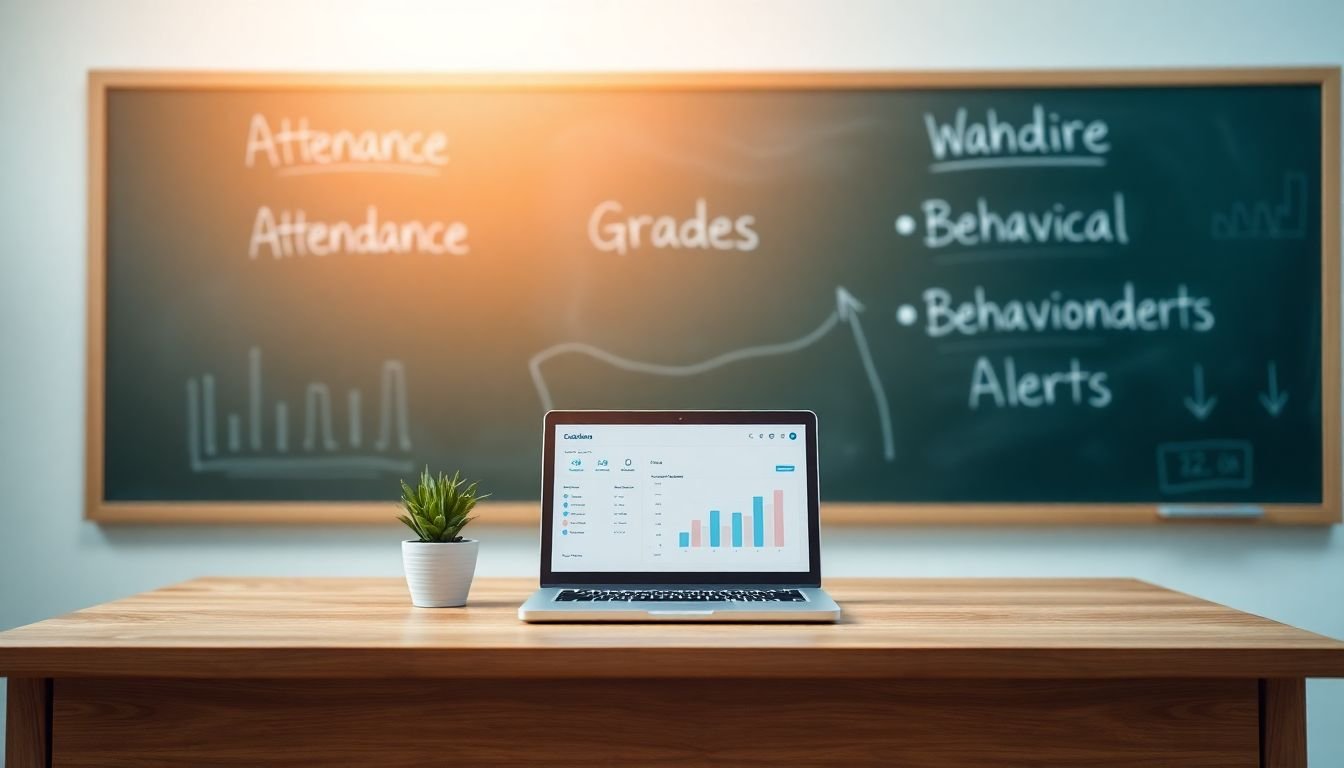
How Schools Can Get Started with Real-Time Alert Systems
Here’s the part people rush. They buy the software first and then figure out what to do with alerts. I don’t recommend that.
Start with a mini-plan:
- Pick 2–3 priority risk signals (attendance + submissions + behavior is a common trio)
- Decide who responds (teacher first? counselor first? intervention team?)
- Set response SLAs (for example: “Tier 1 contact within 48 hours,” “Tier 2 case review within 5 school days”)
- Define what “success” looks like (re-engagement, improved completion rate, reduced incidents)
Next, choose a platform that can:
- pull data on a schedule that feels “real-time” to your workflow (daily sync is often the minimum)
- let you configure thresholds without needing a programmer every time
- show the reason an alert fired (so staff can act intelligently)
Finally, run a short pilot and collect feedback. I’d suggest a structured review after 4–6 weeks:
- Were alerts too frequent? (If yes, tighten thresholds or add “sustain” windows like “over 10 days.”)
- Were alerts missing obvious cases? (If yes, add signals or adjust data mapping.)
- Did staff know what to do next? (If not, build playbooks tied to each alert type.)
If you want a simple intervention playbook template, here’s a starter you can adapt:
- When Tier 1 attendance trigger fires: teacher checks for pattern, contacts student/family, offers make-up plan; counselor notified if risk persists.
- When submission trigger fires: teacher reviews missing assignments, provides a quick “catch-up” pathway, checks for barriers (access, language support, workload); intervention team monitors completion weekly.
- When behavior trigger fires: school counselor/administrator reviews incident context, assigns restorative/support plan, and schedules follow-up check-ins.
Overcoming Challenges When Implementing Alert Systems
Let’s be honest—implementation can be messy. The big challenges usually fall into three buckets:
- Privacy and data security
- Staff buy-in
- Integration and data quality
Privacy head-on: don’t wait for confusion. Make sure leadership, IT, and legal/privacy teams review what data is used and how alerts are generated. Then communicate in plain language to staff and families. If you’re in the U.S., you’ll typically want to align with district policies and applicable student privacy laws. A solid reference point for broader privacy guidance is the U.S. Department of Education’s resources on student privacy: Student Privacy Policy Office.
Staff resistance: if teachers feel like alerts are “surveillance,” they’ll disengage. In my experience, the fix is simple but not always easy: involve teachers in defining thresholds and response steps. When staff helped build the rules, they’re more likely to trust the output.
Integration issues: missing data fields or delayed sync can cause alerts to fire late (or not at all). Work with vendors to test data mapping with real sample records before rolling out broadly. If possible, run a parallel period where staff compare “would this alert have changed anything?”
Also—don’t expect perfection overnight. Treat the first term like iteration time. Tune thresholds, reduce noise, and document what happened after each alert type.
Measuring Success: What Results Can You Expect?
Measuring impact is where a lot of districts fall short. They report “we saw improvements” without defining metrics.
Here’s a more useful way to measure results:
- Chronic absence: use your district’s definition (often based on missing a set percentage of enrolled days). Track the percentage of students meeting the definition pre/post.
- Course failure: define what counts as “failure” (final grade below X? course not completed? failing core courses?). Track course-level and student-level rates.
- Behavior outcomes: count office referrals, suspensions, or incidents per student (with the same time window each term).
- Intervention follow-through: track whether staff contacted the student within the SLA and what supports were offered.
About the earlier “4%” and “5%” claims and “80%” suspension drop: those numbers can be compelling, but they need citations and methodology. If you’re publishing this, either link to the underlying report/case study or label them clearly as “results from our pilot with X district during Y timeframe.”
If you want a credible research starting point on early warning systems and student outcomes, consider searching for evaluations from established organizations and universities, plus district case studies. At minimum, ask vendors for:
- pilot timeframe
- comparison group (even a matched cohort)
- how alerts were defined
- how outcomes were measured
One more practical metric I like: alert verification rate. After an alert, staff can mark whether it was “confirmed risk” or “false positive / resolved without intervention.” Over time, that helps you tune thresholds so alerts become more accurate and less annoying.
Future Trends in Real-Time Alerts and Student Support
Where this is headed is pretty clear: more personalization, more prediction, and more channels for outreach.
Here are realistic trends I’m seeing discussed across the education tech space:
- More sophisticated risk modeling that blends attendance, grades, behavior, and engagement signals.
- Social-emotional and wellbeing signals (used carefully, with clear interpretation guidance so they don’t become “diagnosis by dashboard”).
- Proactive outreach where the system recommends next steps before a student hits a hard threshold.
- Mobile-first notifications so staff and families can respond faster (and so students aren’t left out of the loop).
- Chat-based or guided workflows that help counselors document interventions and follow up consistently.
Still, I’d take “AI will fix everything” with a grain of salt. The best systems will keep the human workflow at the center—alerts should prompt support, not replace judgment.
FAQs
They pull from data sources like attendance, gradebook updates, assignment submissions, participation/engagement logs, and sometimes behavior records. Then they apply your configured rules—often using multiple signals together and requiring a pattern (like “over 10 days”) so one-off events don’t trigger unnecessary alerts.
In my view, the essentials are: (1) configurable alert triggers, (2) tiered notifications so you don’t overwhelm staff, (3) dashboards that show the “why” behind the alert, (4) integration with the SIS/LMS so data is current, and (5) workflow support—who gets notified, what the next step is, and how follow-up is documented.
Common indicators include attendance drops (including patterns of tardies/period absences), failing or declining grades, reduced assignment submission rates, shifts in engagement/participation, and behavior changes like repeated disruptions or office referrals. Some systems also incorporate wellbeing or SEL measures, but those should be used with clear guidance so staff interpret them responsibly.
Students benefit when support arrives sooner—before missing work piles up, before attendance issues become entrenched, and before behavior escalates. Schools benefit when staff spend less time manually hunting for problems and more time doing targeted interventions. Just remember: alerts only help if you have a response plan and you track outcomes.
This is normal. First, document the outcome (verified risk vs. false positive). Then tune thresholds—add “sustain” windows, raise/lower cutoffs, or require a second supporting signal before Tier 2 escalations. The goal is accuracy, not maximum alerts.
Work with district privacy/legal teams to confirm what data is used, how it’s secured, who can access alerts, and what consent/notification requirements apply. Communicate clearly with staff and families about the purpose of the system: getting support sooner—not monitoring for punishment.