
Predictive Dropout Analytics in LMS Dashboards: 7 Steps to Success
Predicting dropout risk in an LMS isn’t about “reading minds.” It’s about watching what students do (and don’t do) early enough that you can actually help. In my experience, the hardest part isn’t building a model—it’s getting the data pipeline and the dashboard alerts right so people know what to do next.
This post walks through a practical, seven-step setup for predictive dropout analytics in LMS dashboards. I’ll cover a simple risk-score approach you can implement with common LMS exports (Canvas, Moodle, Blackboard), what features to track, how to visualize risk without overwhelming staff, and how to measure whether your interventions are working. I’ll also include a sample alert rule and a quick implementation checklist you can reuse.
Key Takeaways
– Start with behavior signals you can actually measure: active days, login frequency, assignment submission timeliness, quiz attempts/score trends, and forum participation. In one widely cited line of research, early-warning approaches using LMS activity can outperform “guessing,” but results vary a lot by course design and data quality—so treat any headline numbers as context, not a promise.
– Build a risk score that blends short-term changes (like “activity dropped this week”) with longer-term patterns (like “quiz scores are trending down”). I like to compute features as rolling windows (last 7/14/30 days) because they’re stable and easier to explain to instructors.
– Your dashboard should show: (1) a clear risk score, (2) the top reasons behind it (feature contributions or simple rules), and (3) what action is recommended. If staff can’t tell why a student is flagged, alerts become noise fast.
– Use early-warning alerts with guardrails to prevent alert fatigue. For example: only alert when risk crosses a threshold and the student hasn’t already been contacted in the last N days.
– Don’t stop at “students are at risk.” Use the data to improve course navigation: if many learners bounce non-linearly or skip key modules, adjust sequencing, add prerequisites, or create alternate pathways.
– Automated support (chatbots or scheduled messages) works best when it’s tied to a specific trigger (missed submission, no login for 3–5 days, quiz attempt failure) and routes students to the right help content.
– Content effectiveness matters. Track which resources correlate with progress (and which ones students consistently abandon). Then run small experiments: swap one low-performing module, add a practice quiz, or change the way instructions are presented.
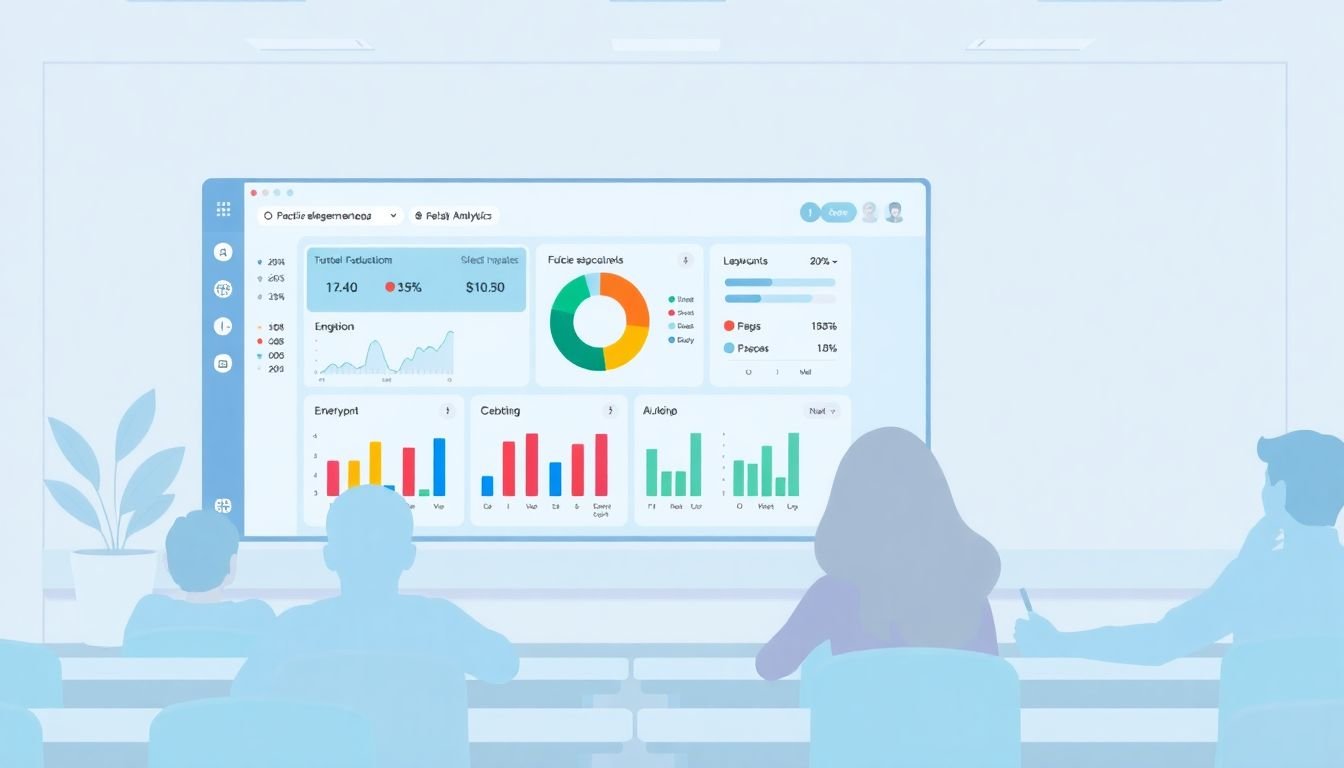
Identify Students at Risk of Dropping Out with Predictive Analytics
Predicting dropout risk isn’t about a single metric. It’s about patterns—especially patterns that change quickly after the course starts.
Here’s what I look for first: engagement trends. Are students logging in consistently, or does their activity flatten out after week 1? Are they participating in discussions, or are they going quiet right when the first assignment hits?
Then I add performance and pacing signals. Missed deadlines, low quiz scores, and a lack of assignment submissions are usually stronger indicators than “time spent” alone. (Time can be misleading—some platforms show a long session even when someone’s just idle.)
Once you’ve picked signals, you can turn them into a risk score. One simple, explainable approach is a weighted score that you can calibrate with past terms:
Example risk-score formula (rule-based baseline)
RiskScore = 0.35*(NoLoginDaysLast14 / 14) + 0.25*(MissedAssignmentsLast14 / TotalAssignmentsPlanned) + 0.20*(QuizTrendDownFlag) + 0.20*(ForumActivityDropFlag)
That’s not “AI magic,” but it’s a solid starting point because staff can understand it. If you later move to logistic regression, gradient boosting, or another model, you’ll still benefit from good feature engineering and a clear definition of “risk.”
As for accuracy: published studies on LMS-based dropout prediction often report performance using metrics like AUC (area under the ROC curve) and precision/recall, and the results depend heavily on the dataset and the prediction window (e.g., predicting dropout by week 4 vs week 8). Instead of quoting a single “35% accuracy” number, I recommend you evaluate your model on your own courses using a metric that matches how you’ll use it (more on that later).
Gather Key Data Sources for Accurate Predictions
Getting good predictions is mostly data plumbing. If your LMS doesn’t expose the right fields (or your export is incomplete), your model will struggle even if the algorithm is great.
In Canvas, Moodle, and Blackboard-style setups, I usually expect to pull data from three buckets:
- Engagement: logins, active days, page/resource views, time-on-task (if available), downloads/opens
- Assessment & progress: quiz attempts and scores, assignment submissions, submission timestamps, rubric scores (if used)
- Learning interaction: forum posts, replies, peer reviews, chat/activity logs (if your course uses them)
Don’t forget the “timing” side. Submission timestamps and quiz attempt dates let you compute pacing features like “days since last graded activity.” Those are often more predictive than raw counts.
Example feature definitions (rolling windows)
- ActiveDays_7: number of distinct days with any LMS activity in the last 7 days
- LoginGap_14: days since last login within the last 14 days (cap at 14)
- SubmissionRate_14: submitted assignments / assignments due in last 14 days
- QuizTrend: indicator that average quiz score dropped by more than X points or Z% vs previous quiz
- ForumParticipationDrop: forum posts in last 14 days compared to prior 14 days
If something is missing—say, your LMS doesn’t track “time spent” reliably—skip it. I’d rather have fewer good signals than a bunch of noisy ones.
Also, decide early what prediction window you’re targeting. Are you trying to flag risk at week 2 or at week 6? That choice affects which features you can compute and when you can send alerts.
Monitor Essential Features and Metrics in Dashboards
A dashboard is only useful if someone can act on it within 30–60 seconds. I’ve seen too many dashboards that look great but fail because they don’t answer one question: what should I do next?
For each student, I recommend showing three things:
- Risk level: High / Medium / Low (based on your threshold)
- Top drivers: the 2–4 features that most explain the risk (or the biggest rule hits)
- Recommended action: “Send reminder to Module 3 quiz due,” “Check in about missing Assignment 2,” etc.
Sample dashboard wireframe (simple and staff-friendly)
- Left panel: Student name + risk badge + last activity timestamp
- Center panel: mini trend charts (logins last 14/30 days, submission rate, quiz score trend)
- Right panel: “Why flagged” list (e.g., “No login in 10 days,” “Submission rate 0% last 2 weeks,” “Quiz scores down 18%”)
Set alert thresholds based on how you want to balance false positives vs missed cases. A practical approach:
- Start with a conservative threshold (alert fewer students)
- Review weekly: are you contacting the right people?
- Adjust threshold after you see precision/recall tradeoffs
And please, keep the visuals clean. If you need a legend the size of a paragraph, it’s too complex.

Use Early Warning Systems to Catch Dropouts Before They Happen
Early warning alerts only help if they’re timely and actionable. If your team gets 200 alerts a week, they’ll ignore them. Simple as that.
Here’s the setup I’ve found works best: trigger alerts on a risk threshold and a “cooldown” period.
Example alert rule (practical)
- If RiskScore > 0.70
- AND ActiveDays_7 = 0
- AND last_contact_date is more than 7 days ago
- Then create an outreach task for the student’s assigned support staff
That cooldown matters. It prevents the same student from getting pinged every day while they’re dealing with real-life issues.
Also, define the “contact” itself. Is it an email? a message in the LMS? a tutoring session booked automatically? The dashboard should link directly to the action workflow so the alert doesn’t become a dead end.
On the evidence side: early warning systems are studied in education research, but reported improvements depend on course context and intervention design. If you want to claim “failure rates drop by X%,” you should measure it in your environment (more on experimentation in the last step).
Optimize Course Pathways with Data-Driven Module Sequencing
Not every dropout is “lack of effort.” Sometimes it’s “this course path is confusing.” When I look at navigation patterns, I’m usually trying to answer one question: are students following the intended learning flow?
In many courses, a linear sequence is easier to follow—but students still deviate. What matters is whether the deviation correlates with stalled progress.
Use LMS navigation data to check:
- How often students skip a module and jump ahead
- Where they get stuck (last completed item)
- Whether non-linear paths lead to lower assignment submission rates
If you find a pattern like “Module 3 is skipped and then students don’t submit Module 4,” don’t just blame learners. Consider adding:
- Prerequisite checks (“complete Module 3 quiz before Module 4 unlocks”)
- Short recap videos or guided practice in Module 3
- Alternate pathways with clear expectations (for experienced learners)
And yes—keep reviewing. Course navigation is not set-and-forget. Each term changes how students behave, especially if you adjust content or due dates.
Quick implementation tip: Track “drop-off points” by module number (e.g., last resource completed). Then compare completion rates for students who followed the planned sequence vs those who didn’t.
Implement Automated Support with Chatbots and Personalized Messages
Automated support can be great—when it’s specific. A generic “We noticed you haven’t logged in!” message doesn’t help much.
What I prefer is tying automation to a concrete trigger and giving the student a clear next step. For example:
- No login for 3–5 days → message with a “get back on track” checklist and links to the next module
- Missed assignment due date → reminder + instructions + “here’s how to submit” link
- Quiz attempt failed → offer a targeted practice resource and a short explanation of the concept
For chatbots inside the LMS, set boundaries. Let them answer common questions (“Where do I find the rubric?” “How do I submit?”) and route edge cases to a human when confidence is low.
One thing I’ve learned the hard way: tone matters. If the message reads like a system notification, students tune it out. If it reads like someone actually checked their progress, it lands better.
Again, don’t rely on vague claims like “it boosts engagement.” Measure it. Track whether students who receive the intervention submit the next assignment and whether they progress to the next graded item.
Analyze Course Content Effectiveness to Boost Engagement
Content analytics is where you stop treating dropout as “just behavior” and start treating it like a learning design problem.
I usually look at:
- Resource engagement: views/open events for videos, readings, and interactive items
- Completion: whether students finish the activity
- Downstream impact: do students who complete Resource X actually submit the next assignment?
If a module has high views but low completion, that’s a signal. Maybe the instructions are unclear, the pacing is too fast, or the activity is frustrating. If completion is low and downstream submission is also low, that module is probably a bottleneck.
Try small experiments:
- Replace one low-completion video with a shorter one plus a practice quiz
- Add “check your understanding” questions right after key sections
- Change due dates or break a large assignment into two milestones
And don’t forget to compare cohorts. If you tweak content mid-term, make sure you can attribute changes to the update, not just to differences between student groups.
Measure and Improve Your Support Systems Over Time
This is the part everyone skips, and it’s the part that determines whether your system is actually worth it.
Start by measuring outcomes tied to your intervention workflow:
- Next-step submission rate (did they submit the next assignment within X days?)
- Module progression (did they reach the next graded item?)
- Course completion (did they finish by the course end date?)
- Time to engagement (how long until the student becomes active again?)
Then run an experiment if you can. Even a simple approach helps:
- Split flagged students into two groups: intervention vs standard support
- Make sure both groups get the same baseline resources
- Compare outcomes over the same prediction window
Finally, keep your model honest. Retrain or recalibrate periodically because courses change, assessment difficulty changes, and student behavior shifts.
Implementation checklist (quick)
- Define dropout outcome and prediction window (e.g., “not enrolled by end of week 8”)
- Pick 10–20 features you can compute reliably from the LMS
- Build a baseline risk score first (rules or logistic regression)
- Validate using your own data with AUC + precision/recall at the threshold you’ll use
- Design dashboard views that show risk + top drivers + recommended action
- Add alert cooldown and contact tracking
- Measure intervention impact with a comparison group
FAQs
Predictive analytics looks at patterns in student behavior and performance (like engagement drops, missed submissions, and quiz trends) to estimate who’s likely to disengage or stop out. The real value is that you can intervene earlier—before students disappear for good.
Common sources include login/activity logs, assignment submission timestamps, quiz attempts and scores, participation in discussions/forums, and course navigation events (which modules/resources were accessed). If you can, also capture pacing signals like “days since last graded activity.”
Dashboards bring the data together so instructors and support teams can spot risk trends quickly. Instead of hunting through reports, they can see risk level, the likely reasons behind it, and whether prior interventions led to improved submission or progression.
Big challenges include messy or incomplete data, privacy/compliance requirements, integrating analytics into existing LMS workflows, and training staff to interpret predictions correctly. The biggest practical issue? If alerts aren’t tied to a real action process, the model won’t change outcomes.