Optimizing Checkout Flows for Higher AOV: 10 Simple Steps
Checkout is the last moment of truth. If it feels slow, confusing, or “too much,” people bail—and you don’t just lose that one sale, you lose the chance to get your average order value (AOV) up. The good news? You can usually increase AOV with changes that also make checkout easier for real humans.
In my experience, the biggest wins come from two things: (1) removing friction right where people decide to finish, and (2) nudging customers toward a slightly larger cart at the exact moment it makes sense (not with random popups that feel spammy). So yes—this is about higher AOV, but it’s also about fewer abandoned carts.
Below are 10 practical steps I’d actually implement on an ecommerce checkout. I’ll include where each change goes, what to test, and what to measure—because “make checkout better” is too vague to be useful.
Key Takeaways
Key Takeaways
- Simplify checkout by reducing steps, enabling guest checkout, and using clear progress indicators so shoppers don’t feel stuck.
- Use checkout-time cues (like shipping/reward progression) and smart cross-sells to encourage adding items without overwhelming people.
- Show trust signals at the checkout stage—secure payment icons, real shipping/returns info, and (when done right) real-time purchase notifications.
- Offer volume discounts or tiered pricing with clear thresholds so customers can see exactly what they need to save more.
- Use post-purchase offers and exit-intent popups carefully—relevant, timed well, and easy to decline.
- Make payments flexible (cards, PayPal, wallets, BNPL) and keep the checkout UI fast—mobile speed matters more than most teams think.
- Simplify returns and show pricing transparently early to reduce purchase anxiety and increase both AOV and repeat purchases.
1. Optimize Checkout Flow to Boost AOV
In plain terms: your checkout is the final hurdle. If it’s clunky, people don’t “browse”—they leave. When I audit checkout flows, I start with two numbers: (1) where people drop (step-level funnel) and (2) whether AOV rises or falls when conversion improves. Because sometimes you can increase conversion while accidentally discounting your way to lower profit. Nobody wants that.
Here’s what I look for first:
- Step count + field count. If your checkout has 8–10 separate screens or lots of required fields, that’s usually where drop-offs hide.
- Shipping cost visibility. If shipping shows late, customers get surprised. Surprise is basically a polite synonym for “abandon.”
- CTA clarity. Is the “Continue” button obvious? Or does it blend into the UI like a background element?
Now for the AOV part. You don’t want to shove unrelated offers into checkout—you want to suggest one or two items that naturally fit the cart.
What to implement (and where):
- Progress cue during checkout. Put a small bar near the cart summary or near the “Shipping” step. Example copy: “Add $10 for free shipping.”
- Smart cross-sell block. Show 2–3 complementary items under the cart total (not 12 random products). Keep it lightweight.
- Bundle option. If you sell products that pair well, offer a “Complete the set” bundle with a visible savings amount.
- Post-purchase upsell (one click). After the order confirmation, show a relevant add-on like accessories or a warranty extension.
What to measure: AOV, checkout conversion rate, and cart abandonment rate. Also watch the “checkout started → payment step” drop-off, because that’s where friction shows up fast.
Common pitfall: Overloading checkout with offers. If the page feels busy, customers stop trusting the process—then AOV won’t matter, because nobody finishes.
2. Simplify and Streamline Checkout Steps
Most checkout drop-offs aren’t mysterious. They’re usually caused by extra steps, duplicated fields, or unclear “what happens next” moments.
When I’m improving a checkout, I do a quick “field audit”:
- Are customers entering their address twice?
- Do they have to pick shipping methods before seeing delivery estimates?
- Does the payment step reload or stall?
- Are error messages vague (like “Something went wrong”)?
What to change (practical, field-level):
- Use autofill + address validation. If you can, enable address suggestions so people don’t fight typos.
- Reduce required fields. Keep “email” and “shipping address” required. Everything else should be optional unless you truly need it.
- Show totals early. Display subtotal + estimated shipping + taxes as early as you safely can.
- Add a simple progress indicator. Don’t just show a generic “Step 2 of 4.” Show what the step is: “Shipping” → “Payment” → “Review”.
- Keep the CTA consistent. One primary button per step, not multiple competing buttons.
Test plan: A/B test one variable at a time. For example, test “guest checkout + fewer fields” vs “current flow.” Track: conversion rate, AOV, and error rate (failed payment attempts + form validation errors).
Why it boosts AOV: When people trust the flow and feel it’s not a hassle, they’re more likely to accept a small add-on or choose a higher quantity tier.
3. Offer Guest Checkout Options
Account creation is a speed bump. Some customers don’t mind it, sure—but lots of shoppers just want to finish.
Here’s the approach I prefer:
- Default to guest checkout. Let people buy without creating an account.
- Optional account creation after purchase. Show a post-purchase prompt like: “Create an account for faster checkout next time.”
- Keep communication simple. You can still ask for an email for receipts and order updates—no need to force a full signup.
Where to place it: On the first checkout screen, right next to the “Checkout” CTA. Make it visually clear, not hidden in a link nobody clicks.
What to measure: guest checkout rate, checkout conversion rate, and AOV. If AOV dips, check whether the guest flow changes how you show shipping/rewards or cross-sells.
Common pitfall: Offering guest checkout but removing key trust elements (returns link, delivery estimates, secure payment icons). If you simplify the friction, don’t accidentally remove the reassurance.
11. Introduce Volume Discounts and Tiered Pricing
Tiered pricing is one of the cleanest ways to nudge AOV because it rewards customers for buying more. No gimmicks. Just better value.
What I recommend: Use simple, readable tiers with clear thresholds.
- Example: “Buy 2 save 10%” / “Buy 3 save 15%”
- Example: “Spend $60, get $10 off” (great if you sell multiple sizes or bundles)
Where to show it: In the cart and checkout quantity selector. Ideally, update the discount live when quantities change.
What to measure: number of items per order, AOV, and margin impact. Also track whether the discount causes more returns—sometimes aggressive discounts attract bargain-seekers.
Test ideas:
- Test “Buy 2 save 10%” vs “Spend $X save $Y”
- Test discount presentation: “You save $3” vs “Save 10%”
Pitfall: Setting tiers too steep. If the “save” only kicks in at an unrealistic quantity, shoppers won’t chase it—they’ll just ignore it.
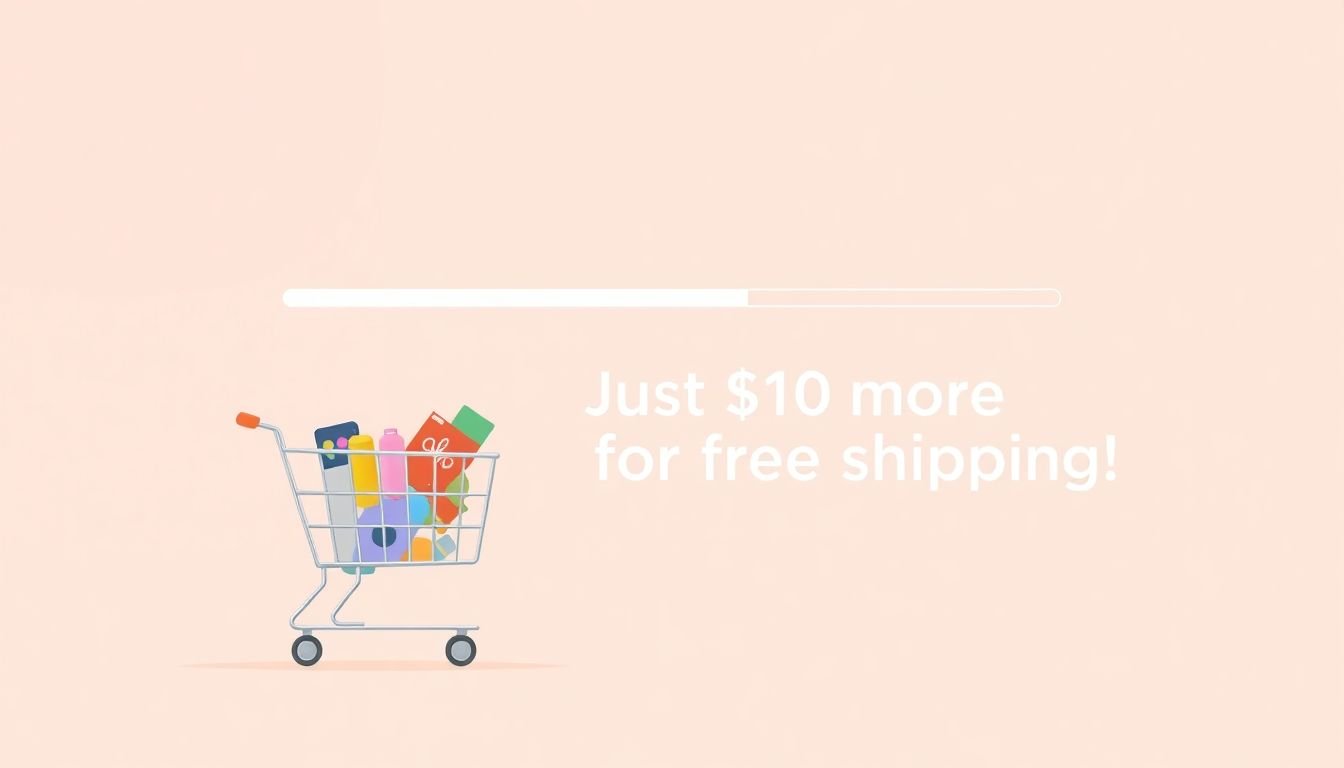
12. Use Progression Bars to Visualize Shipping Rewards
If you’ve ever watched someone hover over a “free shipping” threshold, you know what works: they want to see how close they are. A progression bar makes that visible.
What to implement: During checkout (especially near shipping or cart summary), show a bar with specific next steps.
Copy examples that don’t feel cheesy:
- “Add $10 for free shipping”
- “Almost there—add 1 more to unlock 10% off”
- “You’re $6 away from free returns” (if you offer it)
Placement: Right above the “Shipping” section or inside the order summary card. If it’s buried far below the fold, it won’t help.
Test plan: A/B test (1) wording and (2) reward type. For example, “free shipping” vs “$X off” can behave differently depending on your customer base.
What to measure: AOV, items per order, and checkout conversion. Also monitor abandonment on the shipping step—if the bar confuses people, you’ll see it in the funnel.
13. Display Real-Time Purchase Data to Build Trust
Social proof works, but only if it looks credible. I’m picky about this because I’ve seen too many “fake urgency” widgets that make shoppers suspicious.
If you use real-time purchase notifications:
- Make them subtle and small (not a giant flashing banner).
- Use realistic copy like “Someone from Austin bought this” (no creepy “just now” spam every 5 seconds).
- Ensure the data is actually real and updated. Stale notifications are worse than none.
Example placement: Near the product summary or above the payment section, where trust matters most.
Test plan: A/B test with a control that has no notifications. If you test, measure checkout conversion and AOV—not just clicks.
Tip: If you can’t guarantee accuracy, don’t fake it. Use other trust signals instead (reviews, ratings, return policy clarity, secure checkout badges).
14. Incorporate Post-Purchase Offers for Increased AOV
Post-purchase is where you can be a little bolder, because the customer already said “yes.” This is a great spot for relevant add-ons—accessories, refills, warranties, or a “complete the set” item.
What I like: One-click offers that are easy to decline. If the customer feels trapped, you’ll see complaints and refunds.
Where to place it: On the order confirmation / thank-you page. Keep it simple: show the offer, the price, and why it fits their order.
Examples of relevant add-ons:
- If they bought a camera: memory card, extra battery, cleaning kit
- If they bought skincare: moisturizer refill, travel-size bundle
- If they bought supplements: a bundle of complementary items
What to measure: offer acceptance rate, incremental revenue, and refund rate. If acceptance goes up but refunds spike, your “relevance” might be off.
Pitfall: Generic discounts that train customers to wait for promos. Keep offers tied to the cart, not random “20% off everything.”
15. Use Exit-Intent Popups to Capture Abandoning Shoppers
Exit-intent popups can work, but only when they’re actually helpful. If it’s just “WAIT! 10% OFF!” every time, shoppers learn to ignore it.
When to trigger it: Use exit intent when someone shows a clear pattern of leaving—like moving to the address bar or closing the tab. Avoid popping up instantly on page load.
Offer ideas that feel less spammy:
- “Free shipping on orders over $X”
- “Add one more item and get $Y off” (ties directly to AOV)
- “Bundle deal ends in 30 minutes” (only if it’s true)
What to test: discount vs bundle. Also test how easy it is to close. You want a clear “No thanks” button.
What to measure: recovery rate, AOV on recovered orders, and overall conversion rate. Don’t just look at popup opt-ins.
16. Add Live Chat Support for Instant Assistance
Sometimes the difference between checkout completion and abandonment is one question: “Do you ship to my country?” “When will it arrive?” “Can I change the order?”
Live chat helps because it removes that uncertainty right when it matters. And yes, it can also be used to suggest a bundle—if you do it naturally.
Where to show it: On checkout and cart pages, not just the homepage. The closer to purchase, the better.
What to equip chat agents with:
- Fast answers for shipping timelines
- Return policy details
- Payment method support (especially if you offer BNPL or wallets)
- Recommended add-ons based on the cart (2 options max)
Test plan: If you can, compare conversion rate and AOV for sessions with chat available vs not available (or test different chat timing).
Pitfall: Chat that tries to upsell aggressively before answering the customer’s question. That’s a fast way to annoy people.
17. Simplify the Returns Process to Build Trust and Increase Repeat Purchase
Returns might feel like a “post-purchase” topic, but it impacts checkout too. If customers fear the hassle, they hesitate—especially on higher-priced items.
What to do:
- Put a clear returns link on the checkout page (and make it easy to understand).
- Consider prepaid return labels for key product categories.
- Show key terms early: return window, condition requirements, and refund method.
Where to place it: Near the order summary or close to payment/review. That’s where anxiety spikes.
What to measure: checkout conversion, repeat purchase rate, and return rate. You’re aiming for higher conversion and better long-term retention, not just fewer returns.
Honest take: You won’t eliminate returns. But you can reduce the “I’m scared to buy” feeling that keeps people from even trying.
18. Enable Multiple Payment Options for More Convenience
Payment options are less about “more is better” and more about “the right options for your customers.” If the most popular method for your audience isn’t there, you’ll lose sales at the last step.
What I suggest adding:
- Cards (obviously)
- PayPal or an equivalent wallet option
- Apple Pay / Google Pay (if you sell in markets where these are common)
- Buy Now, Pay Later (BNPL) if it fits your customer profile
If BNPL makes sense for your store, it can reduce the perceived cost and help customers complete checkout. Here’s a helpful primer: integrating buy now, pay later services.
Test plan: Don’t just enable everything and hope. Test which payment methods show the best conversion for your audience. Also check whether adding a payment option changes AOV (sometimes it increases it because customers feel more comfortable adding one more item).
Pitfall: Too many payment buttons can make the checkout feel cluttered. Choose the top 3–5 based on your data.
FAQs
When checkout is easier, customers complete purchases more often—and they’re more receptive to adding items (like cross-sells, bundles, or tiered offers) at the right moment. The key is reducing friction and placing AOV nudges where shoppers are already paying attention (cart summary, shipping step, and post-purchase).
Guest checkout removes the biggest early barrier: forcing account creation. It speeds up the purchase for people who just want to buy now, which typically improves conversion. If you still want accounts, you can prompt customers after they order—so you get the best of both worlds.
Offering multiple options—cards, digital wallets, and sometimes BNPL—helps because different shoppers prefer different methods. The real win is removing the “I can’t pay how I want” problem at the final step. Just make sure the options you add are based on your actual customer behavior, not guesswork.
Mobile needs fewer steps, larger tap targets, and fast load times. Keep inputs short, reduce required fields, and make errors easy to fix. Also double-check that your cart summary, shipping options, and payment buttons don’t shift around—layout jumps are a silent conversion killer.