Webinar Follow Up Email Template (5-Email Sequence) 2026
⚡ TL;DR – Key Takeaways
- ✓Send your first webinar follow-up within 24–48 hours to capture peak recall and boost opens
- ✓Use a multi-touch sequence (5 emails over ~5–30 days) instead of a single thank-you email
- ✓Segment by behavior: attendees vs. no-shows vs. on-demand viewers (watch time + engagement)
- ✓Personalize with webinar-specific signals like poll answers, questions asked, and timestamped insights
- ✓Keep each email tight (150–250 words) with one primary takeaway and a clear CTA
- ✓Track ROI with UTM links + click-to-demo/course-enroll actions; iterate via A/B tests on subject lines and CTAs
The 5-Email Webinar Follow Up Sequence—because one thank-you email is lazy
Most people waste the webinar. They send a generic “thanks for attending” note, drop a replay link, and then act surprised when conversions stall. You can do better without getting fancy—by running a real multi-touch sequence that matches how people remember, rewatch, and decide.
When I first tightened this up for course and AI education funnels, the biggest change wasn’t “better copy.” It was the structure: replay + recap early, then Q&A and use-case proof, then a fit-check demo, and finally a second-chance offer around day 30.
What each email does in the funnel (and why it works)
Email #1 locks in goodwill. It’s your “thank you” plus the replay link and slides/PDF so people can actually take action. If you land within 24–48 hours, you catch peak recall—when the content is still fresh in their brain.
Email #2 delivers the top Q&A. Don’t dump a full transcript. Give the top 3 questions as bullets, add a webinar-specific resource, and reference why it matters. This is also where attendees feel “seen,” especially if you reference poll answers or a question they asked.
Email #3 adds a use case. This is where you translate webinar content into a “how you’d apply it” moment. If you’re selling an AI education tool or AI-assisted course creation workflow, you make it concrete: what gets personalized, how the lesson plan is structured, and what time it saves.
Email #4 is the sales handoff. You stop being vague. You offer the demo (or calendar link) as a fit check. For on-course funnels, this is often the highest-intent moment—people have enough context to want a walkthrough.
Email #5 is a final push. Think day 30 “second-chance conversion.” Send a research report summary, a limited enrollment window (no clickbait), and a clear CTA to enroll or book.
| Step | Timing | Main job | Primary CTA |
|---|---|---|---|
| Email #1 (Thank you) | 0–24/48 hours | Replay + immediate value (slides/PDF) | Watch replay / download handout |
| Email #2 (Q&A recap) | ~2 days | Top Q&A + attendee-specific resource | Grab checklist / get course outline |
| Email #3 (Use case) | Day 5–6 | Application + measurable outcome tie-in | Get AI lesson plan template |
| Email #4 (Demo / enrollment) | Day 7–14 | Fit check + personalized walkthrough | Book a demo / join next cohort |
| Email #5 (Final offer) | ~Day 30 | Research report + limited-time hook | Enroll now / discounted access |
Timing that matches viewer attention (2026 standard cadence)
Send the first follow-up within 24–48 hours. Fresh recall is real. That’s why your email #1 should go out fast for attendees and within 24–48 hours for no-shows (with replay emphasis).
For on-demand viewers, don’t wait for the calendar. Trigger based on watch time and engagement. If someone watches 70% and clicks a handout, they’re not “cold”—they’re ready for a next step.
Sequence length is flexible. For early conversion, keep the first five touches within 5–7 days. For second-chance buyers, extend to 30 days with your day 30 research report and limited-time enrollment CTA.
In practice, I’ve found a simple rule works: if the person clicks the replay link and downloads slides/PDF, you can move faster. If they never engage, you slow down and add value (use-case template, handouts, and a shorter replay highlight) instead of pushing a demo too soon.
And if you’re wondering about ROI—email tends to be efficient. Research summarized by Prospeo.io notes email generates $36 for every $1 spent, which is why even a basic 5-email sequence is usually worth refining.
When I stopped treating webinar follow-up like a single “thank you” and started treating it like a conversation, clicks went up immediately. It wasn’t because the copy got smarter. It was because the next step finally matched where the lead was.

9 Templates by Segment: Attendee, No-Show, On-Demand—stop blasting everyone the same
Segmentation is the difference between “thanks” and conversions. Attendees get trust. No-shows need empathy. On-demand viewers need a next step that matches how far they’ve gotten.
If you send one sequence to everyone, you’ll create two problems: high-engagement leads get bored, and low-engagement leads feel pressured. Why do that to yourself?
Segmenting by behavior beats generic webinar blasts
Attendee segment is about relevance. Reference participation: poll answers, questions they asked, or a specific timestamp where they were clearly paying attention. “You voted on X—here’s what that means” reads like you actually ran the webinar.
No-show segment is about recovery. Lead with a replay link and “what you missed” with one sharp takeaway. The goal isn’t to punish them for missing it. It’s to give them a fast path back into the decision.
On-demand segment is about qualification. These people are already doing their own research. Use timestamped insights and offer the next step CTA (course enrollment or demo) based on watch time and engagement.
How to personalize without sounding creepy
Use signals you already have. Poll answers, attendance status, watch time, and resource clicks are fair game. You’re not guessing—you’re reflecting what happened.
Personalization is also about tone. Keep it simple. “You asked about…” beats “We noticed you care about…” every day.
Match subject lines to intent. Question-style subject lines (2–4 words) tend to perform well because they force a decision. Use different subject lines by segment: attendees get “recap,” no-shows get “replay,” and on-demand viewers get “next step.”
Finally, align CTA to readiness. Low-intent? Offer slides/PDF, handouts, and templates. High-intent? Offer demo or enrollment. If you keep CTA aligned, your conversion rate usually improves without any insane writing hacks.
Attendee Templates: Thank You + Next Step—make them feel you’re talking to them
Attendees didn’t just watch; they chose your time. Your job is to respect that choice by giving immediate value and a clear next step that feels natural.
This is where the 5-email sequence starts paying dividends: email #1 and #2. You’re setting context, proving you’re consistent, and making it easy to move forward.
Template #1: Thank you for attending (attendee follow-up)
Subject line ideas (question-style). Use 2–4 words: “Worth your time?”, “Want the replay?”, “Want the slides?” You’re asking a decision, not announcing news.
Body formula. Start with a genuine thank you + replay link + one actionable takeaway + clear CTA. Include slides/PDF so they can reference it while they plan their next steps.
Copy/paste template:
Hi {{FirstName}},
Thanks for joining the live webinar. You asked great questions, and the poll results gave us a clear sense of what you’re trying to solve.
Here’s your replay link: {{ReplayURL}}
Slides/PDF: {{SlidesURL}}
One takeaway to use today: {{OneSentenceFrameworkOrAIWorkflow}}. If you want to apply it, start at {{TimestampOrStep}}—that’s where {{SpeakerName}} broke down the exact sequence.
Next step: {{CTAButtonText}} → {{NextStepURL}}
See you in the next session,
{{SenderName}}
{{BrandName}}
Template 2: Q&A recap + resource for people who engaged
This email rewards attention. If they were active in Q&A, don’t make them hunt. Summarize the top 3 questions and point them to the resource that helps.
What to include: a Q&A timestamp link, 3 bullets, and one personalized resource. The resource is often a checklist, prompt pack, or research report relevant to AI education or online course creation.
Copy/paste template:
Hi {{FirstName}},
Quick Q&A recap from the webinar. Here are the top questions we got (with the key answer in plain English):
1) {{TopQuestion1}} — {{ShortAnswer1}}
2) {{TopQuestion2}} — {{ShortAnswer2}}
3) {{TopQuestion3}} — {{ShortAnswer3}}
Replay (timestamped): {{QAReplayURL}}
If you want to go deeper, grab this resource: {{PersonalizedResourceName}} → {{ResourceURL}}.
CTA: {{CTAButtonText}} → {{CTAURL}}
Thanks again for showing up,
{{SenderName}}
No-Show Templates: Replay Link + “What You Missed”—recover the intent fast
No-shows aren’t bad leads. They’re often busy, distracted, or just missed the timing. Your job is to lead with empathy and reduce friction: one replay link, one outcome, one clear CTA.
Do this right and you’ll convert people who would’ve disappeared after registration.
Template 1: No-show follow up with replay in 24–48 hours
Lead with empathy. “We saved your seat” / “Here’s the replay you missed” works because it removes blame. Then give one clear outcome: the single framework or AI workflow taught.
Copy/paste template:
Hi {{FirstName}},
We saved your seat. If you couldn’t make it live, here’s the replay: {{ReplayURL}}
Here’s the part most people replay (and actually use):
{{KeyTakeawayFrameworkName}} — start at {{Timestamp}} ({{OneSentenceWhatTheyLearn}}).
Slides/PDF (optional): {{SlidesURL}}
Clear CTA options:
1) Watch the replay now → {{ReplayURL}}
2) Download the handout → {{SlidesURL}}
3) If you want a tailored walkthrough, book a demo → {{DemoURL}}
If you tell me what you’re building, I’ll point you to the right next step.
{{SenderName}}
Template 2: Objection-handling for low engagement leads
This is for the people who didn’t open. They’re not necessarily uninterested; they might be overwhelmed or unsure if the topic applies to them (time, uncertainty, “is AI for me?”).
Handle objections without FOMO pressure. You can mention proof carefully, but don’t fake urgency. Give a next best action: slides/PDF + a 2-minute summary inside the email.
Copy/paste template:
Hi {{FirstName}},
If you’re wondering whether this is worth your time, here’s the quick answer: {{BriefOutcomeAnswer}}.
During the webinar, we focused on one practical workflow:
{{AIWorkflowOrCourseProcess}}.
You can start here (2-minute summary): {{TwoMinuteSummaryURL}}.
If you want the deeper details, the replay is here: {{ReplayURL}} and the handouts are here: {{SlidesURL}}.
Clear CTA: {{CTAButtonText}} → {{CTAURL}}
No pressure—just want you to leave with something usable.
{{SenderName}}
Template #3–#5: Use Cases, Demos, and Final Offers—make the pitch earn its seat
This is where you sell the outcome. Not the tool. Not the webinar. The outcome: time saved, better lesson quality, higher completion rates, fewer blank-page hours.
These emails also benefit from the strongest “subject lines that perform.” Use question-style subject lines and keep them short.
Day 5–6 email: one use case that sells the course outcome
Make “how it works” concrete. In 5–7 sentences, show the workflow taught in the webinar, but reframe it as “what you do next.” Tie it to measurable outcomes like personalization quality, completion rates, or time saved.
In AI education, the trick is clarity: what gets personalized, what stays consistent, and what the student experiences. Readers don’t mind AI—they mind confusion.
Copy/paste template:
Subject: Want the AI lesson plan template?
Hi {{FirstName}},
Here’s a real example of how the webinar’s approach works in practice—so you can see the “how” fast.
Use case: {{UseCaseName}}
First, you {{Step1}}.
Then you {{Step2}} using {{AIComponentName}}.
After that, you {{Step3}} so the learning path matches the learner’s {{PersonalizationSignal}}.
Finally, you measure results by {{MetricToTrack}}.
If you want to start immediately, grab the lesson plan template: {{TemplateName}} → {{TemplateURL}}.
CTA: {{CTAButtonText}} → {{CTAURL}}
Best,
{{SenderName}}
Day 7–14 email: calendar link + demo for high-engagement leads
Position the demo as a fit check. High-engagement leads already watched enough to justify a conversation. Tailor the walkthrough to their poll answers or watched topics, then ask one question: “Does this match what you need?”
Don’t hard sell. You’re reducing risk. You’re helping them see what “good” looks like for their specific use case.
Copy/paste template:
Subject: Want a quick fit check?
Hi {{FirstName}},
Based on what you engaged with in the webinar—{{PersonalizationSignalFromWatchOrPoll}}—you might be ready for a walkthrough.
In a 20-minute demo, we’ll build your first {{LessonOrCourseAssetType}} around your goal: {{GoalFromPollOrSegment}}.
What we’ll cover:
1) {{DemoAgendaItem1}}
2) {{DemoAgendaItem2}}
3) {{DemoAgendaItem3}}
Single CTA: Book your demo here → {{DemoCalendarURL}}.
If you’d rather skip the call, tell me what you’re building and I’ll send the closest template.
{{SenderName}}
Day 30 email: research report + limited-time enrollment hook
Make day 30 different. People who didn’t convert early aren’t “lost.” They need another reason to trust you. A research report summary is that reason—especially in AI education where outcomes matter.
Include 3 takeaways and one graph or stat (even a simple “before/after” visualization). Then offer limited-time enrollment without clickbait.
Copy/paste template:
Subject: New research for course teams (3 takeaways)?
Hi {{FirstName}},
We put together a short research report for teams building AI-enhanced learning experiences. Here are the 3 takeaways:
1) {{Takeaway1}}
2) {{Takeaway2}}
3) {{Takeaway3}}
Report preview (1 graph): {{ReportPreviewURL}}
If you want the course that puts this into practice, enrollment closes soon. {{CohortOrOfferName}} includes the workflow + templates we covered in the webinar.
CTA: Enroll now (discount ends {{OfferEndDateTime}}) → {{EnrollURL}}
— {{SenderName}}
Webinar Follow-Up Emails: Templates (Copy/Paste Blocks)—one structure, many outcomes
Templates are only useful if they’re reusable. Below is a universal structure you can drop into every webinar follow-up. Then I’ll give you subject line rules that match how people decide in their inbox.
If you’ve ever rewritten the whole email from scratch, you already know how that ends: inconsistent quality and missed timing.
Universal structure you can reuse across all webinar follow up emails
Header: thank you + relevance to the webinar topic. This anchors credibility. Attendees see it as recognition; no-shows see it as empathy.
Middle: replay link / key takeaway / slides/PDF / Q&A excerpt. Pick one primary value item per email. Don’t stack three “resources” and bury the point.
Footer: one clear CTA + unsubscribe compliant footer. Your CTA should be the only “big button” or only link that really matters.
Copy/paste block:
Hi {{FirstName}},
{{ThankYouOrEmpathyLine}}
Replay / slides: {{ReplayURL}}
{{SlidesOrPDFLine}}
One actionable takeaway: {{SingleFrameworkOrWorkflow}}
{{TimestampOrStep}}
{{OptionalQnABulletsOrOneUseCaseSentence}}
CTA: {{CTAButtonText}} → {{CTAURL}}
Thanks,
{{SenderName}}
{{BrandName}}
{{UnsubscribeFooter}}
Subject lines that perform: question-style + intent matching
Use 2–4 words that ask a decision question. “Ready for results?”, “Want the replay?”, “Should we book a demo?” It’s short, it’s clear, and it matches how people skim.
Different subject lines by segment: attendees get “recap,” no-shows get “replay,” and on-demand viewers get “next step.” For on-demand, you can reference the behavior gently: “Want the next lesson?”
A/B test efficiently. Test subject lines first, then test CTAs separately. If you run “everything at once,” you won’t know what moved the needle.
For subject line strategy, the research trend is consistent: question-style subject lines tend to do well, and aligning them with intent matters more than cleverness.
Timing & Best Practices: ROI, Segmentation, Personalization—measure like a builder
ROI is a systems problem, not a writing problem. Your copy matters, but timing, segmentation, and tracking are what separate “nice emails” from “revenue emails.”
If you want the truth: most teams don’t fail because they can’t write. They fail because they don’t instrument the funnel.
Send timing: 24–48 hours for email #1 (and why)
Fresh recall is real. Send email #1 within 24–48 hours. If you miss that window, you force readers to relearn your webinar from scratch.
For no-shows, send replay within 24–48 hours with a “what you missed” angle. That’s how you recover intent while it’s still relevant.
Use tools wisely. Many teams run automation in email platforms and simple sequence builders. Systems like Systeme.io style automation rules can handle replay link clicks, watch time triggers, and segment-based delays.
Metrics that matter: opens, clicks, and conversion attribution
Track clicks with UTM links. Replay clicks → course/enrollment clicks → demo bookings. That chain is what tells you where you’re winning.
Opens are helpful, but don’t worship them. Clicks and conversions are what move your pipeline.
A/B test CTAs. Don’t just swap “Enroll now” with “Get the AI checklist.” Test CTA button types and placements across segments. Example CTA options you’ll likely test: “Enroll now,” “Get AI checklist,” “Book a demo.”
The research summary also highlights a strong benchmark: email ROI around $36 per $1 spent is why tracking is worth it. Your sequence should pay for itself while you improve it.
Edtech-specific value add: AI resource summaries and next lessons
Turn transcripts into recap blocks. In edtech, speed matters. AI-generated recap blocks (edited for accuracy) can save readers time and make the replay usable.
Use timestamped insights. Instead of “watch the replay,” say “Start at 12:40 where the model architecture and lesson structure clicks.”
Keep it aligned to the learning journey. Low-intent leads get templates and handouts. High-intent leads get a demo calendar link or cohort enrollment CTA.
| Approach | Best for | What you track | Common mistake |
|---|---|---|---|
| Time-based cadence | Attendees and predictable cohorts | Opens + replay clicks | Using the same schedule for no-shows and on-demand |
| Behavior-triggered automation | On-demand viewers | Watch time → click → demo/enroll | Triggering the demo before engagement proves intent |
| Segmentation-first messaging | All webinar funnels | Replies + conversion per segment | Generic “thanks for joining” that ignores poll answers and Q&A |
Where Webinar Follow-Up Emails Lead: Courses, Demos, and Communities—pick a path
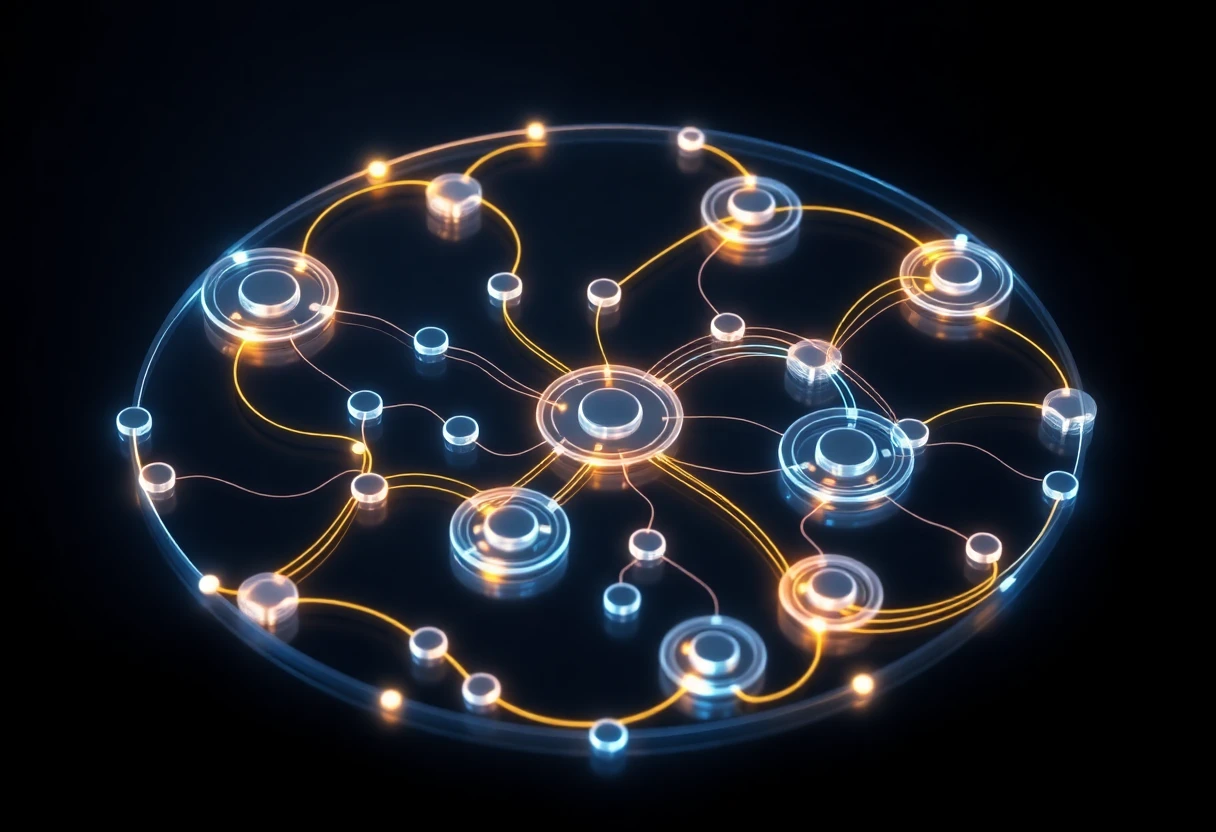
Your follow-up should route people somewhere. If you don’t define a conversion path, you get clicks with no revenue. The replay is the hook. The next asset is the conversion engine.
Most education teams succeed when they map the replay into a sequence of increasing commitment.
Conversion paths for online course creation teams
Replay → free lesson → course enrollment works when you want to nurture. You offer a “try before you buy” moment and let the person experience your teaching style.
Replay + Q&A → personalized demo → cohort signup works when the buyer needs validation. This is common for AI education tools where the fit depends on their workflow.
Webinar community hook → ongoing learning → upsell modules works when you want retention. The webinar becomes the entrance to a learning habit.
AI education tool demo CTAs that don’t feel salesy
Frame demos as “build your first plan with your data.” That’s the difference between a sales pitch and a practical help session.
Tailor the walkthrough to poll answers and watched topics. If someone voted “need personalization,” don’t demo generic features. Demo personalization specifically—what changes, what gets generated, and how the learner experience improves.
Low-friction starting point → demo. Give them something small (template, handout, or a short analysis) and then offer the calendar link as the next logical step.
Wrapping Up: Build Your Webinar Follow-Up in 60 Minutes—stop overthinking
You can ship this today. The only reason webinar follow-ups take days is because teams keep revising strategy instead of assembling the sequence and launching it.
Here’s how I’d do it if you gave me an hour and a list of attendees.
A practical checklist (so you ship today)
- Pick your segments — attendees, no-shows, on-demand. For on-demand, set watch time thresholds (example: 10%, 50%, 75%).
- Create 5 emails for the 5-email sequence — #1 replay + thank you, #2 Q&A recap, #3 use case, #4 demo/calendar link, #5 offer.
- Write one clear CTA per email — keep length to 150–250 words and remove anything that doesn’t support that CTA.
- Add UTM links — so you can measure replay clicks → course/enroll clicks → demo bookings.
- Schedule timing correctly — email #1 within 24–48 hours, on-demand via behavior triggers, day 30 as your second-chance conversion.
- Decide A/B tests — test subject lines and CTAs separately. Don’t change everything at once.
How AiCoursify can help you operationalize the templates
I built AiCoursify because I got tired of reinventing the same course assets and follow-up content every webinar cycle. Turning a live session into structured, CTA-ready follow-up materials shouldn’t be a manual grind.
With AiCoursify, you can streamline how you turn webinar content into recap blocks, resource summaries, and course-aligned next steps. Then you pair that with your segmentation and personalization logic so the templates stay consistent while the personalization scales.
My rule is value-first drafts + quick edits for accuracy. AI can accelerate the first pass, but you still verify details and match your brand voice.
Frequently Asked Questions
How soon after a webinar should you send a follow-up email?
Send email #1 within 24–48 hours. That window captures peak recall and usually boosts opens and replay clicks. For on-demand viewers, trigger based on watch time/engagement rather than a fixed date.
If you’re running a global event, behavior-triggered sends beat the “one schedule fits all” approach.
What should you include in a webinar thank you email?
Include four things: a genuine thanks, a replay link, one actionable takeaway, and a clear CTA. Optional add-ons are slides/PDF and a short “next steps” link.
Don’t dump everything. One takeaway beats a full recap every time.
What are some no-show webinar follow-up email examples?
A strong no-show email usually looks like: “We saved your seat” + replay link + a 3-bullet “what you missed” recap. Another example is a Q&A highlight email that routes to slides/PDF or a checklist CTA.
Keep empathy in the first lines and give the reader a simple next step.
How many webinar follow-up emails should you send?
A strong baseline is a 4–5 email sequence. Most education funnels do well with 5 emails over roughly 5–30 days to capture second-chance conversions.
If you add more touches, you need proof from clicks and replies that the audience wants it.
Do webinar follow-up emails work for online course enrollment?
Yes—when segmented and aligned to readiness. Use replay + course-aligned next steps. Then measure ROI via UTM links and conversion attribution.
Research summaries highlight strong efficiency: email ROI benchmarks like $36 for every $1 spent are why it’s usually worth investing in the sequence and instrumentation.
What subject lines get better opens for webinar follow-ups?
Question-style subject lines tend to perform well when they match the segment’s intent. Keep them short: 2–4 words.
Attendees often respond to “recap” framing, while no-shows respond to “replay” framing.