How to Create a Private Podcast for Your Course in 6 Simple Steps
If you want to share course audio with a private audience, you’re definitely not the first person to run into this problem. I’ve seen it happen all the time: someone records great lessons, uploads them, and then worries—rightfully—about whether the “private” link is actually private. A public podcast feed is easy to discover. A private podcast feed? That takes a little setup, but it’s very doable.
In this post, I’ll walk you through how I set up a private podcast for a course in a way that’s secure, easy for students to use, and simple to maintain. By the end, you’ll know what to click, what to test, and what to double-check so your audio stays accessible only to the people you approve.
Key Takeaways
– Pick a host that supports private podcast feeds (password protection, tokenized URLs, or login/SSO). Make sure it can generate an RSS feed you can embed or link from your course.
– Don’t assume privacy. Create a test feed, subscribe using a couple different apps/devices, and confirm the feed won’t play without access.
– Record clean audio and package it like real lessons: short episode segments, clear titles, and descriptions with timestamps or “what you’ll learn” bullets.
– Integrate the player where students already are (Teachable/Kajabi/LMS pages or a login portal). Test on mobile first—most “oops” moments happen on phones.
– Invite listeners with unique access (email invites, feed links, or SSO). Track access and remove it if someone leaves the course.
– Update regularly and keep your RSS feed current. Use basic analytics/episode performance to decide what to record next.
How to Create a Private Podcast for Your Course
Starting a private podcast for a course isn’t complicated, but you do have to be intentional. What you’re really building is a delivery system: audio files + a feed + a way to keep that feed restricted.
Before you touch any settings, I recommend you answer two questions:
1) What counts as “private” for your setup? Some people mean “not listed publicly.” Others mean “only people with a login can stream.” Those are different security levels.
2) How will students access it? Will they listen inside an LMS lesson page, or will they subscribe in an app using an RSS feed? Your answer changes what you should configure.
In my experience, the cleanest experience is: students click from your course page and the audio plays without them hunting for a feed. But if you want app subscriptions (Apple Podcasts, Overcast, Pocket Casts, etc.), you’ll still need RSS—but with access control.
Planning a simple episode outline also saves time. I like to map each course module to 1–2 episodes. Then I write episode descriptions like mini-lesson plans so students know what they’ll learn before they hit play. That alone reduces “I can’t find the right episode” emails.
Step 1: Choose Your Podcast Hosting Platform
This is where most people accidentally pick the wrong tool. Don’t just look for “podcast hosting.” Look for private feed support and the way the host enforces access.
Here are the platforms I’ve seen commonly used for private podcast setups:
- Audioboom (commonly used for controlled/private publishing options)
- Libsyn (known for RSS feed workflows and podcast management)
- Anchor (can be convenient, but privacy options may require extra attention depending on how you distribute)
When I evaluate hosts, I check four things:
- Private feed mechanism: Does the platform generate a private RSS URL, tokenized feed, or require login/SSO?
- Distribution method: Can I embed a player on my course pages, or at least link to a feed safely?
- Device/app testing support: Does the host recommend supported podcast apps? (This matters more than people think.)
- Operational cost: If you’re uploading weekly, you need predictable pricing and enough storage/bandwidth.
One quick warning: some “private” features only hide the show from public directories, but the underlying files or feed might still be reachable if the URL leaks. If your goal is “only enrolled students,” you want a host that ties access to credentials or a protected feed link.
Step 2: Set Up Your Private Podcast Feed
Once you’ve chosen a host, the next step is setting up the private RSS feed (or whatever access-controlled feed/token option the host provides). This is the backbone of a private podcast.
Here’s what I do in practice:
- Create a new podcast/show inside your host account.
- Enable “private” or “unlisted” mode (exact wording varies by host).
- Generate the private feed URL (sometimes it looks like a normal RSS feed link, but it includes a token, secret path, or requires authentication).
- Decide how students will access it: embed player link, direct feed URL, or feed inside a login portal.
Then comes the part that people skip: privacy testing. I test like a student and like a “random stranger.”
My quick test checklist:
- Create a test student account (or use a separate browser profile).
- Subscribe to the feed using at least one iOS app and one Android app (for example, Apple Podcasts on one device and Overcast on another—whatever you plan to support).
- Try playing an episode in a private/incognito browser where you’re not logged in (or where you don’t have the token).
- If the host uses login, confirm that the episode requests fail without the session.
- If the host uses a private feed URL, confirm that the feed URL itself doesn’t become “publicly usable” (for example, that it doesn’t work from accounts you didn’t authorize).
One practical tip: keep your private feed URL somewhere safe and treat it like a password. If you paste it into a public page by accident, you’ve basically handed out the keys.
Finally, plan your access management. Ask: Can I revoke access? Can I rotate the feed token if a student shares it? Some hosts make this easier than others.
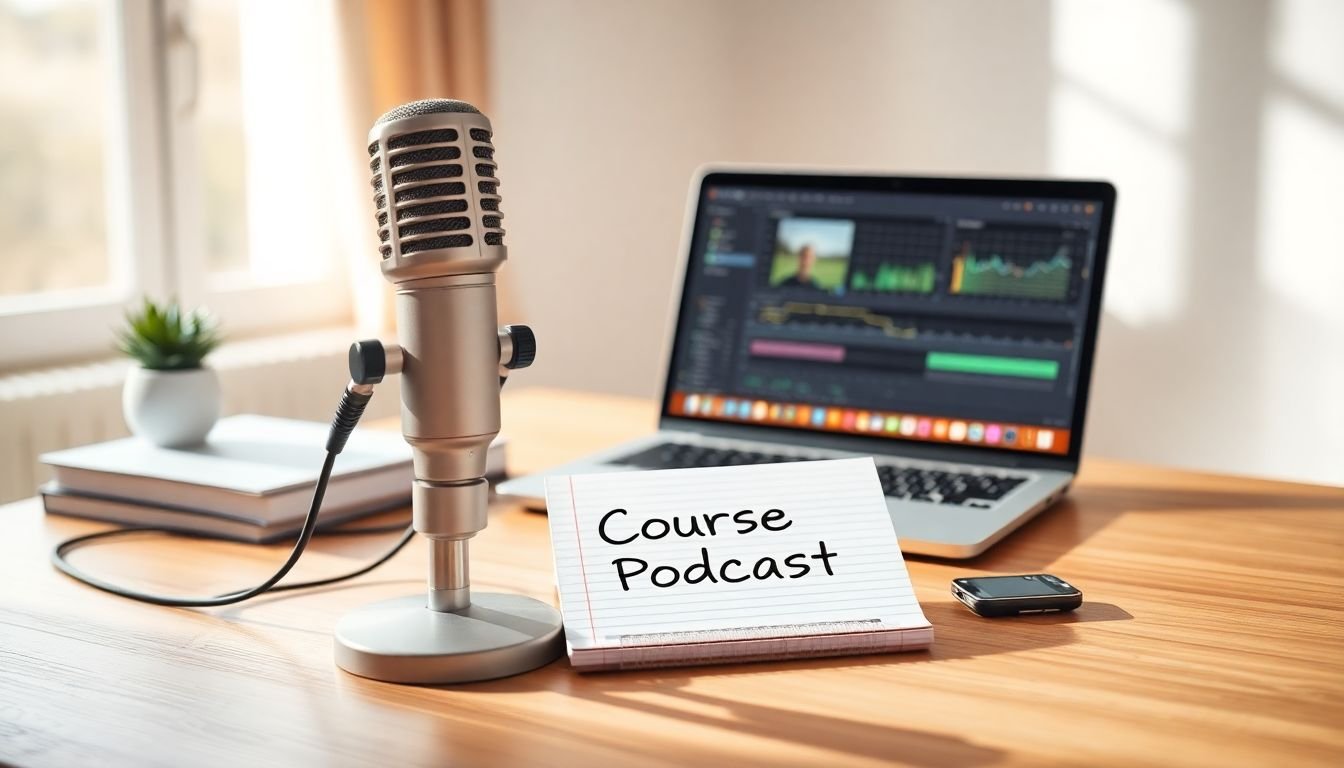
Step 3: Create and Upload Your Course Audio Content
Now you’re ready to record. And yes—audio quality matters, but it doesn’t need to be studio-perfect. It needs to be clear and consistent.
In my setup, I plan episodes around course outcomes, not around time. A good rule of thumb is to keep episodes short enough that students can finish one during a normal break—think 10–25 minutes per episode for most lessons. If you’re doing deep dives, you can go longer, but I’d rather have two focused episodes than one rambling one.
For recording and editing, I’ve used:
When you upload episodes to your host, don’t treat titles and descriptions like an afterthought. This is where students decide what to listen to.
Episode title formula I like:
Module # + Lesson focus (what problem it solves) + outcome
Example: “Module 3: Write the Hook That Gets Clicks (Lesson 2: 3 templates)”
Description format that works:
- What you’ll learn (3–5 bullets)
- Key takeaway in one sentence
- Timestamped segments (even rough ones help)
- Action step for students (e.g., “Try this script and paste your draft into the forum”)
One thing I always do before publishing: I listen to the episode on my phone. If it sounds “fine” on desktop but muffled on mobile, students will blame the course. Fix it early.
Step 4: Integrate Your Private Podcast with Your Course Platform
Here’s the truth: students won’t open five different tabs to find your audio. So I aim for “click and listen” inside the course experience.
If you’re using platforms like Teachable or Kajabi, you typically have a few options:
- Embed a podcast player (if your host offers an embed widget)
- Link to the episode or player page
- Show a “Listen here” button that points to the private feed/player
Some LMS setups also have podcast-related integrations or plugins. If you already use an LMS plugin ecosystem, it’s worth checking first. The best integration is the one that doesn’t require students to understand RSS at all.
My integration testing approach:
- Open the lesson on mobile and hit play.
- Confirm the player doesn’t show “public” info or accidentally expose the feed.
- Log out and test the same page. If the page is accessible but audio plays, that’s a problem.
- If your course uses a login portal, make sure the player loads only after authentication.
If you also want email updates, you can automate announcements using tools like Mailchimp or ConvertKit. Just be careful: emails should include either a safe player link or a feed link that still requires access.
Step 5: Invite and Manage Your Listeners
Once your private feed is working, it’s time to onboard listeners. This step is about access control and making sure students know what to do.
I like to send a short “here’s how to listen” email. It reduces support tickets and prevents the “I subscribed but nothing downloads” confusion.
Depending on your host, you might do this by:
- Sending the private feed URL (or tokenized link) via email
- Using the host’s invite management features (if available)
- Integrating access with your payment system
If your course is paid, tie access to registration/payment using Stripe or PayPal. That way, you’re not manually adding/removing people.
A simple invitation email template you can copy:
- Subject: Your private course podcast is ready 🎧
- Hi [Name],
Here’s your listening link: [Private Podcast Player/Feed Link]
If you prefer an app subscription, use this RSS feed: [Private Feed URL]
How to listen: Open the link and press play. If you don’t see the episode right away, try refreshing in your podcast app.
If anything doesn’t work, reply to this email and I’ll sort it out.
Also: keep access tidy. If someone refunds or cancels, revoke their access. If you can’t revoke, at least rotate the feed token so leaked links stop working.
Step 6: Maintain and Update Your Private Podcast
A private podcast isn’t “set it and forget it.” If you want students to keep returning, you need a predictable rhythm and clean updates.
Here’s what I recommend:
- Publish on a schedule you can actually keep (weekly, biweekly, or even “every module release”). Consistency beats intensity.
- Review episode performance (listen-through, downloads, or whatever analytics your host provides).
- Answer common questions in new episodes. This is where podcast audio shines for courses.
- Update your RSS feed properly when adding new files so subscribers receive episodes in their app.
One practical move: archive older episodes only if you’re sure students won’t need them later. If you do archive, keep a “Start here” or “Course overview” episode pinned so new students don’t feel lost.
If you notice drop-offs—like lots of students listening to episode 1 but not episode 2—don’t just record more. Look at your topics and formatting. Were the early episodes too broad? Did you skip an important learning step? That’s usually the real fix.
Bonus Tips for a Successful Course Private Podcast
If you want your private podcast to feel like part of the course (not an extra thing students ignore), here are a few tactics that actually help.
1) Build episodes like mini-lessons, not like “talking”
Every episode should have a clear outcome. If you can’t summarize it in one sentence, your students won’t remember it either.
- Good: “By the end, you’ll be able to write a hook using 3 proven structures.”
- Not great: “We’ll talk about writing hooks and stuff.”
2) Use a repeatable episode outline
Here’s a structure I’ve used that keeps episodes engaging without rambling:
- 0:00–1:00 — Quick recap + what’s new
- 1:00–8:00 — Core teaching (with one example)
- 8:00–15:00 — Step-by-step walkthrough
- 15:00–20:00 — Common mistakes + how to avoid them
- 20:00–25:00 — Action step + “send me your result” prompt
3) Make it easy to choose the right episode
Students don’t want to hunt. Add something like this to your course page near the player:
- “Start here” (Episode 1 for the module)
- “Need help with X?” (link to the episode that solves it)
- “If you’re new” (a short orientation episode)
4) Don’t rely on social discovery—rely on course discovery
Because this is private, you can’t count on people finding you in podcast directories. Your distribution is your course platform + your onboarding email + your module navigation.
5) Add a “privacy QA” checklist before you publish
This is my go/no-go list. If you can’t check these, don’t launch yet:
- Test device A (iPhone) can play the episode after login
- Test device B (Android) can play the episode after login
- Logged-out test cannot access the feed or audio
- Incognito browser cannot play the episode
- Private feed URL isn’t visible anywhere public (no accidental page indexing, no public embeds)
- New episodes appear in the app after you publish (no manual refresh required, if possible)
If you want, I can also help you turn your course modules into a ready-to-record episode list (titles + descriptions + action steps). It’s way faster than starting from scratch.
FAQs
Choose a host that clearly supports private feeds (tokenized URLs, password protection, or login/SSO) and that lets you embed or distribute audio through your course pages. I also recommend checking whether the host has an easy way to manage access—because you’ll want to revoke access later.
Security comes from the host’s access control plus your own testing. Use a private feed URL or tokenized feed, avoid posting it anywhere public, and verify access by testing in an incognito browser (or a logged-out account). If your host supports revoking/rotating tokens, use that when needed.
Send a personalized email with either a private player link or your private RSS feed URL (whatever your host supports). If you’re using a course checkout, tie access to registration so new students automatically get access and old students don’t.
Upload new episodes in your hosting dashboard and make sure they’re published to the same private feed. Then notify your students through your course portal or email so they know what’s new. Always re-test playback after updates, especially if you change privacy settings.