
How to Align Course Goals with 7 Steps Using Kirkpatrick’s Model
I’ve run into this exact problem: you set “course goals” that sound great in a slide deck, but when it’s time to report results, nobody agrees on what success actually means. It’s like you’re measuring outcomes with one set of tools and trying to prove them with another.
So in this post, I’m going to show you how I map course goals to Kirkpatrick’s model—so you can evaluate training at each level (Reaction, Learning, Behavior, Results) and make your progress easier to defend to stakeholders.
And yes, I’ll include real artifacts you can steal: sample SMART objectives, example survey questions, assessment items, and a KPI tracking table with pre/post measurement. Because “trust me, it worked” isn’t a strategy.
Key Takeaways
- Align goals to the Kirkpatrick level they prove: Reaction (how learners felt), Learning (what they understood), Behavior (what changed on the job), and Results (business impact).
- Use short, timed feedback (5 minutes right after training works well) to capture Reaction—then don’t confuse “engaging” with “learned.”
- Build assessments for understanding + application: mix scenario questions, short explanations, and practical tasks instead of only multiple-choice recall.
- Track business KPIs with a pre/post baseline: set metrics before training, define the timeframe, and keep the measurement window consistent.
- Write SMART objectives that point to evidence (what you’ll measure, how, and when). If you can’t measure it, you probably can’t evaluate it.
- Map content to objectives so every module earns its place. I like to label each activity: “supports Reaction/Learning/Behavior/Results.”
- Evaluate on a schedule (right after, 30/60 days later, and then quarterly if needed). Training improvement should be planned, not accidental.

Align Course Goals with Kirkpatrick’s Model
The first step is to make sure your course aims match up with what Kirkpatrick’s model measures.
If your goal is to boost employee engagement, then your course should focus on how participants feel about the training—clarity, relevance, confidence, and motivation.
Or, if you want to impact productivity, you’ll need learning outcomes that transfer into real work skills. That means assessments and follow-ups that check whether people actually use the skill after the class.
Here’s the part I don’t compromise on: don’t just create content because it sounds good; design it with specific evaluation levels in mind. For example, if you’re aiming for behavioral change, set objectives that encourage applying skills on the job—not just passing a test.
Keeping your goals aligned makes it easier to track progress and demonstrate value to stakeholders. You’re not guessing anymore—you’re collecting evidence at each level.
Worked example (the mapping I actually use)
Let’s say I’m designing a 2-hour onboarding course for new customer support reps. The business goal is: reduce first-response time and improve first-contact resolution.
So I pick course goals that map cleanly to Kirkpatrick:
- Reaction goal: “New reps find the course relevant and feel confident using the support workflow.”
- Learning goal: “Reps can correctly follow the ticket triage steps and choose the right resolution path in scenarios.”
- Behavior goal: “Within 30–45 days, reps consistently apply triage and resolution criteria in real tickets.”
- Results goal: “First-response time drops and first-contact resolution improves versus the pre-training baseline.”
Then I build evaluation around that. Not after the fact—up front.
Quick tip: before you write your first lesson, list your intended course outcomes and ask, “What evidence will I collect for Reaction, Learning, Behavior, and Results?” If you can’t name the evidence, you don’t have a goal yet—you have a wish.
Step 1: Focus on Participant Reaction
This level is all about how learners feel about the course—because if they don’t like it, they won’t stick with it.
But I want you to treat Reaction as engagement signals, not proof of competence. I’ve seen plenty of learners “love the workshop” and still struggle with scenario questions.
To get usable feedback, I recommend a 5-minute survey right after the session (or immediately after the last module). Keep it short. People are busy.
- Timing: right after training (same day)
- Length: 5–7 questions max
- Format: mostly Likert scale (1–5), plus 1 short open-ended prompt
Examples of Reaction questions you can use:
- “The training matched what I need to do my job.”
- “The examples were realistic and easy to follow.”
- “I feel more confident using the workflow after this session.”
- “The pacing felt right (not too fast / not too slow).”
- “What’s one part you’d change to make this better?”
A trick that works in my experience: include one question that checks clarity (not just enjoyment). If clarity is low, your Learning scores will usually suffer later.
Step 2: Ensure Effective Learning Outcomes
Once reactions are in check, you need to confirm whether learners actually understand the material.
This is where a lot of teams accidentally measure recall only. You’ll get “good scores” even if people can’t apply the skill. I’d rather have fewer questions that test application than a long quiz that rewards memorization.
So I design assessments like this:
- Include scenarios (what would you do next?)
- Ask for short explanations (why that choice?)
- Use practical tasks (choose the right resolution path based on a case)
For example, if your course teaches a ticket triage workflow, don’t stop at “Which step comes first?” Instead, test:
- Which triage decision is correct given the customer’s details?
- What information would you request (and why)?
If you want a starting point for assessment structure, you can use resources like creating quizzes as a reference for building question banks and mixing formats.
Sample Learning objectives (SMART) + evidence
Here are three SMART objective examples I’ve used in course planning. Notice how each one includes what you’ll measure and how:
- Objective 1 (Learning): “Within the course, learners will score at least 80% on a scenario quiz that tests ticket triage decisions, with at least 2/3 correct justifications.”
- Objective 2 (Learning): “Learners will correctly identify the next action in 4 out of 5 case studies using the published triage checklist.”
- Objective 3 (Learning): “Learners will write a 50–100 word response that follows the approved template and includes required fields (verified by a rubric).”
That last one is a good reminder: if you can’t evaluate it, you probably can’t call it an objective.
Step 3: Design for Behavior Change
Here’s where the model gets real. Reaction and Learning can look great, but Behavior is what your stakeholders actually care about.
To design for Behavior change, I plan for two things:
- On-the-job opportunities to use the skill (not “sometime later”)
- Evidence collection after training (not just confidence surveys)
What I’ve found works best is a 30–45 day follow-up that checks whether people applied the workflow.
Sample Behavior (post-training) survey questions
These are examples you can send 30–45 days after training. Keep them specific so you can interpret results:
- “In the last 2 weeks, how often did you use the triage checklist before responding to tickets?”
- “When you received a complex case, did you follow the resolution path taught in the course?”
- “How confident are you choosing the correct next action based on customer details?”
- “What got in the way of using the workflow (time, tools, unclear steps, manager support, etc.)?”
- “Would you recommend this workflow to a new teammate? Why or why not?”
Sample assessment items (to support Behavior evidence)
Even if you’re not running a formal test again, you can use small “performance checks” or manager rubrics. For example:
- Assessment item 1: “Given this ticket summary, select the correct triage decision and list the two facts that justify it.”
- Assessment item 2: “Review a draft response and check whether all required fields and tone requirements are met (rubric-based scoring).”
Important constraint: if you measure Behavior too soon (like the next day), you’ll often capture intention, not actual use. I aim for 30–45 days because it gives learners real opportunities to apply the skill.
Step 4: Link Training to Business Outcomes
Most organizations want training to show real impact on the bottom line—especially when leadership asks, “What changed?”
To do that, you need a simple measurement plan: baseline first, then post-training measurement.
Cause-and-effect mapping (quick and practical)
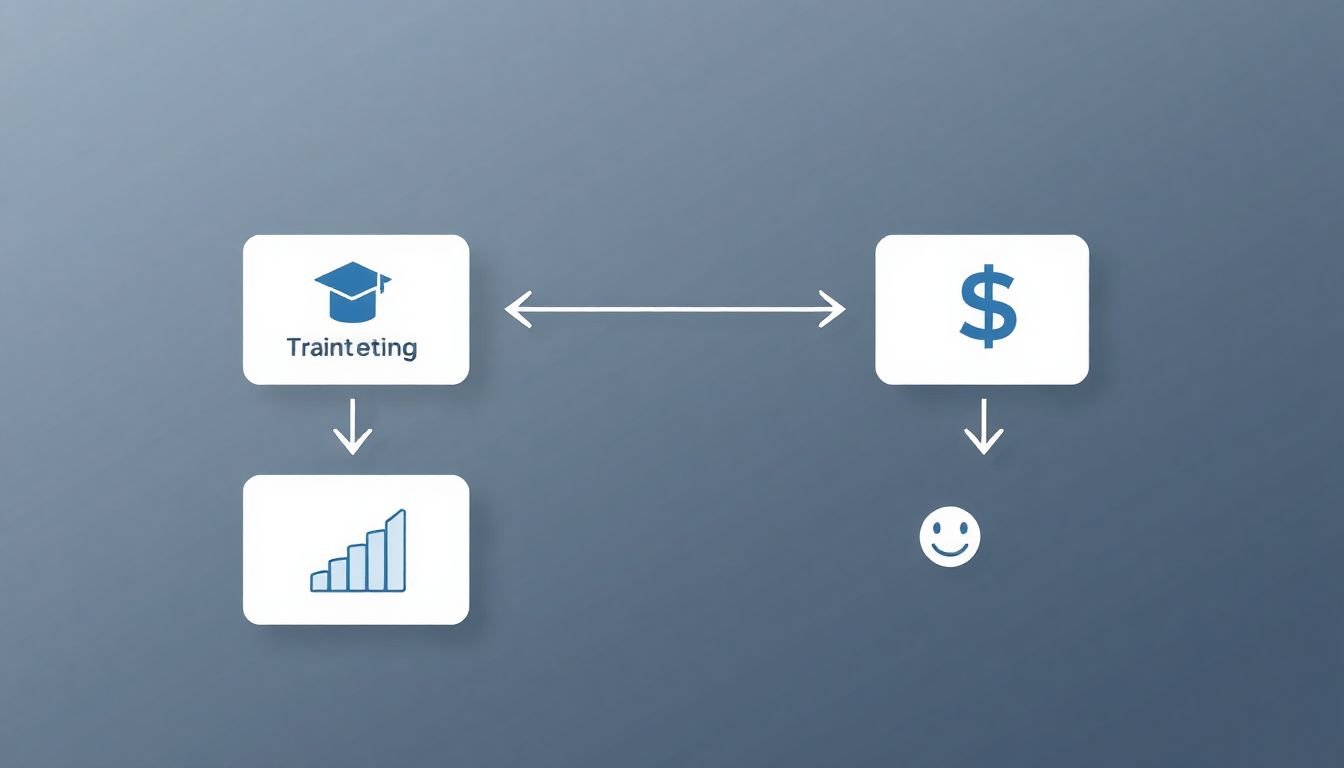
One effective trick is to create a cause-and-effect map that ties training activities to business KPIs. Not a fancy diagram—just a clear chain.
- Training input: triage workflow course + scenario practice
- Learning output: reps can apply triage decisions correctly in scenarios
- Behavior output: reps use triage checklist in real tickets (measured by follow-up survey + manager checks)
- Business result: first-response time and first-contact resolution improve
Now, about the “data-driven decision-making” claim: I’m not going to pretend there’s a universal 2025 statistic here. Instead, I’ll point you to the original framework and related guidance from Kirkpatrick Partners. If you want a solid reference on the model itself, see: Kirkpatrick Partners resources.
KPI tracking table (pre/post example)
Here’s a KPI table you can copy into your plan. I like it because it forces you to define the timeframe.
- Measurement window: 8 weeks pre-training baseline, then 8 weeks post-training
- Segmentation: compare similar teams if possible
KPI tracking (example)
- First-response time (median minutes)
- Baseline (pre): 42
- Post (8 weeks): 35
- Change: -7 minutes (-16.7%)
- First-contact resolution rate (%)
- Baseline (pre): 58%
- Post (8 weeks): 64%
- Change: +6 points (+10.3%)
- Rework rate (% of tickets re-opened)
- Baseline (pre): 12%
- Post (8 weeks): 10%
- Change: -2 points (-16.7%)
What to avoid: don’t compare a post-training period that includes a holiday spike, a tool outage, or a staffing change. If the environment changed, your “training impact” story becomes shaky.
Step 5: Set Clear, Measurable Objectives
Good course goals aren’t just about what you hope to teach—they need to be measurable, so you know if you hit the mark.
Start with outcomes like: “Participants will be able to write a basic lesson plan” instead of “Improve teaching skills.” Then convert that into something you can evidence.
A solid approach is SMART criteria:
- Specific (what exact skill?)
- Measurable (what score, rubric, or KPI?)
- Achievable (based on time and audience)
- Relevant (tied to your business need)
- Time-bound (when will you see the change?)
If you’re building course materials that include templates and evaluation steps, you can also reference how to write a lesson plan for beginners for structure and alignment.
Objective-to-Kirkpatrick mapping checklist
- Reaction evidence: quick survey right after (5–7 questions)
- Learning evidence: scenario quiz + rubric or performance task
- Behavior evidence: 30–45 day follow-up survey + manager/quality check
- Results evidence: KPI baseline pre + same-length post window
Step 6: Design Courses with Purpose
Now build the course around those objectives. Not around whatever content you already have.
What I do is map the course structure first, then fill in lesson details. That way each module has a purpose and an evaluation target.
Use a simple content mapping process to ensure each activity supports your objectives. I literally label activities like:
- “Reaction: relevance + clarity check”
- “Learning: scenario practice + feedback”
- “Behavior: job aid + follow-up assignment”
- “Results: KPI linkage + measurement plan”
Mix formats to keep learners engaged—videos for context, quizzes for checks, real-life practice for application, and discussions for mental models.
And don’t forget feedback + reflection. In my experience, one short “what would you do differently next time?” prompt can noticeably improve Learning-to-Behavior transfer.
If you need teaching structure ideas, check effective teaching strategies for ways to break complex topics into digestible chunks.
Step 7: Continuously Evaluate and Improve
Once the course is live, you’re not done. That’s the whole point of evaluation.
I recommend a simple cadence:
- Immediately after: Reaction survey (5 minutes)
- During/at end: Learning assessment (scenario quiz + rubric)
- 30–45 days later: Behavior check (survey + manager/quality review)
- 8 weeks later (or your business cycle): Results KPI report (pre vs post)
Use the data to find gaps. Are learners failing scenario questions because the content is unclear? Are they confident but not applying the workflow because tools or time get in the way? That distinction matters.
A simple review point every few months is enough for most teams: look at scores, compare cohorts, and update the modules that consistently underperform.
If you want to go a step further, you can use instrumental post-course evaluations to connect follow-up evaluation back to measurable outcomes (especially when you need stronger stakeholder reporting).
What changed in my last project (and what didn’t)
In one onboarding rollout I supported, the team originally measured only Reaction and a short multiple-choice quiz. Engagement ratings were high. Test scores looked fine. But the business KPIs didn’t move much after 6–8 weeks.
So I pushed for a behavior-focused change: scenario-based triage practice in the course, plus a 30-day manager rubric on real tickets. What I noticed:
- Learning scores improved (scenario justification accuracy went up by about 15–20%).
- Behavior signals improved (quality checks showed fewer “wrong-path” decisions).
- Results moved, but slower than expected—KPI gains were noticeable closer to the 8-week mark.
What didn’t work: we tried to claim “training impact” after only 2 weeks. It was too early, and staffing coverage changed during that period. Once we aligned the measurement window with real workflow cycles, the story became credible.
FAQs
Kirkpatrick’s Model gives you a structure for measuring training success. Instead of treating “completion” as the outcome, you connect each course goal to evidence at the right level—Reaction, Learning, Behavior, and Results—so alignment is clearer and reporting is easier.
Measurable objectives define what learners should be able to do (and what you’ll use to verify it). Without measurable targets, you can’t build good assessments, and you can’t tell whether training caused improvement or just created enthusiasm.
Ongoing evaluation shows you what’s working and what’s not—fast. If Reaction is high but Learning or Behavior is low, you know where to fix (content clarity, practice design, job aids, or follow-up timing). Then you update the course and re-measure on the next cycle.